
Unlocking Viral React Content: How to Use ClipCam Effectively
Unlock the potential of viral react content with ClipCam to boost your social media engagement and reach. Start creating today!
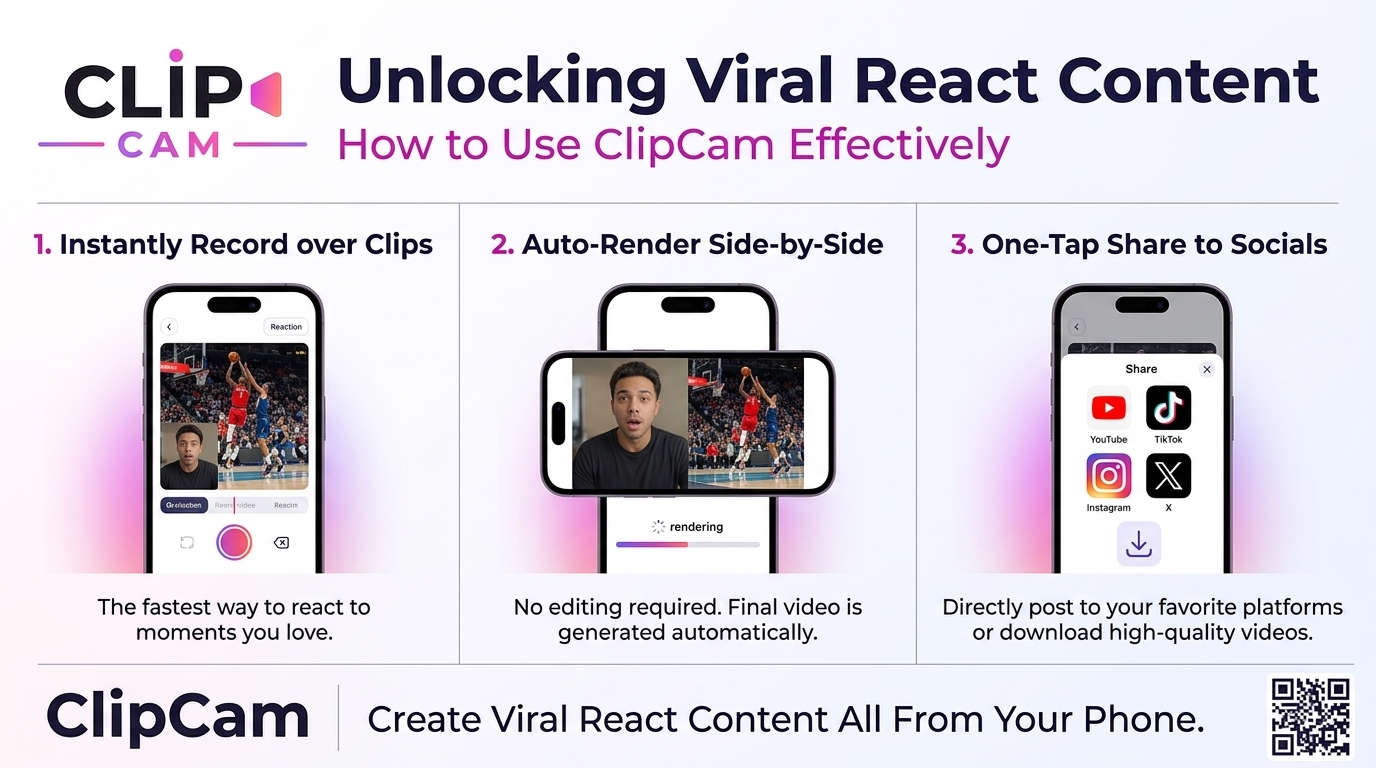
Unlocking Viral React Content: How to Use ClipCam Effectively
Crafting viral react content can feel like capturing lightning in a bottle, but with the right tools, it’s entirely achievable. ClipCam empowers creators to turn their spontaneous reactions into shareable gold, igniting social media feeds.
Understanding Viral React Content
What is Viral React Content?
Viral react content consists of videos where a creator reacts to existing media, such as clips, memes, or other social posts. These videos often blend personal emotion with humor, creating an engaging experience that resonates with viewers. Successful examples include viral reactions to hot topics, surprise reveals, or entertaining fails, often characterized by genuine laughter or relatable exclamations. Elements like spontaneity, cultural relevance, and clear visual engagement contribute significantly to their viral nature.
Why is it Popular on Social Media?
The popularity of viral react content can largely be attributed to its relatability and humor. Viewers feel connected to the creator’s reaction, making them more likely to share the content with their friends. Additionally, the fast-paced nature of social media encourages quick content consumption, and react videos serve up instant entertainment. The shareability factor is further amplified when creators touch on trending topics, ensuring the content feels timely and relatable.
Getting Started with ClipCam
What is ClipCam?
ClipCam stands out as a user-friendly platform designed for content creators eager to produce high-quality videos effortlessly. From its array of editing tools to its seamless sharing capabilities, ClipCam offers everything you need to craft engaging viral content. Its unique features, like built-in reaction prompts and a straightforward interface, can significantly streamline your workflow.
Setting Up Your ClipCam Account
Creating a ClipCam account is a breeze. Follow these steps:
Visit the ClipCam Website: Enter the official ClipCam website.
Sign Up: Click on the “Sign Up” button and fill out your details. Ensure you choose a memorable username as it represents your brand.
Explore the Dashboard: Once registered, familiarize yourself with the dashboard. Browse through tutorial videos to maximize your use of the platform.
Personalize Your Profile: Upload a profile picture and a brief bio so viewers can connect with you personally.
Creating Compelling React Content with ClipCam
Selecting Your Content to React To
Finding the right videos to react to is crucial for creating compelling content. Focus on trending topics, popular memes, or viral challenges that align with your personality. Tools like Google Trends or Twitter’s trending section can guide your content selection, ensuring your videos resonate with current viewer interests.
Utilizing ClipCam's Features for Engaging Videos
Leverage ClipCam’s impressive features, such as real-time editing and visual filters, to enhance your videos. The platform’s ability to adjust lighting and sound quality right from the recording interface helps deliver a polished final product. Plus, engagement tools like reaction stickers can keep your audience entertained and immersed in your content.
Tips for Recording Your Reactions
When recording your reactions, authenticity is key. Here are some practical tips:
Find Your Comfort Zone: Ensure you’re in a comfortable space that allows for natural reactions.
Practice Makes Perfect: Consider doing a few practice runs to get used to the camera presence before recording the final take.
Stay Engaged: Let your personality shine through. Humor, shock, and excitement can all amplify viewer engagement.
Editing and Enhancing Your Videos
Using ClipCam's Editing Tools
ClipCam’s editing suite provides the tools you need to polish your videos. Cut out awkward silences, incorporate exciting transitions, and adjust your video’s pacing to keep viewers engaged. Using ClipCam’s intuitive interface makes it easy to enhance your video without advanced editing skills.
Adding Music and Sound Effects
Background music and sound effects can elevate your content by setting the mood or heightening comedic timing. ClipCam offers a library of royalty-free music and sound effects to choose from, enabling easy integration and enhancing audience connections through auditory cues.
Incorporating Text and Graphics
Adding text overlays and graphics can draw attention to key moments in your video. Use vibrant colors and eye-catching fonts to highlight jokes or reactions. ClipCam allows you to add these elements effortlessly, enhancing your video’s appeal and viewer engagement.
Optimize Your Content for Different Platforms
Choosing the Right Aspect Ratios
Each social media platform favors different video sizes and formats. For instance, TikTok and Instagram Stories thrive on vertical videos, while YouTube prefers horizontal layouts. Adapting your react videos to fit these formats ensures they look professional and are optimized for the best viewer experience.
Utilizing Hashtags and Descriptions for Greater Reach
Incorporate relevant hashtags and compelling descriptions to widen your reach. Hashtags serve as keywords that enhance discoverability, making it easier for viewers to find your content. Aim for a blend of popular and niche hashtags to attract a targeted audience while increasing your chances of going viral.
Understanding Platform-Specific Best Practices
Each social media platform has unique characteristics that influence video performance. For instance, TikTok thrives on quick, engaging content, while Instagram emphasizes aesthetics. Research these quirks and tailor your videos accordingly to maximize engagement and optimize your content strategy.
Promoting Your Viral React Content
Engagement Strategies
Boosting viewer engagement requires proactive interaction. Respond to comments, ask questions at the end of your videos to stimulate discussion, and encourage shares. Creating a community around your content can propel your videos further into the viral atmosphere.
Collaborating with Other Creators
Collaborations can help broaden your audience and introduce you to new viewers. Working with other creators on react videos allows for cross-promotion, which can significantly boost the visibility of both parties involved.
Using Analytics to Improve Future Content
Analytics are your roadmap to successful content creation. Utilize the insights provided by ClipCam and social media platforms to understand viewer preferences, engagement rates, and demographics. Adjust your content strategy based on these data points to refine future videos, ensuring you remain relevant and engaging.
Common Mistakes to Avoid
Neglecting Audience Feedback
Ignoring feedback from your audience can hinder your growth as a creator. Pay close attention to comments and messages; they often contain valuable insights that can guide your content strategy. Engaging in dialogue with your followers ensures they feel valued and connected, increasing loyalty and shareability.
Failing to Stay Up-to-Date with Trends
Trends are the pulse of social media, and failing to keep pace can detract from your content’s virality. Stay informed about the latest news, memes, and popular challenges within your niche to remain relevant. A misalignment with current trends can lead to missed opportunities for engagement and growth.
Start creating captivating viral react content with ClipCam today and watch your social media presence soar!