
Streamline Your Short-Form Video Creation Workflow with ClipCam
Master short-form video creation with ClipCam's intuitive tools. Boost engagement & save time with a streamlined workflow. Get started free!
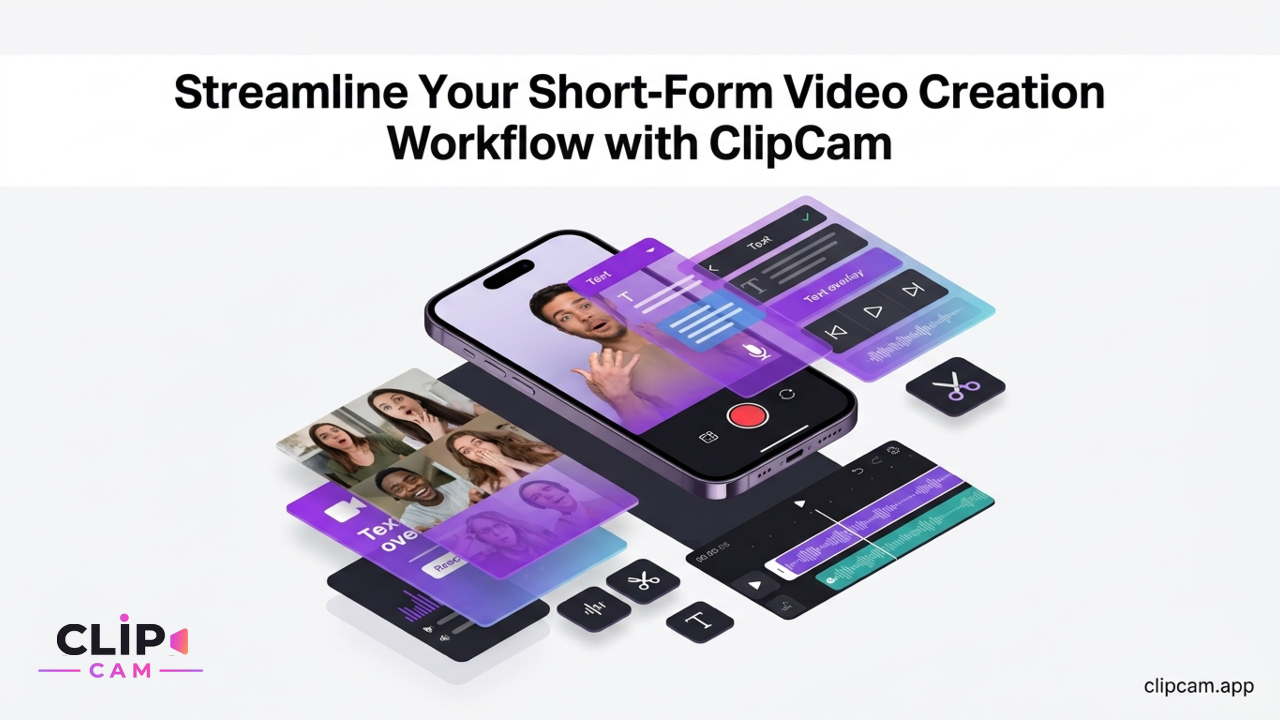
The world of mobile content creation moves at lightning speed, demanding both quality and efficiency. For creators looking to engage audiences with compelling reaction videos, the challenge has always been how to streamline short-form video creation workflow without sacrificing authenticity or production value.
Unlock Rapid Short-Form Video Creation with ClipCam
Creating compelling short-form video content shouldn't be a battle against complex software or time-consuming edits. It should be intuitive, fast, and directly from your phone.
The Mobile Creator's Challenge: Speed vs. Engagement
Mobile creators are constantly striving to publish timely, engaging content. Yet, traditional mobile editing for reaction videos often presents a significant hurdle: it's notoriously time-consuming. Imagine trying to perfectly align your reaction footage with a source clip, manually configuring complex picture-in-picture layouts, and then endlessly tweaking audio synchronization – all on a tiny phone screen. This process can devour hours, pushing creators away from their core passion: creating. Many find themselves asking, "How do I put my reaction next to a video quickly and professionally?" The struggle between speed and maintaining viewer engagement is real, and it often leads to burnout or a compromise in content quality.
This is where ClipCam emerges as the dedicated solution. Built from the ground up for the modern mobile creator, ClipCam is engineered to deliver fast, high-quality reaction video production directly from your smartphone. ClipCam's core promise is powerful yet simple: automatic side-by-side reactions and one-tap sharing. It’s designed to eliminate the technical friction, empowering you to focus entirely on your authentic response and deliver content that truly resonates.
How ClipCam Simplifies Reaction Video Creation on Your Phone
ClipCam transforms the often-cumbersome process of creating reaction videos into a seamless, enjoyable experience. The entire workflow is designed with mobile creators in mind, focusing on speed and simplicity.
One-Tap Source Clip Selection, Instantly Ready
The first step in any reaction video is selecting the content you're reacting to. With traditional editors, this can involve navigating intricate file systems or lengthy import processes. ClipCam drastically simplifies this. You can choose any source video directly from your phone's library with a single tap. There are no complicated menus or tedious conversions; your chosen clip is instantly loaded and ready for your reaction, making the start of your short-form video creation workflow incredibly efficient. This immediate readiness means you spend less time prepping and more time creating.
Automatic Side-by-Side Layouts: No Manual Editing Needed
Perhaps the most significant time-saver within ClipCam is its intelligent handling of video layouts. The common question of "how do I put my reaction next to a video?" is answered with complete automation. Instead of wrestling with manual resizing, positioning, and layering timelines in a complex editor, ClipCam automatically configures the perfect side-by-side layout for your reaction and the source video. It intelligently adapts to ensure both clips are perfectly visible and optimally presented for short-form platforms. This feature alone shaves off considerable editing time, allowing you to bypass the technical complexities that often bog down mobile creators and focus purely on your creative output. You get professional-looking splits without ever touching a timeline.
Record Your Authentic Reaction In-App
Once your source clip is selected and the side-by-side layout is automatically arranged, ClipCam provides an intuitive recording experience that feels natural and effortless. The app plays your chosen source clip while simultaneously capturing your face and voice using your phone's camera and microphone. This real-time recording means you're reacting authentically as the content unfolds, preserving the spontaneity that makes reaction videos so compelling. There's no need to record separately and then painstakingly synchronize later. ClipCam replaces the need for complex timeline editors with a fluid, integrated interface that lets you simply react and record, making your short-form video creation workflow faster and more direct than ever before.
Essential Features for Engaging Reaction Videos with ClipCam
Beyond simplifying the core creation process, ClipCam equips you with vital features designed to ensure your reaction videos are not just easy to make, but also highly engaging and professional-grade. These features address common challenges faced by mobile creators, ensuring your content stands out.
Crystal-Clear Audio and Visual Sync
The Achilles' heel of many reaction videos is poor synchronization. Nothing detracts from a viewer's experience more than mismatched audio and visuals. ClipCam eliminates this worry entirely. The app is engineered to ensure perfect synchronization between the source clip and your recorded reaction. As you record your response, ClipCam intelligently processes and aligns both audio and video streams, so your facial expressions, commentary, and the original content always play in perfect harmony. This precision means your viewers will experience a seamless, professional presentation, enhancing their engagement and your credibility.
Automatic Captions for Mute-Viewing
In today's social media landscape, a significant portion of short-form video content is consumed without sound. Whether viewers are in a public space or simply prefer to scroll quietly, automatic captions are no longer a luxury—they are a necessity for accessibility and maximizing engagement. ClipCam integrates an automatic captioning feature that transcribes your spoken reaction and overlays it onto your video. This ensures your message and humor are conveyed even when the sound is off, significantly broadening your audience reach and making your content more inclusive. It's an indispensable tool for platforms where videos are often watched silently, capturing attention instantly.
Optimized Mobile Quality Checks for Your Reactions
Creating a great reaction video isn't just about what you say; it's also about how you present yourself. ClipCam provides guidance and capabilities to help you achieve optimal mobile quality. Before you even hit record, ClipCam's preview capabilities allow you to easily check your framing, ensuring your face is clearly visible and well-lit. It also helps you confirm the source clip is perfectly positioned and readable within the side-by-side layout. This proactive approach to quality ensures that your exports are always platform-ready, adhering to best practices for short-form video. By optimizing your reaction's visual presentation directly within the app, ClipCam helps you maintain a polished, professional aesthetic crucial for standing out.
One Reaction, Multiple Platforms: Optimize Your Workflow with ClipCam
Creating a single piece of impactful content is one thing; distributing it effectively across the diverse landscape of short-form video platforms is another. ClipCam is built not just for creation, but for maximal reach and efficiency in your distribution strategy, allowing you to truly streamline short-form video creation workflow.
Tailored for TikTok, Instagram Reels, and YouTube Shorts
Each dominant short-form video platform – TikTok, Instagram Reels, and YouTube Shorts – thrives on vertical video. ClipCam understands this fundamental requirement and streamlines your output accordingly. The app automatically exports your finished reaction videos in the vertical 9:16 aspect ratio, the industry standard for these platforms. This eliminates the need for manual cropping or resizing in external editors, which can often degrade quality or introduce awkward framing. By ensuring your content is perfectly formatted from the outset, ClipCam guarantees your reaction videos look professional and native on every platform, ready to capture scrolling eyes.
Seamless Cross-Platform Sharing to Maximize Reach
What good is amazing content if it’s trapped on your phone? ClipCam's design ethos centers on empowering creators to share their work effortlessly. With a single tap, your meticulously crafted reaction video can be shared directly from the app to YouTube, TikTok, Instagram, and X (formerly Twitter). This "one tap to share" functionality is a game-changer for creators seeking to maximize their reach without navigating cumbersome upload processes for each individual platform. It's about getting your content in front of your audience as quickly and widely as possible, ensuring your message resonates across all your channels.
Scale Your Content Output with Reusable Formats
One of the most powerful aspects of ClipCam is its ability to facilitate scaling your content production. Once you’ve created a reaction video, ClipCam allows you to rapidly repurpose and publish that single piece of content across multiple channels. This means you can create one high-quality reaction and then effortlessly distribute it, increasing your output without complex re-editing for each platform.
ClipCam plays a crucial role in establishing a lightweight, repeatable production system for increasing your reaction-video volume. By minimizing the technical overhead for each video, you can create more content in less time. This consistency is key to growing your audience and maintaining engagement. Imagine churning out daily reactions with an optimized workflow that makes content creation a joy, not a chore – that’s the ClipCam advantage for scaling your short-form video creation workflow.
ClipCam vs. Traditional Editing: The Time-Saving Difference
The distinction between creating reaction videos with ClipCam and using traditional video editing software is stark. It’s a difference measured not just in minutes, but often in hours of reclaimed time and significantly reduced frustration.
From Hours to Minutes: The ClipCam Advantage
Consider the typical multi-step process in conventional video editors: First, you import your source clip and your separately recorded reaction video. Then, you layer them onto different tracks, meticulously resize and position your reaction window for a picture-in-picture effect, often battling aspect ratios and resolution differences. The most painstaking step often follows: manually syncing your reaction audio and video to the source clip, frame by frame, to ensure perfect alignment. Finally, you export, which can be a lengthy process in itself, especially on mobile devices.
ClipCam obliterates this multi-stage complexity. Its integrated, one-tap workflow condenses all these steps into a single, fluid process. You select your source, record your reaction in real-time as the source plays, and ClipCam automatically handles the layout, synchronization, and optimal export settings. What could take an hour or more in a traditional editor – particularly for a creator on a mobile device – is accomplished in mere minutes with ClipCam. This represents a monumental shift in how efficiently you can streamline short-form video creation workflow, freeing up invaluable time for more content creation or audience engagement.
No Steep Learning Curve, Just Pure Creation
Traditional video editing software, while powerful, often comes with a steep learning curve. Mastering timelines, layers, keyframes, transitions, and export settings requires significant investment in time and effort. For mobile creators who need to produce content rapidly and consistently, this learning barrier can be a major deterrent, making the idea of "complex editing" feel daunting.
ClipCam is designed with accessibility and immediate productivity in mind. There's no steep learning curve to navigate. Its interface is intuitive, streamlined, and purpose-built for one thing: creating reaction videos quickly and easily. Both new and experienced creators can pick up the app and begin producing high-quality content within minutes, without needing prior editing experience. This ease of use means you can bypass technical hurdles and dive straight into the creative process, focusing on your authentic reactions and captivating commentary rather than struggling with software. ClipCam reinforces its value proposition as the fastest, most efficient tool for mobile reaction video creation, truly empowering you to produce engaging content without complex editing.
Advanced Tips for a Power-User Short-Form Video Workflow with ClipCam
While ClipCam excels in simplicity, power users can leverage its design to further optimize their content production and maintain a professional edge. By integrating ClipCam into a consistent content strategy, you can elevate your short-form video output.
Batch Processing for Consistent Content Flow
To truly maximize your short-form video creation workflow and maintain a high-volume, consistent content schedule, consider implementing a batch processing strategy with ClipCam. Instead of creating and publishing one video at a time, dedicate specific blocks of time to selecting several source clips and recording multiple reactions in a single session. ClipCam's rapid workflow makes this incredibly efficient. You can queue up your favorite clips, record your reactions one after another, and then leverage the one-tap sharing feature to distribute them throughout the week. This approach ensures a steady pipeline of fresh content, keeping your audience engaged and your social media presence active without daily intensive creation efforts. It’s about working smarter, not harder.
Maintaining Brand Voice and Style Across Reactions
Consistency is key to building a recognizable brand as a content creator. ClipCam's simplicity allows creators to focus more on their content and less on technical hurdles, which inherently aids in maintaining brand consistency. To further refine your style, establish a consistent setup:
Framing: Always position yourself similarly in front of your camera, ensuring your face and expressions are clearly visible.
Lighting: Use consistent lighting conditions for all your reactions. A simple ring light or natural light from a window can make a huge difference in visual quality.
Audio: Ensure your recording environment is quiet, and if possible, use an external microphone for clearer audio, which ClipCam will seamlessly integrate.
Intro/Outro (external): While ClipCam focuses on the reaction itself, you can pre-record a consistent quick intro or outro on your phone's camera and stitch it to your ClipCam export using another simple mobile editor if your brand requires it.
By standardizing these elements, even with varied reaction content, your overall visual and auditory brand remains cohesive. ClipCam handles the technical heavy lifting, allowing you to dedicate your creative energy to refining your unique reaction style and maintaining a strong brand voice that resonates with your audience. This combination of efficient tool and thoughtful strategy ensures your content always looks and feels like you.
Ready to revolutionize your short-form video creation workflow? Download ClipCam today and start crafting engaging reaction videos in minutes!