
Scaling AI-Powered Mobile Apps: Best Practices for React Native Development
Unlock the power of React Native development for building robust, scalable AI-powered mobile apps. Discover key strategies and best practices.
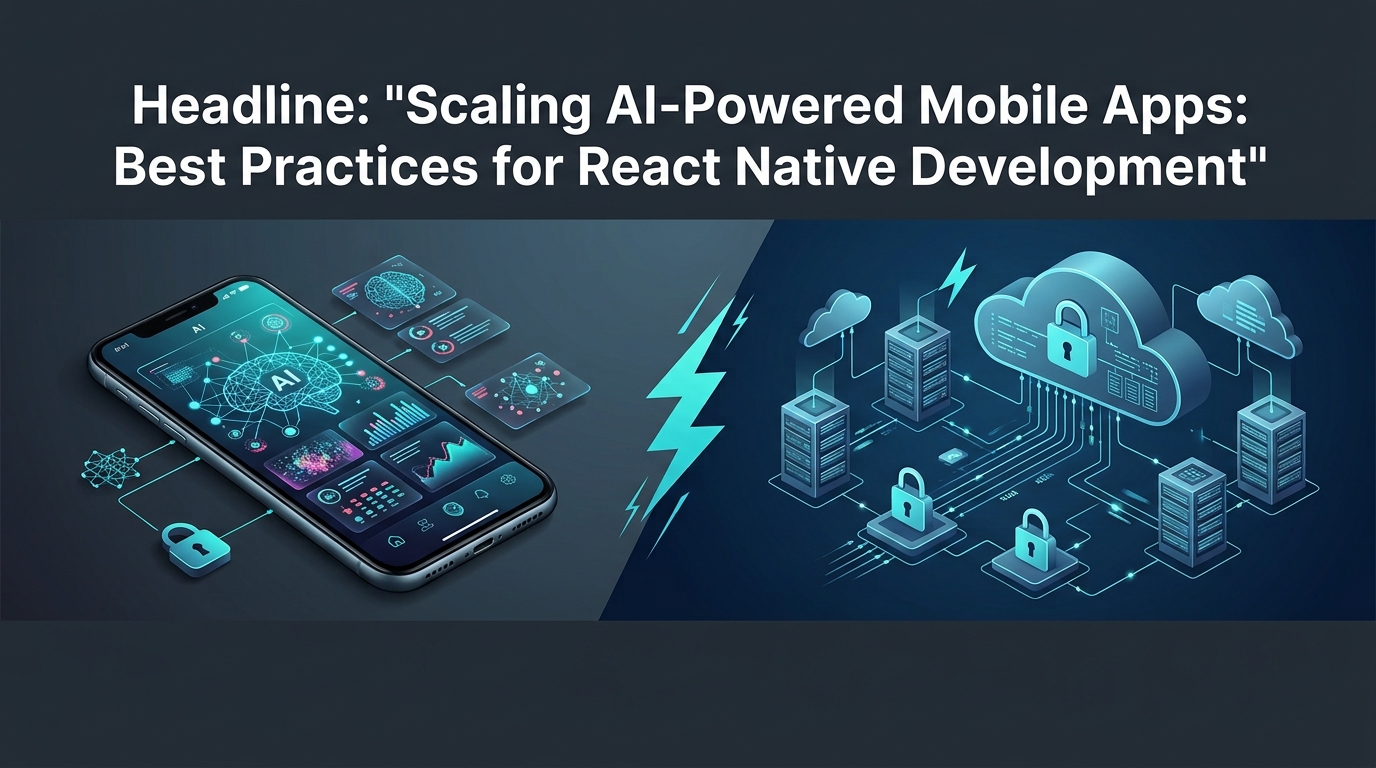
Bringing the power of artificial intelligence to mobile applications opens up incredible possibilities, transforming user experiences with smart features and personalized interactions. But integrating and scaling AI-powered mobile apps, especially within a cross-platform framework like React Native, presents a unique set of challenges. It's not just about building a proof-of-concept; it's about designing a robust, performant, and secure system that can handle growth and evolving AI capabilities. This guide explores the best practices for React Native developers looking to build and scale cutting-edge AI features, ensuring a seamless and intelligent experience for their users.
The Core Challenge: Balancing On-Device vs. Cloud AI for React Native Apps
The strategic decision of where to execute AI inferences—on the device itself or in the cloud—is foundational for any AI-powered mobile app. It's a trade-off between speed, privacy, cost, and complexity.
Understanding Hybrid AI Architectures
The reality for most sophisticated AI applications today is a hybrid approach. Instead of an either/or choice, developers increasingly opt for architectures that intelligently combine on-device processing with cloud-based AI services. This strategy leverages the strengths of both environments, offering flexibility, resilience, and optimized user experiences. A hybrid model allows apps to perform simpler, latency-sensitive tasks locally while offloading heavier, more complex computations or dynamic model updates to powerful cloud infrastructure.
When to Choose On-Device Inference
On-device inference brings distinct advantages that are critical for certain application types:
Speed and Low Latency: For features requiring immediate responses, such as real-time object detection in a camera feed, instant text prediction, or facial recognition, processing on the device eliminates network round-trip delays.
Offline Functionality: AI features that work without an internet connection are essential for users in areas with poor connectivity or when battery life is a concern.
Privacy and Security: Processing sensitive user data locally keeps it on the device, significantly reducing privacy concerns and compliance overhead by not transmitting data to external servers.
Cost Efficiency: For high-volume, repetitive inferences, on-device processing can be more cost-effective than making numerous API calls to cloud services.
Use Cases: Image classification (e.g., identifying objects in a photo), simple natural language processing (NLP) tasks like named entity recognition, voice commands, and personalized recommendations based on local user behavior.
In React Native, on-device AI typically involves integrating native machine learning SDKs like TensorFlow Lite, Core ML (iOS), or ML Kit (Android) via native modules. The React Native New Architecture's TurboModules and JSI can significantly enhance the performance and developer experience for these integrations, providing more direct and efficient communication with native code.
Leveraging Cloud AI for Complex Tasks
While on-device AI offers compelling benefits, the cloud remains indispensable for more demanding scenarios:
Computational Power: Large Language Models (LLMs), complex image generation, and advanced analytics require significant processing power, often with specialized hardware (GPUs, TPUs) only available in the cloud.
Large and Dynamic Models: Cloud services can host massive AI models that would be impractical to embed on a mobile device due to their size. They also allow for seamless model updates without requiring app updates.
Centralized Data and Learning: Training data, retraining pipelines, and continuous model improvement often reside in the cloud, enabling models to learn from a broader user base.
Cost Management for Infrequent Tasks: For AI features used less frequently, paying per-use for cloud inference can be more economical than bundling large models on every device.
Use Cases: Advanced sentiment analysis across vast datasets, complex natural language generation (e.g., chatbot responses, content creation), multi-modal AI, sophisticated fraud detection, and real-time data analytics.
React Native apps typically interact with cloud AI services through standard HTTP API calls to endpoints provided by platforms like OpenAI, AWS SageMaker, Google AI Platform, or custom backend services.
Implementing Dynamic Fallback Routing
A robust hybrid architecture includes dynamic fallback routing. This strategy involves attempting on-device inference first and, if that fails (e.g., model not available, device capabilities insufficient) or if the task exceeds on-device scope, transparently falling back to a cloud service.
Consider a pseudo-code example for a text summarization feature:
import { isOnline } from './networkService';
import { summarizeOnDevice } from './onDeviceAI';
import { summarizeInCloud } from './cloudAI';

async function getSummary(text) {
  try {
    // Attempt on-device inference first
    const onDeviceResult = await summarizeOnDevice(text);
    if (onDeviceResult && onDeviceResult.quality > THRESHOLD) {
      return { source: 'device', summary: onDeviceResult.summary };
    }
  } catch (error) {
    console.warn("On-device summarization failed or insufficient, falling back to cloud:", error);
  }

  // If on-device failed or wasn't good enough, try cloud if online
  if (await isOnline()) {
    try {
      const cloudResult = await summarizeInCloud(text);
      return { source: 'cloud', summary: cloudResult.summary };
    } catch (error) {
      console.error("Cloud summarization failed:", error);
      throw new Error("Could not generate summary. Please try again later.");
    }
  } else {
    throw new Error("No internet connection and on-device summary not available.");
  }
}
This logic can be further refined with feature flags, performance metrics, and user preferences to dictate when and how the fallback occurs, ensuring a resilient AI experience.
Architecting for Scale: A Robust Framework for React Native AI
Building scalable AI-powered applications in React Native requires a thoughtful architectural approach that prioritizes separation of concerns, security, and performance.
Client-Middleware-AI Engine Separation
A decoupled, layered architecture is paramount for maintainability, security, and scalability.
Client (React Native App): This is the user-facing layer, responsible for rendering the UI, capturing user input, and initiating AI-related requests. It should ideally be lightweight, focusing solely on presentation and local data management. The client sends requests to the middleware, never directly to the AI engine for complex tasks.
Middleware (Backend Service): This is the central nervous system for your AI interactions. A dedicated backend service acts as an intermediary between your React Native client and the actual AI engines. This layer is crucial for:
API Gateway: Routing requests to the appropriate AI service (on-device or cloud).
Authentication & Authorization: Securing access to AI capabilities.
Rate Limiting & Throttling: Preventing abuse and managing load on AI services.
Prompt Sanitization & Validation: Protecting against malicious inputs.
Caching: Storing frequently requested AI responses.
Data Transformation: Formatting input/output for different AI models.
Observability: Centralized logging and monitoring of AI interactions.
AI Engine (Cloud or On-Device): This layer comprises the actual machine learning models and inference services. It could be a cloud provider's API (e.g., OpenAI, Google AI), a custom model deployed on a serverless function, or an on-device ML framework (e.g., TensorFlow Lite). The AI engine's sole responsibility is to perform the inference and return the result.
This separation ensures that the React Native client doesn't hold sensitive keys, doesn't get bogged down with complex AI logic, and remains agile for UI updates.
Securing Your AI: API Keys & Prompt Protection
Security is non-negotiable, especially when dealing with AI models that can be sensitive or costly to operate.
API Key Protection: Never embed sensitive API keys (for cloud AI services) directly in your React Native client code. Client-side code can be reverse-engineered. Instead, the backend middleware should securely store and manage these keys. The client authenticates with your middleware, which then uses its own securely stored keys to communicate with the AI services.
Prompt Injection Prevention: Large Language Models are susceptible to "prompt injection," where malicious inputs can bypass safety guidelines, reveal sensitive information, or manipulate the model's behavior. Strategies to prevent this include:
Server-Side Validation: The middleware must strictly validate and sanitize all user-generated prompts before sending them to the AI engine. Use allow-lists, regular expressions, and input encoding to filter out suspicious patterns.
Least Privilege: Restrict the AI model's access to sensitive data or actions.
Input/Output Separation: Clearly delineate user input from system instructions in prompts.
Sandboxing: If possible, run AI inferences in isolated environments.
Example of basic server-side sanitization for a user prompt:
function sanitizePrompt(prompt) {
// Basic HTML entity encoding to prevent some common injection types
let sanitized = prompt.replace(/&/g, '&')
.replace(/</g, '<')
.replace(/>/g, '>')
.replace(/"/g, '"')
.replace(/'/g, ''');
// Remove common escape sequences or commands that might target system
sanitized = sanitized.replace(/\\x/g, '')
.replace(/\\n/g, '')
.replace(/\\r/g, '');
// Add more specific filtering based on AI model and expected input
// e.g., if expecting only alphanumeric, filter out symbols.
return sanitized;
}Considering React Native New Architecture for AI
The ongoing evolution of React Native's architecture, particularly the New Architecture featuring Fabric, TurboModules, and the JavaScript Interface (JSI), offers significant benefits for AI-powered applications, especially those relying on high-performance native interactions.
Fabric: The re-architecture of the rendering system improves UI consistency and performance by reducing bridge overhead. For AI apps, this means smoother animations and UI updates, even when complex background tasks are running.
TurboModules: This allows native modules to be loaded on demand and communicate more efficiently with JavaScript. For on-device AI, where you might integrate with platform-specific ML SDKs (e.g., Core ML, ML Kit, TensorFlow Lite), TurboModules mean faster invocation of native inference code and potentially better resource management. You only load the native AI module when an AI feature is actively used.
JSI (JavaScript Interface): JSI enables direct, synchronous communication between JavaScript and native code, bypassing the asynchronous React Native bridge. This is a game-changer for performance-critical AI interactions, such as real-time audio processing or high-frequency sensor data analysis for AI input. It allows for much lower latency interactions with native AI inference engines, making on-device AI feel truly "native."
For example, a native module for TensorFlow Lite inference could use JSI to expose a synchronous inference method, allowing JavaScript to quickly pass tensors and receive results without waiting for bridge serialization.
Optimizing Performance: Delivering Snappy AI Experiences in React Native
Users expect instant feedback, even from complex AI. Optimizing performance is crucial to prevent frustration and ensure a fluid user experience.
Streaming LLM Responses with Incremental UI Updates
Large Language Models (LLMs) can take several seconds to generate a full response. Waiting for the complete payload before updating the UI leads to perceived slowness. Streaming responses, where the LLM sends chunks of text as they are generated, is a powerful technique to improve perceived performance.
Techniques: Implement server-sent events (SSE), WebSockets, or chunked HTTP responses from your middleware.
React Native Implementation: On the client side, capture these incoming chunks and incrementally update your UI state. Instead of
useState(fullResponse), you might useuseState(arrayOfTokens)and append to the array, oruseState(currentString)and concatenate.
import React, { useState, useEffect } from 'react';
import { View, Text, ScrollView } from 'react-native';

const StreamedLLMResponse = ({ endpoint }) => {
  const [response, setResponse] = useState('');
  const [isLoading, setIsLoading] = useState(false);

  useEffect(() => {
    const fetchStream = async () => {
      setIsLoading(true);
      setResponse(''); // Clear previous response
      try {
        const res = await fetch(endpoint);
        const reader = res.body.getReader();
        const decoder = new TextDecoder();

        while (true) {
          const { done, value } = await reader.read();
          if (done) break;
          const chunk = decoder.decode(value, { stream: true });
          setResponse(prev => prev + chunk); // Incrementally update state
        }
      } catch (error) {
        console.error("Error streaming LLM response:", error);
        setResponse("Error generating response.");
      } finally {
        setIsLoading(false);
      }
    };

    fetchStream();
  }, [endpoint]);

  return (
    <View>
      {isLoading && <Text>AI is thinking...</Text>}
      <ScrollView>
        <Text>{response}</Text>
      </ScrollView>
    </View>
  );
};
This approach gives users immediate feedback, making the waiting time feel shorter and more engaging.
Memory Management and Model Lifecycle
AI models, especially larger ones, can consume significant memory. Poor memory management leads to app crashes or sluggish performance.
Lazy Loading: Load AI models only when they are needed. If an AI feature is only accessible on a specific screen, defer loading the associated model until that screen is navigated to.
Efficient Release: When a screen or feature with an AI model is exited, or when the app goes into the background, release the model from memory. React Native's
AppStateManagercan be used to detect app state changes (foreground/background) to trigger model loading/unloading.
import { useEffect, useState } from 'react';
import { AppState } from 'react-native';

const useAIModelLifecycle = (modelLoader, modelUnloader) => {
  const [isModelLoaded, setIsModelLoaded] = useState(false);

  useEffect(() => {
    // Load model on mount
    modelLoader();
    setIsModelLoaded(true);

    const handleAppStateChange = (nextAppState) => {
      if (nextAppState === 'background' && isModelLoaded) {
        modelUnloader();
        setIsModelLoaded(false);
      } else if (nextAppState === 'active' && !isModelLoaded) {
        modelLoader();
        setIsModelLoaded(true);
      }
    };

    const subscription = AppState.addEventListener('change', handleAppStateChange);

    return () => {
      // Unload model on unmount or before app exits
      modelUnloader();
      setIsModelLoaded(false);
      subscription.remove();
    };
  }, [modelLoader, modelUnloader, isModelLoaded]); // Add isModelLoaded to dependency array
};

// Usage example:
// const { loadTensorFlowModel, unloadTensorFlowModel } = useTensorFlowHooks();
// useAIModelLifecycle(loadTensorFlowModel, unloadTensorFlowModel);
Avoiding UI Jank with Background Processing
Heavy AI-related computations, such as large data preprocessing, feature extraction, or even on-device model inference, can block the main JavaScript thread, leading to UI "jank" (unresponsive or choppy animations).
Offload to Background Threads: For CPU-intensive tasks, use Web Workers (via community libraries like
react-native-web-workers) or, for truly native processing, leverage platform-specific background task APIs through React Native native modules. These allow computations to run without affecting the UI thread.React Native
InteractionManager: For less intensive but still potentially blocking tasks,InteractionManager.runAfterInteractions(() => { /* heavy task */ });can defer execution until all UI animations and interactions have completed. This improves perceived responsiveness.Native Modules for Heavy Lifting: For on-device inference, ensure your native modules are designed to perform the actual model execution on a background thread. This keeps the JS thread free to handle UI updates.
Smart Data Management: Caching AI Responses & Ensuring Offline Capabilities
Efficient data management is key to reducing costs, improving speed, and providing a robust user experience, especially in variable network conditions.
Implementing Semantic Caching for AI Results
Traditional caching relies on exact matches. Semantic caching for AI goes a step further by recognizing conceptual similarity between queries, allowing you to reuse previous AI results even if the input isn't identical.
Concept: When an AI query is made, store its input (e.g., prompt, parameters) and the AI-generated output. Before making a new AI call, check if a sufficiently similar query has been made recently and if its cached result is still valid.
Benefits:
Cost Reduction: Fewer API calls to paid AI services.
Latency Improvement: Retrieving from local cache is much faster than a network round-trip.
Reduced Load: Less stress on backend AI services.
Implementation:
Local Storage: Use a key-value store like AsyncStorage,
react-native-mmkv, or a local database like SQLite/Realm.Keying: Hash the prompt and relevant context (e.g., user ID, specific feature ID) to create a unique key for the cache entry.
Similarity Check: For true semantic caching, this is complex (e.g., embedding input queries and comparing their vector similarity). For a simpler approach, you might cache frequently asked exact questions or use fuzzy string matching.
TTL (Time-To-Live): Implement expiration policies for cached data to ensure freshness.
import AsyncStorage from '@react-native-async-storage/async-storage';
import SHA256 from 'crypto-js/sha256'; // Use a robust hashing library

const CACHE_PREFIX = 'ai_response_';
const CACHE_TTL_HOURS = 24;

async function getCachedAIResponse(prompt, context = {}) {
  const cacheKey = CACHE_PREFIX + SHA256(JSON.stringify({ prompt, context })).toString();
  const cachedData = await AsyncStorage.getItem(cacheKey);

  if (cachedData) {
    const { timestamp, response } = JSON.parse(cachedData);
    if ((Date.now() - timestamp) / (1000 * 60 * 60) < CACHE_TTL_HOURS) {
      console.log('Returning cached AI response.');
      return response;
    } else {
      console.log('Cached AI response expired.');
      await AsyncStorage.removeItem(cacheKey); // Clear expired cache
    }
  }
  return null;
}

async function setCachedAIResponse(prompt, context = {}, response) {
  const cacheKey = CACHE_PREFIX + SHA256(JSON.stringify({ prompt, context })).toString();
  const dataToStore = JSON.stringify({ timestamp: Date.now(), response });
  await AsyncStorage.setItem(cacheKey, dataToStore);
}

// Usage:
// const cached = await getCachedAIResponse('Summarize this text', { userId: '123' });
// if (!cached) {
//   const liveResponse = await callAILive('Summarize this text', { userId: '123' });
//   await setCachedAIResponse('Summarize this text', { userId: '123' }, liveResponse);
// }
Strategies for Offline AI Functionality
Ensuring a functional AI experience even without an internet connection significantly enhances usability.
Pre-packaged On-device Models: For core AI features that must work offline (e.g., a simple image classifier or a local spell checker), bundle smaller, optimized models directly with the app.
Leverage Cached Data: If an online AI call fails due to lack of connectivity, attempt to retrieve the result from your semantic cache. This can provide a "good enough" experience for repeated or similar queries.
Degraded Mode: Clearly communicate to the user when the app is offline and AI features are operating in a degraded mode. Explain what functionality is limited.
Queueing Requests: For non-real-time AI tasks, queue requests when offline and send them to the cloud once connectivity is restored.
Use react-native-netinfo to reliably detect and react to network status changes, switching between online and offline AI strategies seamlessly.
Elevating User Experience: Building Trust and Transparency with AI
AI features can be magical, but they can also be confusing or frustrating if not designed thoughtfully. Transparency and control are vital for building user trust.
Communicating AI Progress: Streaming States & Partial Results
Users need to know when AI is actively working and how far along it is. Avoid silent processing.
Loading Indicators: Simple spinners or progress bars are essential while an AI process is underway.
Skeleton Loaders: For content-generating AI (like image generation), display a skeleton UI that will eventually be filled with the AI's output.
Typewriter Effect: When streaming LLM responses, displaying text character by character or word by word creates a dynamic and engaging experience.
Progress Messages: Use messages like "AI is thinking...", "Generating ideas...", or "Analyzing data..." to humanize the process.
Partial Results: If an AI task has multiple stages, show partial results as they become available. For instance, in an image editor, show the initial AI-enhanced image before applying a final filter.
Providing User Control and Feedback
Give users agency over AI outputs and a channel to provide feedback.
"Thumbs Up/Down" or Rating: Allow users to quickly rate the quality of AI-generated content or suggestions. This feedback is invaluable for model monitoring and future retraining.
Edit/Refine Options: Provide clear mechanisms for users to edit, correct, or refine AI-generated text, images, or data. For example, a chatbot might offer "Refine this response" or "Give me another option."
"Report an Issue" / "Correct This": Offer a way for users to report serious errors, biases, or inappropriate AI behavior. This is crucial for safety and continuous improvement.
Customization: Allow users to adjust AI parameters where appropriate (e.g., creativity level for text generation, strictness for content filtering).
UX for Offline and Fallback Scenarios
When AI features can't function optimally (e.g., offline, cloud service down), clear communication is key.
Clear Visual Cues: Use prominent banners or icons to indicate "Offline Mode" or "Degraded Functionality."
Informative Messages: Instead of just failing, explain why an AI feature might be limited. For example: "You're offline. Using cached data for recommendations," or "Network error: Advanced AI features temporarily unavailable."
Graceful Degradation: Design fallback UIs that make the most of available resources. If a complex cloud AI feature isn't available, perhaps a simpler, on-device AI or a static placeholder can be shown.
Observability for AI-Powered React Native Apps
You can't optimize what you can't measure. Comprehensive observability is critical for understanding the performance, reliability, and quality of your AI features in production.
Monitoring AI Request Latency and Throughput
Track key performance indicators (KPIs) to ensure your AI services are responsive and handling load.
End-to-End Latency: Measure the total time from when a user initiates an AI request in the React Native app until they receive the final AI response. This includes network latency, middleware processing, and actual AI inference time.
Inference Time: Isolate the time taken by the AI model itself to generate a response.
API Success/Failure Rates: Track the percentage of successful AI API calls versus errors (e.g., 4xx, 5xx HTTP codes from cloud services).
Throughput: Monitor the number of AI requests processed per second/minute to understand peak loads and capacity requirements.
Tools: Integrate with performance monitoring tools like Sentry, Firebase Performance Monitoring, or custom logging to cloud observability platforms (Datadog, Prometheus, Grafana).
Tracking Prompt Versions and Model Quality
Understanding which AI assets are in use and how well they perform is vital for iterative improvement.
Prompt Versioning: Log the specific version of the prompt template used for each AI interaction. If you iterate on prompts, this helps correlate changes with AI output quality.
Model Version Tracking: Record the specific version of the AI model (cloud or on-device) that processed a request. This is crucial for debugging regressions and evaluating model updates.
Quality Metrics: Beyond technical performance, track metrics related to AI output quality:
User Feedback: Aggregate "thumbs up/down" ratings or explicit feedback.
A/B Testing: Compare different prompt versions or model versions side-by-side.
Ground Truth Comparison: For certain tasks, periodically compare AI outputs against human-labeled ground truth data.
Centralized logging platforms are essential for correlating these diverse data points.
Establishing AI-Specific Error Budgets
Define acceptable levels of errors or failures specific to your AI features.
Concept: An error budget is a predefined tolerance for downtime, degraded performance, or functional failures for a service. For AI, this might include:
Inference Failure Rate: What percentage of AI inferences are allowed to fail (e.g., due to model errors, invalid inputs)?
Latency Exceedance: How often can AI responses exceed a defined latency threshold?
Prompt Injection Attempts: How many detected prompt injection attempts are acceptable?
Alerting: Set up automated alerts to notify your team when these error budgets are approached or breached. This allows for proactive intervention before AI features significantly degrade for users.
Examples: Configure alerts for a sustained increase in 5xx errors from your cloud AI provider, a drop in user "thumbs up" ratings below a certain threshold, or an increase in
onDeviceModelLoadFailedevents.
Scaling AI-powered mobile apps with React Native is a journey that demands a holistic approach, encompassing smart architecture, relentless performance optimization, thoughtful user experience design, and robust observability. By carefully balancing on-device and cloud AI, securing your interactions, and providing transparent communication, you can build truly intelligent and resilient applications that delight users and stand the test of time.
What's the most unexpected challenge you've faced when integrating and scaling AI features into your React Native projects, and how did you overcome it?
💬 Join the conversation — share your take in the comments and tell us what you’d add.