
Achieve Perfect Reaction Video Sync Every Time with ClipCam
Frustrated with out-of-sync reaction videos? Discover how ClipCam's innovative tech guarantees perfect reaction video sync every time. Get started today!
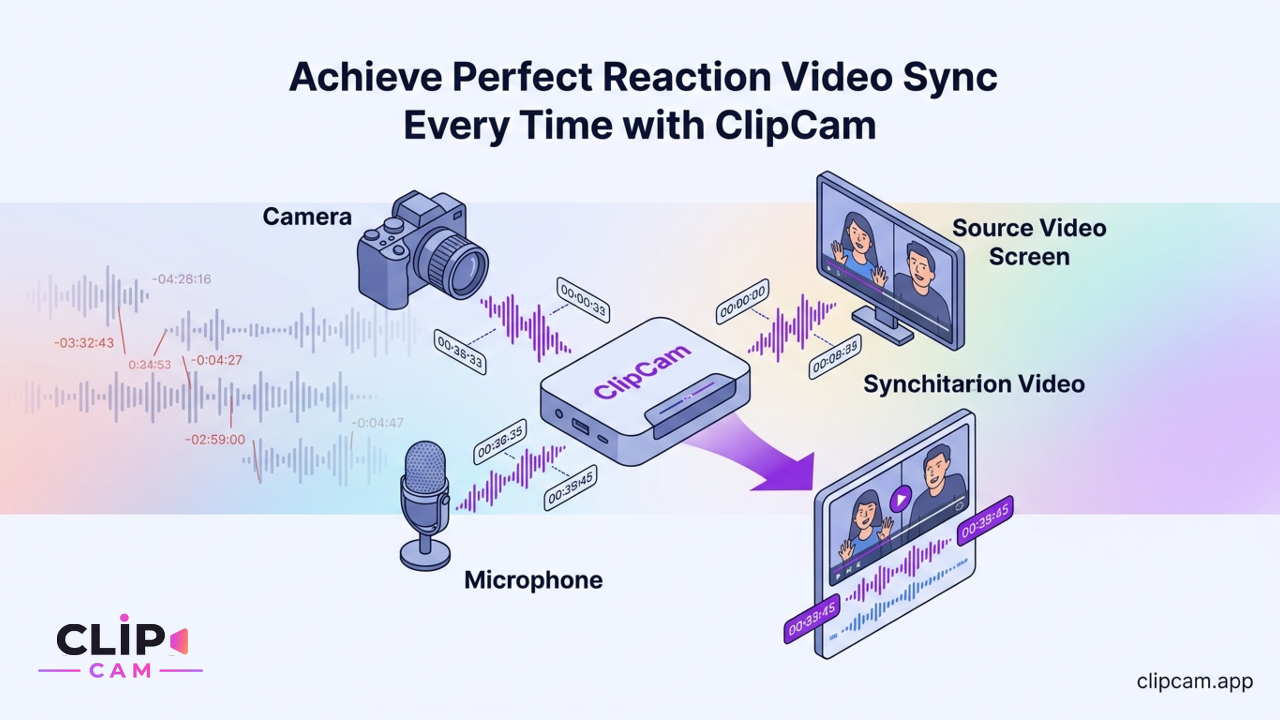
There’s nothing more frustrating for a content creator than pouring effort into a reaction video, only to discover your commentary is lagging behind the source footage. The viewer sees your surprise milliseconds too late, or your laughter lands long after the punchline. This common issue of audio/video drift and desynchronization isn't just a minor annoyance; it can derail your content's impact and leave your audience feeling disconnected. Achieving perfect reaction video sync shouldn't be a constant battle against your editing software.
Creators often find themselves trapped in a time-consuming and frustrating cycle: recording their reaction on one device, the source video on another, and then wrestling with complex timelines in desktop or mobile editing software like CapCut. Hours can be lost manually aligning audio waveforms and video frames, a process that saps creativity and energy. The sheer tedium often leads to burnout, or worse, compromises on quality just to meet a posting deadline. But what if you could bypass this entire headache? ClipCam emerges as the definitive all-in-one solution, meticulously engineered to eliminate these synchronization problems entirely, ensuring your reactions are always perfectly aligned with the content you're responding to (ClipCam).
How ClipCam Guarantees Flawless Reaction Video Sync
The secret to ClipCam's unparalleled synchronization lies in its fundamental design: an integrated recording mechanism that captures your reaction and the source video simultaneously within a single, unified environment. This isn't two separate recordings you then have to stitch together; it's a seamless capture of both elements from the very beginning. This innovative approach is crucial because it inherently prevents the common desynchronization issues that arise when attempting to combine disparate recordings from multiple devices or separate applications. By bringing everything under one roof, ClipCam eliminates the potential for timing discrepancies at the source.
Once recorded, ClipCam’s advanced automatic rendering pipeline takes over. This sophisticated system combines the two streams – your camera feed and the source video – with frame-level precision. This isn't a rough estimation; it's an exact merging that treats every single frame of both inputs as part of a cohesive whole. The result is a single output file where your reaction and the content you're reacting to are intrinsically linked and perfectly aligned.
What truly sets ClipCam apart is its commitment to a zero-effort workflow for the creator. The platform automatically aligns audio and video tracks, rendering the need for any manual synchronization or tedious timeline adjustments by the user completely obsolete. You record, and ClipCam handles the intricate post-production work behind the scenes. This means no more dragging audio waves to match lip movements or adjusting video start times frame-by-frame. The heavy lifting is done for you, flawlessly.
Furthermore, ClipCam leverages robust cloud rendering technology. This ensures that every video produced maintains consistent, high-quality synchronization, regardless of the processing power of your specific device. Whether you’re on an older smartphone or the latest model, the sync remains perfect. The computational burden is handled remotely, guaranteeing a smooth and reliable outcome for every single reaction video, every single time (ClipCam). This reliability liberates creators from worrying about their hardware limitations impacting their content's quality, allowing them to focus purely on delivering engaging reactions.
Seamless Reaction Creation: From Phone Gallery to Live Screen
ClipCam is designed for versatility, empowering you to react to virtually any video content, whether it's stored on your device or actively playing on your screen. This flexibility is key to staying current and creating timely, engaging content across all platforms.
Reacting to Any Video from Your Phone
Imagine encountering a hilarious clip on TikTok, a thought-provoking documentary snippet on YouTube, or a trending Reel on Instagram. With ClipCam, reacting to these moments is incredibly straightforward. The app allows you to import videos directly from your phone's gallery with ease. Even better, you can simply paste a link from popular platforms like YouTube, TikTok, Instagram Reels, or X (formerly Twitter) directly into the app. ClipCam fetches the content, ready for your reaction.
Once your chosen source video is loaded, the intuitive interface guides you to record your reaction live as the video plays within the app. There's no need for external players or awkward setups. You see the content, you react, and ClipCam captures both perfectly. This elegant 'import-react-export' paradigm for phone-based reactions simplifies the entire creative process. It reduces what used to be a multi-step, multi-app ordeal into a few simple taps, ensuring your content is ready to share almost instantly, always with perfect synchronization.
Perfectly Synced Reactions to Live Screens and Streams
Beyond reacting to pre-recorded clips, ClipCam truly shines with its innovative screen reaction feature. This capability transforms your device into a powerful studio, allowing you to react live to a browser tab, a dynamic livestream, or even your entire screen. This is a game-changer for creators who want to engage with real-time events, live sports, gaming streams, or breaking news.
When you engage the screen reaction feature, ClipCam intelligently records both your camera feed and the designated screen content simultaneously. This dual-stream capture is then merged into one flawlessly synced output. The magic here is in the integrated capture process; by recording both elements within the same system, ClipCam inherently prevents the common desynchronization issues that plague creators attempting to react to live content using external capture cards or separate recording devices.
This capability is particularly valuable for longer reaction sessions, such as responding to extended livestreams, webinars, or web-based content. Even as minutes turn into hours, ClipCam maintains perfect sync, eliminating the dreaded audio-video lag that often creeps in during lengthy recordings with less integrated solutions. You can focus entirely on your genuine, real-time reactions, confident that your audience will experience them exactly as intended.
Beyond Sync: Effortless Layouts and Cross-Platform Exports
While perfect synchronization is ClipCam's core superpower, its utility extends much further, offering features that streamline the entire reaction video creation process from start to finish. Once your perfectly synced reaction is recorded, ClipCam doesn't just leave you with raw footage; it provides the tools to present it professionally and share it widely.
ClipCam offers a selection of customizable layouts to suit your content and audience. You can choose from classic side-by-side presentations, allowing both the source video and your reaction to share the screen equally. For a more integrated look, picture-in-picture options let your reaction camera float over the main content, often used for subtle commentary or when the source video needs to dominate visually. Overlay options provide even greater flexibility, enabling dynamic placement of your reaction, perhaps along the bottom or top of the screen. These layouts are applied automatically post-recording, maintaining the impeccable sync throughout, and giving your videos a polished, professional appearance without any manual effort (ClipCam).
Crucially, ClipCam understands the diverse landscape of social media. The export process is intelligently designed to maintain perfect sync while optimizing your videos for specific platforms. Whether you're targeting the vertical format of YouTube Shorts, TikTok, and Instagram Reels, or the more traditional aspect ratios of YouTube and X, ClipCam ensures your video is perfectly formatted and ready to impress. This means no awkward cropping, no lost resolution, and most importantly, no re-rendering or re-editing outside the app to fit platform requirements.
The ultimate convenience comes in the form of ClipCam's 'one-tap download, one-tap share' workflow. Once your reaction video is complete and rendered, it’s ready to go. A single tap downloads the optimized file to your device, and another tap lets you instantly share it directly to your chosen social media platform. This seamless process ensures that the final video is always ready-to-post without any further adjustments, trimming, or conversions on your part. It eliminates the friction between creation and publication, allowing you to maximize your content output with minimal fuss.
Reclaim Your Time: The Efficiency of Automatic Sync
In the fast-paced world of content creation, time is perhaps a creator's most valuable commodity. Every minute spent wrestling with technical issues is a minute not spent on ideation, engagement, or actual content creation. This is where ClipCam's automatic sync doesn't just improve quality; it fundamentally reclaims hours of your precious time.
Consider the traditional workflow: recording a reaction on your phone, then the source video on a laptop or screen recorder. Transferring files, importing them into an editing suite like CapCut, then painstakingly aligning audio waveforms and video tracks, often frame by frame. This multi-device recording and manual editing process can easily consume hours for even a short reaction video. With ClipCam, this arduous journey is condensed into a few simple taps, taking mere minutes from start to finish. The difference isn't incremental; it's transformative, moving from hours of technical labor to just minutes of creative expression (ClipCam).
This dramatic time-saving is a direct result of ClipCam's 'zero-edit workflow.' By handling all the complex synchronization and rendering automatically, the app virtually eliminates post-production hassles related to syncing. Creators no longer need to be skilled video editors to produce professional-grade reaction content. The mental energy and time once dedicated to fixing technical glitches can now be channelled entirely into what truly matters: crafting compelling narratives, honing comedic timing, and delivering authentic, engaging reactions. It shifts the focus from the mechanics of video production to the artistry of content creation.
The efficiency unlocked by automatic sync allows creators to produce more content, more consistently, without succumbing to burnout. Imagine being able to release daily reaction videos instead of weekly, or tackling multiple trending topics in a single session. This increased output is not at the expense of quality; in fact, the consistent, perfect sync enhances viewer experience, leading to better engagement and audience retention. ClipCam empowers you to scale your content strategy, maintain momentum, and truly enjoy the creative process, all while knowing that every video you publish will be flawlessly synchronized.
Overcoming Common Sync Headaches with ClipCam
The journey of a reaction video creator is often fraught with specific technical challenges that can undermine even the most brilliant content. ClipCam was specifically engineered to tackle these pervasive sync headaches head-on, offering a robust and reliable solution that removes the need for workarounds or extensive post-production corrections.
Eliminating Audio Drift and Latency
One of the most insidious problems faced by creators using multiple recording devices or separate audio and video capture methods is audio drift. This phenomenon occurs when the audio track gradually falls out of sync with the video over time, making your reaction appear increasingly disconnected from the source content. It’s a frustrating issue that often necessitates time-consuming manual adjustments or even re-recording. ClipCam’s integrated recording mechanism is the fundamental solution to this. By capturing both the source video and your reaction camera feed simultaneously within a single, unified process, the app inherently prevents audio drift. The audio and video are locked together from the moment of capture, ensuring they remain perfectly aligned throughout the entire duration of your video (ClipCam).
Similarly, latency issues are a common bane for creators attempting multi-device setups. The slight delay between an event on a screen and your camera capturing your reaction to it can create noticeable lag, making your responses seem less immediate and authentic. ClipCam’s design mitigates these latency problems by optimizing the internal capture and processing of both streams. This ensures that your immediate, genuine responses are captured and synchronized with minimal delay, preserving the spontaneity and impact of your reaction.
No More Manual Timeline Adjustments
For many creators, the phrase "manual timeline adjustments" conjures images of endless zooming, dragging, and nudging of clips in complex editing software. This tedious task of manually lining up separate video and audio tracks is not only time-consuming but also prone to error, especially for those without extensive editing experience. Identifying and correcting a half-second desynchronization across a ten-minute video can be a daunting, patience-testing endeavor.
ClipCam renders this entire process obsolete. Unlike traditional methods that require you to export disparate files and then painstakingly combine them, ClipCam delivers a single, perfectly aligned video file directly from the app. There are no separate audio tracks to import, no reaction camera footage to manually place, and no source video to painstakingly align. The entire output is pre-synced, ready for immediate sharing. This means complicated editing tools become unnecessary for the core task of syncing. You get to bypass the most frustrating aspect of reaction video creation, allowing you to focus purely on generating engaging content rather than fixing technical glitches.
Start creating perfectly synced reaction videos today with ClipCam.