
Maximizing Engagement: How to Use ClipCam for Viral Reaction Videos
Unlock the secret to viral reaction videos with ClipCam. Learn tips and tricks to engage your audience effectively!
Maximizing Engagement: How to Use ClipCam for Viral Reaction Videos
Reaction videos have taken the digital landscape by storm, captivating audiences worldwide with their relatability and emotional resonance. But what makes them so compelling? Let’s dive into the world of reaction videos and explore how you can leverage ClipCam to create your own engaging content.
Understanding Reaction Videos
What Are Reaction Videos?
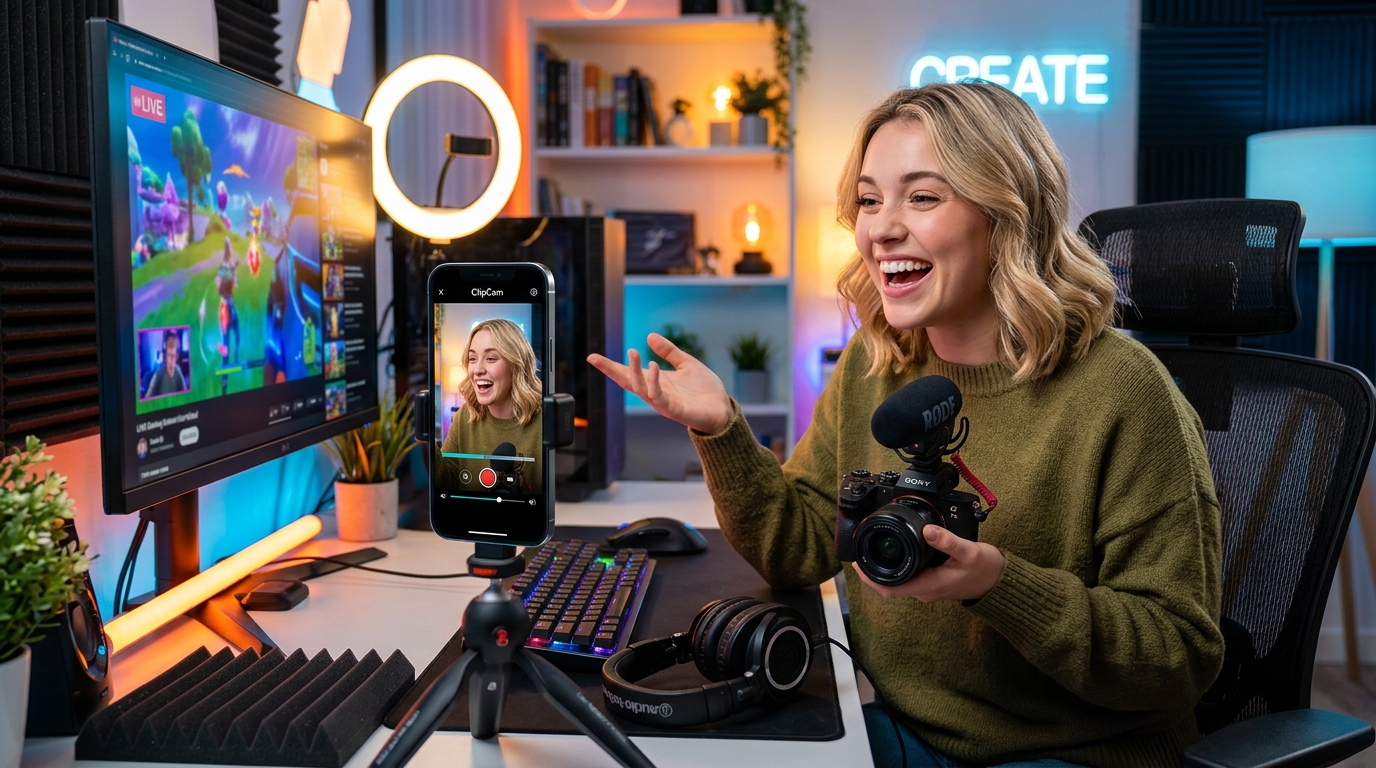
Reaction videos are recordings where individuals watch and react to a particular piece of content—be it a movie trailer, a viral clip, or an iconic meme. These videos often come in various formats, allowing creators to add their own unique spin. From straightforward face-cam reactions to split screen formats, the possibilities are virtually endless. They serve as an authentic avenue for creators to share genuine emotions, making them incredibly engaging and relatable to viewers.
The Appeal of Reaction Videos
The emotional connection viewers forge with reaction videos is unparalleled. Audiences appreciate seeing their own feelings mirrored through a genuine response, making them feel less alone in their experiences. Whether it’s joy, shock, or laughter, the authenticity in these videos fosters a real sense of community, and that’s precisely why they tend to achieve higher engagement rates. People enjoy sharing these moments, which further feeds into the virality factor these videos often possess.
Why ClipCam Is Ideal for Creating Reaction Videos
User-Friendly Interface
If you’re looking to get into reaction videos, ClipCam is your go-to tool. Its user-friendly interface is designed for creators of all skill levels, whether you’re a seasoned pro or a complete newbie. With straightforward navigation and a clear setup process, you'll be recording your first reaction video in no time. The intuitive design allows you to focus on creating content rather than fumbling through complicated software.
Customizable Features
One of ClipCam’s standout features is its level of customization. This versatility allows you to create unique reaction videos that reflect your personality and style. Whether it's adjusting the frame size, choosing camera angles, or even selecting various layouts, ClipCam provides options that enable your reaction videos to stand out. This level of personalization can significantly boost viewer engagement and make your videos feel more authentic.
Step-by-Step Guide to Creating Viral Reaction Videos with ClipCam
Setting Up ClipCam
Getting started with ClipCam is a breeze! First, download the application and create an account. Once you’re logged in, the setup wizard will guide you through configuring your camera, microphone, and other settings. The initial setup allows you to tailor your recording environment, so you can jump right into capturing those genuine reactions.
Choosing Content for Your Reaction
Selecting the right content to react to is crucial for maximizing engagement. Look for trending videos or themes that resonate with your target audience. Use social media platforms like TikTok, Twitter, or YouTube to identify which subjects are garnering attention. Remember, the more relatable or entertaining the content, the higher the chances of your video going viral.
Recording Your Reaction
When you're ready to record, focus on being authentic and spontaneous. Viewers appreciate genuine reactions, so don’t be afraid to express your emotions! Consider using ClipCam's built-in timer feature to help you prepare before the recording starts. Additionally, ensure your environment is well-lit and quiet to capture the best audio and video quality. Don't shy away from retakes—authenticity shines brightest when you're comfortable.
Editing Tips to Boost Engagement
Utilizing ClipCam's Editing Tools
Editing is where the magic happens, and ClipCam offers an array of tools to refine your reaction videos. Use features like trim, cut, and split to remove any unnecessary footage, ensuring your final product is concise and engaging. Clips can be rearranged effortlessly, allowing you to create a seamless viewing experience.
Incorporating Audio and Visual Effects
Enhancing your video with audio and visual effects can take it to a whole new level. ClipCam allows you to add background music, sound bites, or even voiceovers to amplify viewer engagement. Don’t forget to incorporate engaging transitions between segments; these keep your audience's attention and make the video flow more naturally. Investments in sound design often reward creators with increased viewer retention.
Optimizing Your Reaction Videos for Virality
SEO Strategies
To ensure your reaction videos reach the widest audience possible, employ effective SEO strategies. Start with keyword research to identify terms that resonate with your niche and incorporate them into your title, description, and tags. Crafting engaging thumbnails and video descriptions can also improve click-through rates, making your content more discoverable on platforms like YouTube.
Leveraging Social Media
Once your video is ready, it’s time to share it far and wide. Utilize social media platforms not just for posting, but to engage with your audience. Encourage viewers to share their thoughts and even react back to your video. Social media channels like Instagram, Facebook, and TikTok are excellent avenues to redirect traffic back to your video, amplifying its reach and fostering community engagement.
Analyzing Performance and Gathering Feedback
Using Analytics Tools
To refine your content strategy, leveraging analytics tools is essential. Platforms like YouTube offer detailed insights into viewer behavior, helping you understand what works and what doesn’t. Use these metrics to track the performance of your videos—view counts, watch time, and audience retention can guide your future content decisions.
Engaging with Your Audience
Viewer feedback is a valuable resource for growth. Encourage your audience to leave comments and engage with their responses. Acknowledging feedback, whether positive or constructive, can foster a more loyal community. Use this engagement to refine your content style, making sure it aligns with what your audience wants to see.
Start creating your own viral reaction videos with ClipCam today and take your content to the next level!