
Maximize Engagement with Creator Collaborations Using ClipCam
Unlock higher engagement through creator collaborations with ClipCam. Discover how to boost your brand's reach effectively!
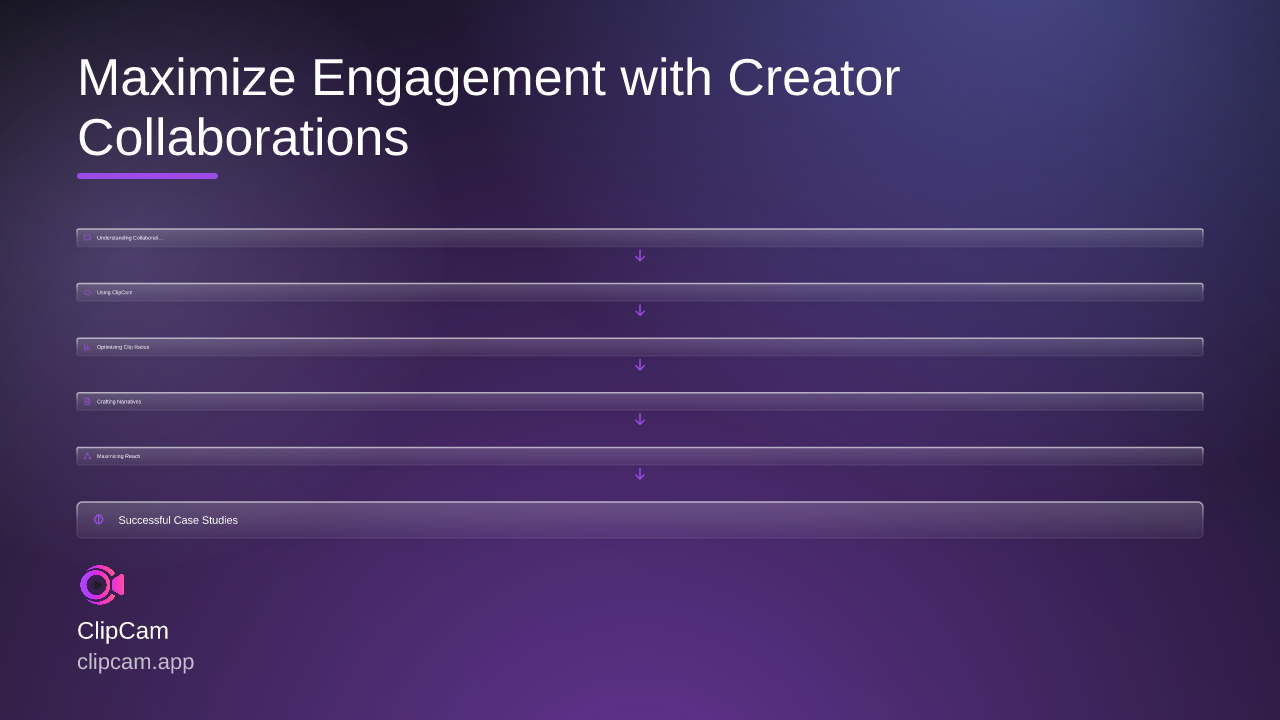
Understanding Creator Collaborations
Creator collaborations have become essential in the world of content creation, serving as a powerful strategy to engage audiences effectively. When creators team up, they not only generate diverse content but also tap into each other’s audiences, leading to broader reach and engagement. In the ever-evolving video landscape, collaborative efforts are gaining momentum, evidenced by a surge in partnership videos popping up across platforms, becoming a favorite among viewers.
Current trends showcase creators uniting for reaction videos, challenges, and shared commentary, allowing them to present unique perspectives that resonate with viewers. This method enriches the content experience and encourages community interaction, ultimately driving higher engagement levels. Brands and influencers who embrace collaborative efforts can easily leverage this trend to maximize their reach and deepen audience connections.
Leveraging ClipCam for Collaborative Reaction Videos
Setting Up Your ClipCam Account
Getting started with ClipCam is easy and straightforward. First, download the ClipCam app from your device's app store, or head to ClipCam's website for quick access. Once you’ve installed the app, sign up by following the on-screen prompts to create your account. You can link your existing social media profiles, preparing yourself to share your content seamlessly across platforms.
Recording Your First Collaboration
Recording collaborative reaction videos with ClipCam is where the magic happens. Use ClipCam’s innovative side-by-side feature to capture reactions in real-time alongside your chosen clip, maximizing engagement. Begin by selecting a trending video or clip, then invite your collaborator using the app’s share feature. This allows them to join remotely and record their reaction simultaneously.
Once both parties are ready, simply hit the record button. ClipCam will automatically sync your reactions, creating a dynamic video that showcases both perspectives. After finishing the recording, you can easily edit, trim, or refine your content directly within the app, allowing creative control to elevate the final product.
Sharing Across Platforms
After you've produced an engaging collaboration video, the next step is sharing it with the world. ClipCam offers one-tap sharing options to major platforms like YouTube, TikTok, Instagram, and X. Each platform may require a specific format, but ClipCam simplifies the process by streamlining the output with optimal settings for each channel. Remember, consistency is key; ensure you share your collaborative content at times when your audience is most active for maximum impact.
Optimizing Clip Ratios for Different Social Media Channels
To maximize the impact of your collaborative content, understanding the optimal clip aspect ratios for different social media platforms is crucial. Each platform has its specifications—Instagram Stories prefer vertical formats, while YouTube favors a wider view. ClipCam allows you to adjust aspect ratios seamlessly, ensuring your videos look stunning regardless of where they’re shared.
For TikTok, use a 9:16 aspect ratio for vertical videos that fill up the screen and engage viewers from the start. On Instagram Stories, maintain the same ratio for continuity. When sharing on YouTube, however, 16:9 is the way to go, perfect for making your content visually appealing. With just a few taps within the ClipCam interface, you can instantly adapt your videos for each social media channel, ensuring your collaborative efforts get the recognition they deserve.
Crafting Engaging Narratives with ClipCam
Using Reaction Videos Effectively
Creating compelling reaction videos involves more than just recording reactions—it’s about crafting a narrative that captivates your audience. Use ClipCam’s features to enhance storytelling by selecting clips that evoke strong emotional responses, setting the stage for engaging discussions between collaborators. Focus on key moments within the source video; these can serve as anchor points in your narrative.
Additionally, consider incorporating elements such as humor or surprise to keep viewers entertained. The ability to record and respond to content in real-time adds a unique spontaneity that is ideal for maintaining viewer interest.
Building a Story Arc
Developing a cohesive narrative using ClipCam is essential for keeping your audience invested. Start with an introduction that captures attention, followed by the main reactions that dissect key points of interest. Finally, conclude with a call to action or insightful commentary that encourages further interaction. Real-world examples from successful collaborations demonstrate how effectively constructed narratives boost engagement and viewer retention.
For instance, a recent collaboration between two influencers yielded a story arc that analyzed a popular film, combining humor with genuine critique. Their engaging dynamic not only attracted a large audience but sparked conversations in the comments, showcasing the power of a well-crafted narrative.
Maximizing Audience Reach Through Strategized Collaborations
Partnering with the Right Creators
Choosing collaborators that align with your brand and audience is vital for successful partnerships. Look for creators whose content complements or enhances your own, ensuring that both of your audiences will find the collaboration valuable. Evaluate their engagement metrics, audience demographics, and content style to identify the best fit.
When you partner with compatible creators, the resulting collaborations can introduce you to new follower bases while strengthening ties with existing audiences.
Engagement Strategies
Once your collaboration video goes live, employ engagement strategies to keep the momentum going. Use ClipCam’s interactive features to encourage viewers to react, share, or comment on the video, fostering a sense of community. Conduct polls or ask questions during and after the video to spark discussion and deepen viewer involvement.
In addition, analyze engagement metrics from your videos to continually refine your collaborative strategies. Pay attention to comments, likes, shares, and view durations to understand what works best, evolving your approach over time to maximize future efforts.
Case Studies: Successful Creator Collaborations Using ClipCam
Examining successful creator collaborations can provide valuable insights into effective strategies. For instance, one high-profile collaboration utilized ClipCam to review a trending show. Their approach resonated strongly with viewers, combining humor and relatability, ultimately achieving millions of views.
Similarly, another creator paired with an industry expert to host a reaction series that dissected various teasers and trailers. This blend of entertainment and informative commentary captivated their viewers, making the collaboration an instant hit.
Lessons from these collaborations highlight the importance of selecting the right partner, engaging authentically with audiences, and crafting relatable, entertaining content.
Final Thoughts on Creator Collaborations with ClipCam
In conclusion, ClipCam offers a unique and efficient way to enhance creator collaborations through its powerful features. By optimizing video sharing and making it easy to record engaging reactions, ClipCam empowers creators to craft distinctive, audience-focused content that encourages interaction and connection.
With the digital landscape constantly evolving, embarking on creative collaborations using ClipCam is an excellent way to stay ahead of the game. Dive in and explore all that ClipCam has to offer—your audience will thank you for it.
Start your journey with ClipCam today and elevate your creator collaborations to engage your audience like never before!