
Mastering Video Commentary with ClipCam: Elevate Explainer Videos
Video commentary for explainer videos made simple: improve clarity, engagement, and educational impact with practical ClipCam tips. Start optimizing today.
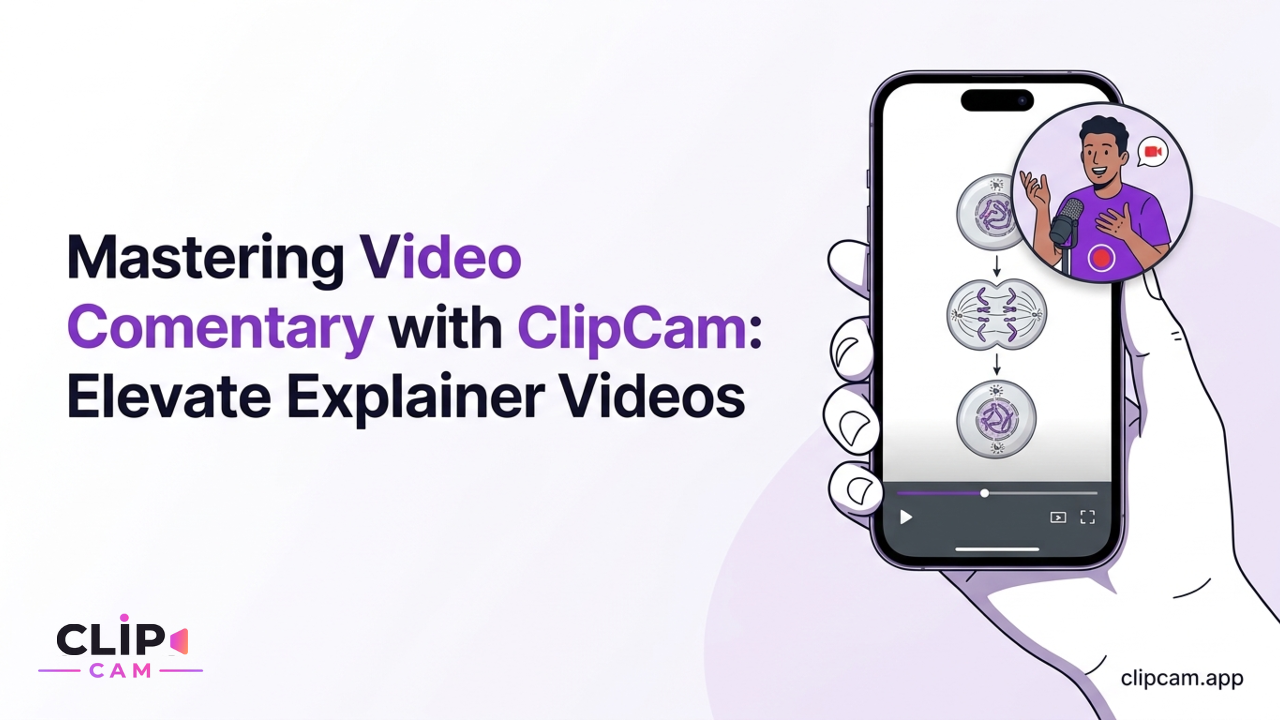
Capturing attention and effectively conveying complex information is a constant challenge for educators and content creators. Dynamic video commentary transforms passive viewing into an interactive, highly engaging learning experience, making even the most intricate topics understandable and memorable. This is where ClipCam (ClipCam) steps in as the mobile-first solution, empowering anyone to create compelling explainer videos with ease, directly from their phone.
ClipCam enhances learning engagement and retention by allowing you to add a personal, real-time layer of explanation to any visual content. Imagine breaking down a scientific experiment or analyzing a historical event with your expert insights appearing alongside the footage. ClipCam makes this possible, supporting dynamic visual formats like side-by-side comparisons, focused picture-in-picture demonstrations, and clear voiceovers. By simplifying complex explanations and fostering a direct connection with viewers, ClipCam elevates your explainer videos, making them more impactful and easier to produce.
The Power of Video Commentary in Educational Content
In today's fast-paced digital landscape, traditional static presentations often fall short in truly engaging audiences, especially when dealing with nuanced or challenging subjects. Video commentary injects vitality into educational content, significantly boosting learning engagement and retention. When an educator or expert can narrate, highlight, and react to visuals in real-time, the learning process becomes more interactive and less abstract, helping learners grasp complex topics more effectively.
ClipCam emerges as the ultimate mobile-first solution for creating these dynamic explainer videos. It's designed to democratize video production, allowing anyone to produce high-quality, engaging educational content without needing expensive equipment or a desktop editing suite. Whether you're dissecting a historical document, explaining a mathematical proof, or demonstrating a scientific principle, ClipCam provides the tools to make your explanations crystal clear and personally resonant.
The platform supports a range of versatile visual formats to suit different explanatory needs. You can choose from a striking side-by-side layout for direct comparisons, a focused picture-in-picture overlay for personal demonstrations, or a pure voiceover for content where your narration is key. This flexibility ensures your explainer videos are always tailored to the material, helping to simplify complex explanations and foster a genuine connection with your viewers, ultimately leading to better comprehension and retention.
Choosing Your Commentary Style with ClipCam
ClipCam understands that different explainer videos call for different visual approaches. That's why it offers a flexible suite of commentary styles, each designed to maximize engagement and clarity for specific educational objectives. Selecting the right style ensures your message is delivered with maximum impact.
Side-by-Side: Dynamic Comparison and Contrast
The side-by-side commentary style is incredibly powerful for direct comparisons, critical analysis, and highlighting differences or similarities. Imagine you're an educator comparing two historical speeches, analyzing two different scientific experiments, or even dissecting two distinct art techniques. ClipCam automatically arranges your source video and your live commentary feed side-by-side, creating a compelling visual dialogue. This format allows viewers to simultaneously observe the original content and your reactions or explanations, making it perfect for "before and after" scenarios, detailed critiques, or comparative analyses that demand immediate visual context. It's an intuitive way to guide your audience's attention and emphasize key points of divergence or convergence.
Picture-in-Picture: Focused Explanation and Demonstration
For content that requires a more focused demonstration or a direct, personal instructional touch, ClipCam's picture-in-picture (PiP) commentary is invaluable. This style places your live video commentary as a smaller overlay (typically in a corner) on top of the main source video. It's ideal for tutorials where you need to demonstrate software functionality while simultaneously explaining each step, or for educators providing direct instruction on complex diagrams, formulas, or anatomical models. The PiP format keeps your presence visible, fostering a personal connection, while ensuring the primary content remains the central focus. ClipCam seamlessly integrates your commentary, allowing you to point, gesture, and elaborate without ever obscuring the critical elements of your demonstration.
Voiceover: Pure Narration for Visual-Heavy Content
Sometimes, the visual content itself is so rich and self-explanatory that your physical presence on screen might be a distraction. For these scenarios, ClipCam's voiceover feature provides pure narration, allowing your voice to be the sole commentary element. This is particularly effective for videos where the speaker's face isn't essential but clear, articulate narration is paramount. Think of annotating detailed data visualizations, walking through intricate engineering diagrams, or explaining complex infographics. The voiceover option ensures your audience can fully concentrate on the visual information while absorbing your verbal insights without any visual interruptions. ClipCam streamlines the process of recording your voiceover, ensuring it aligns perfectly with your visual content.
ClipCam connects each of these styles to specific educational objectives, allowing you to choose the perfect visual framework for your lesson or explanation. The platform streamlines the selection and creation process, ensuring that no matter your chosen style, producing professional-grade commentary videos is always intuitive and efficient.
Creating Your Explainer Video Commentary with ClipCam: A Step-by-Step Guide
ClipCam makes the process of creating dynamic explainer videos remarkably straightforward, transforming what used to be a complex, multi-step editing process into a few taps on your mobile device. Here's how you can leverage ClipCam's intuitive design to produce engaging video commentary.
Selecting and Importing Your Source Clip
The journey begins with the content you want to explain or react to. ClipCam seamlessly integrates with your phone's media library. First, you'll simply open the ClipCam app. From there, you'll be prompted to select an existing video from your phone's gallery that you wish to use as your primary source content. Whether it's a pre-recorded lecture snippet, a scientific demonstration, a historical documentary excerpt, or a software walkthrough, ClipCam handles the import swiftly, preparing it for your commentary. This initial step is designed for maximum convenience, ensuring you can start creating without any tedious file transfers or conversions.
Recording Your Personalized Commentary
Once your source clip is loaded, it's time to add your voice and presence. ClipCam provides a clean, user-friendly interface for recording your live video commentary or reaction. You simply press record, and ClipCam begins capturing your camera feed (for side-by-side or picture-in-picture) or just your audio (for voiceover). You can pause, restart, and review your commentary as you go, ensuring you deliver your explanations clearly and precisely. The beauty of ClipCam is its ability to let you react and explain naturally, as if you're talking directly to your audience, all while the source video plays. This real-time interaction ensures your commentary feels authentic and engaging.
Automatic Synchronization and Instant Layouts
This is where ClipCam truly shines as a game-changer for explainer video creation. Forget about manually aligning audio and video tracks or meticulously resizing windows in complex editing software. ClipCam's core feature is its intelligent, automatic synchronization of your recorded commentary with the source clip. As soon as you finish recording, ClipCam instantly renders your video, generating a professional-looking side-by-side or picture-in-picture layout without any additional effort from your end. This automatic process saves countless hours of editing, allowing you to focus purely on the content of your explanation, rather than the technicalities of video production. The result is a polished, perfectly aligned explainer video, ready for review in moments.
Reviewing and Exporting Your Explainer
After ClipCam has automatically created your explainer video, you'll have the opportunity to review it directly within the app. Watch your commentary alongside the source material to ensure everything flows as intended. If you're satisfied with the result, ClipCam offers incredibly convenient one-tap download and sharing options. You can instantly save the final explainer video to your device, ready to be shared across various platforms. This streamlined review and export process means you can go from concept to a shareable, high-quality explainer video in minutes, making content creation faster and more accessible than ever before.
Educational Applications: Transforming Learning with ClipCam
ClipCam is an indispensable tool for educators, offering a myriad of applications to make learning more interactive, accessible, and profound. By enabling real-time commentary, it bridges the gap between static information and dynamic understanding across diverse subjects.
Annotating Demonstrations and Scientific Experiments
Imagine enhancing a pre-recorded laboratory demonstration with your live commentary. Educators can use ClipCam to walk students through complex scientific experiments, adding explanations for each step as it happens. Highlight critical safety measures, explain the chemical reactions taking place, or point out subtle observations that might otherwise be missed. By overlaying your insights, you make abstract scientific processes concrete, allowing students to grasp the 'why' behind the 'what,' leading to deeper comprehension and better practical skills.
Reviewing Case Studies and Historical Media
Analyzing primary source videos, historical footage, or current news clips becomes an immersive experience with ClipCam. History teachers can pause a clip of a historical event, provide context, identify key figures, and discuss its significance in real-time. Similarly, business instructors can dissect case study videos, commenting on strategic decisions, market dynamics, or leadership styles. This approach fosters critical thinking, encouraging students to engage directly with the media and understand its nuances through expert guidance.
Explaining Complex Visual Data and Infographics
Complex charts, graphs, anatomical models, and intricate infographics can often be overwhelming for learners. ClipCam allows educators to record themselves walking through these visuals, explaining each data point, trend, or anatomical structure with precision. By using the picture-in-picture mode, you can point to specific elements on screen while providing verbal explanations, making abstract concepts concrete and digestible. This is particularly effective for subjects like economics, biology, statistics, or engineering, where visual interpretation is key to understanding.
Providing Personalized Student Feedback
Gone are the days of scribbling notes on assignments or relying solely on written feedback. ClipCam empowers educators to provide specific, visual feedback on student projects, presentations, or artwork. By recording your commentary directly alongside their submitted work, you can highlight specific sections, explain areas for improvement, and offer personalized encouragement. This direct, visual, and verbal feedback is far more impactful than text alone, helping students understand precisely where they excelled and where they can grow, fostering a more engaging and effective learning cycle.
Expanding Content Beyond Education with ClipCam Explainers
While ClipCam excels in educational settings, its utility extends far beyond the classroom, empowering businesses, marketers, and content creators to produce compelling explanatory content for a wide audience. Its ease of use makes it perfect for quickly generating professional-grade videos for any purpose.
Product Demonstrations and Feature Walkthroughs
Businesses can revolutionize how they showcase products and services. With ClipCam, you can quickly record a live demonstration of a product's features, a software's interface, or an app's functionality. Use side-by-side or picture-in-picture commentary to highlight key benefits, explain complex interactions, and guide potential customers through the user experience. This personal touch makes product walkthroughs more engaging and persuasive, directly addressing customer needs and demonstrating value in an authentic, relatable way.
Tutorials and How-To Guides
From DIY enthusiasts to professional technicians, anyone creating tutorials and how-to guides can benefit immensely from ClipCam. Whether you're demonstrating a craft project, explaining a recipe step-by-step, or guiding viewers through a technical installation, ClipCam allows you to provide personal insights and clear instructions alongside your visual content. The ability to react in real-time, emphasize crucial steps, and share tips makes these guides more effective and user-friendly, transforming complicated processes into achievable tasks for your audience.
Current Events and Trend Analysis
Content creators, journalists, and thought leaders can use ClipCam to provide immediate, insightful commentary on news clips, industry reports, or trending topics. By adding your perspective directly alongside the source media, you can dissect headlines, analyze data, and offer informed opinions, fostering deeper engagement with your audience. This method allows for rapid content creation in response to fast-moving events, keeping your audience informed and establishing your voice as an authority in your niche. ClipCam empowers you to jump into conversations and contribute meaningful analysis without complex editing delays.
Seamless Sharing: Reaching Your Audience on Any Platform
Creating incredible explainer videos with ClipCam is just the first step; getting them to your audience is just as crucial. ClipCam is engineered for maximum shareability, ensuring your dynamic commentary videos can reach viewers wherever they are, with minimal effort.
One-Tap Publishing to YouTube
For educators and content creators who rely on long-form video platforms, ClipCam offers direct, one-tap sharing functionality specifically for YouTube. Once your explainer video is finalized, a single tap is all it takes to upload it to your YouTube channel. This seamless integration eliminates the need for manual file transfers, lengthy uploads from a desktop, or reformatting, saving you precious time and streamlining your content distribution workflow. It's designed for efficiency, allowing you to focus on creating impactful content rather than wrestling with technical processes.
Optimized for TikTok and Instagram Engagement
Understanding the power of short-form video, ClipCam automatically formats and optimizes your explainer videos for platforms like TikTok and Instagram. Whether you're breaking down a concept into a series of short clips or creating a concise summary, ClipCam ensures your commentary videos look professional and engaging on these highly visual platforms. This optimization maximizes your reach and engagement potential, allowing you to capture audiences where attention spans are fleeting, making complex information accessible in bite-sized, shareable formats.
Effortless Sharing to X (Twitter) and Beyond
Beyond the major video platforms, ClipCam ensures broad distribution of your educational content. With effortless sharing options, you can easily post your commentary videos directly to X (formerly Twitter), LinkedIn, Facebook, or send them via messaging apps. This versatility means your insightful explanations can reach students, colleagues, and followers across all your preferred communication channels, ensuring your message resonates widely and impacts a diverse audience wherever they consume content. ClipCam puts the power of sharing right at your fingertips, making your content discoverable and engaging across the entire digital landscape.
Why ClipCam is the Ultimate Tool for Explainer Video Commentary
In a world that demands both quality and speed, ClipCam stands out as the definitive solution for creating compelling video commentary. It redefines what's possible for educators, creators, and businesses by eliminating traditional barriers to video production.
Mobile-First Simplicity: No Desktop Editing Required
ClipCam's greatest strength lies in its intuitive mobile interface. This is not another watered-down app; it's a powerful video creation tool designed from the ground up for your smartphone. The entire process—from importing your source video to recording your commentary and exporting the final product—happens entirely on your phone. This eliminates the need for complex desktop software, expensive hardware, or a steep learning curve. ClipCam makes high-quality video commentary accessible to everyone, empowering educators and creators to produce professional content anytime, anywhere, with just the device in their pocket.
Automatic Layouts: Side-by-Side & Picture-in-Picture Made Easy
The technical headache of arranging multiple video feeds, syncing audio, and ensuring perfect alignment has always been a major hurdle in video production. ClipCam completely bypasses this challenge with its intelligent automatic layout feature. Whether you need a dynamic side-by-side comparison or a focused picture-in-picture demonstration, ClipCam handles the complex video layouts instantly upon recording. This automation saves users significant editing time and effort, allowing you to concentrate on the substance of your commentary rather than the intricacies of video post-production. The result is consistently polished, perfectly formatted explainer videos, every single time.
Speed and Efficiency: Create, Review, and Share in Minutes
Time is a valuable commodity, especially for busy educators and content creators. ClipCam is purpose-built for speed and efficiency. The entire workflow—from the initial thought to a fully published video—is optimized to be completed in minutes, not hours or days. Record your commentary in real-time, and ClipCam instantly renders the final video. Review it with a quick glance, and then share it with a single tap. This unparalleled speed enables creators to be agile in their content production, allowing them to respond to current events, deliver timely feedback, or create spontaneous teaching moments without ever missing a beat.
Ready to transform your educational content and create compelling explainers? Download ClipCam today and start making an impact with dynamic video commentary.