
Mastering Gaming Reactions: Elevate Commentary with ClipCam
Elevate your gaming reactions using ClipCam! Discover how to engage your audience effectively and make your commentary unforgettable.
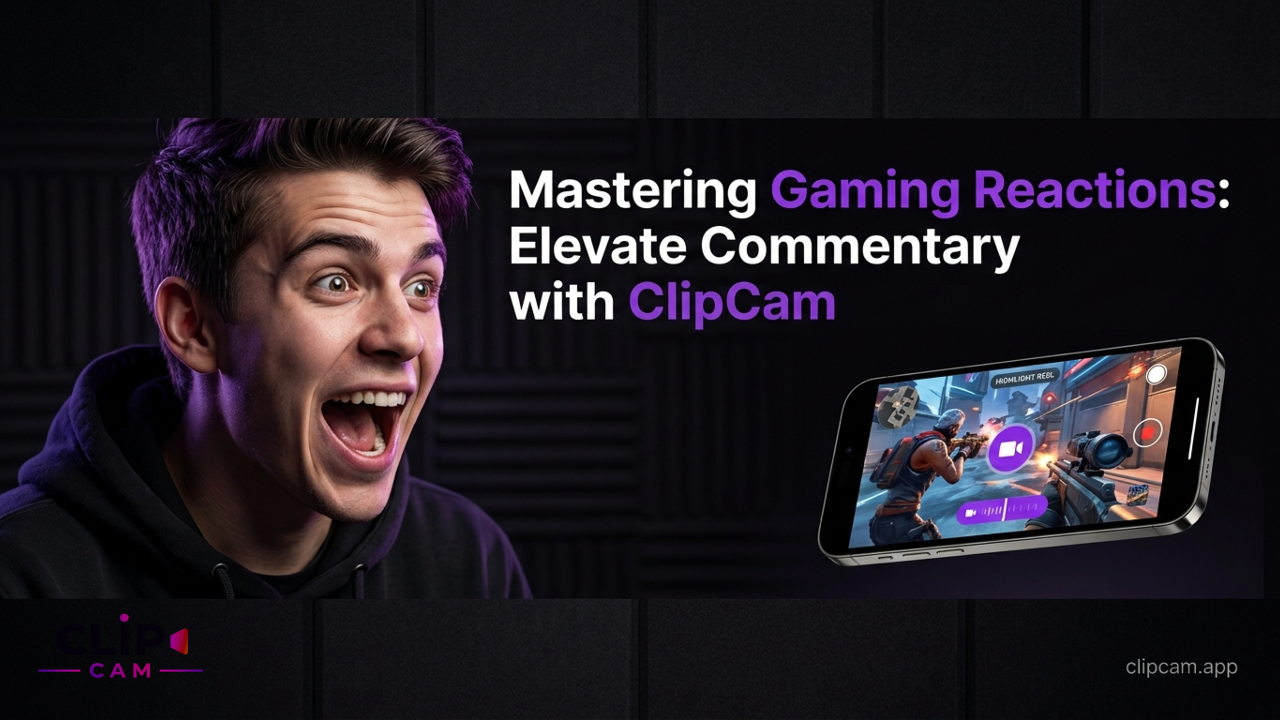
What truly separates an engaging gaming video from one that fades into the feed? It's often the raw, unfiltered human emotion captured in those pivotal moments – the epic wins, the hilarious fails, and the genuine shock of a new game reveal. Mastering these compelling gaming reactions is key to connecting with your audience, and with ClipCam, you can elevate your commentary with unmatched speed and ease, all from your phone.
Unlock Authentic Gaming Reactions with ClipCam's Instant Capture
Authentic reactions are the lifeblood of engaging gaming content. They build a powerful bridge between you and your viewers, fostering a sense of shared experience that transcends the screen. When viewers see genuine excitement, frustration, or pure joy, they don't just watch; they feel. This emotional connection is critical for viewer engagement, transforming casual watchers into a loyal community. It's the difference between a clip getting a fleeting view and becoming a viral sensation or a cherished moment in your channel's history.
Capturing these moments as they happen is where the magic begins, and ClipCam’s mobile-first design makes it incredibly simple. Imagine hitting a clutch play, stumbling upon an unexpected bug, or witnessing a mind-blowing cinematic in a major game release. Your immediate emotional outburst—whether it's "gamer rage," triumphant shouts, or a gasp of awe—is gold. ClipCam enables immediate recording, allowing you to capture these raw, unfiltered expressions without complex setup or delays. You simply launch the app, select your game clip, and record your reaction instantly. There's no fumbling with multiple cameras, external microphones, or cumbersome software; just pure, unadulterated emotion preserved for your audience.
The speed of capture isn't just a convenience; it's a necessity for maintaining the authenticity that viewers crave. In the fast-paced world of gaming content, relevance is fleeting. Reacting to specific in-game achievements, trending moments, or breaking game announcements requires a tool that keeps pace with the moment. ClipCam ensures that your commentary and emotional responses are fresh and timely, aligning perfectly with current gaming trends and ensuring your content feels immediate and relevant. This immediacy is what makes your reactions feel genuine and relatable, solidifying your bond with viewers who want to experience the moment right alongside you.
Seamless Production: How ClipCam Revolutionizes Reaction Video Creation
The dream of creating polished, side-by-side reaction videos often crashes against the wall of technical complexity. Traditionally, creators faced a gauntlet of pain points: meticulously syncing separate camera footage with gameplay recordings, wrestling with complex desktop editing software, enduring lengthy rendering times, and then transferring massive files just to get a video ready for upload. This cumbersome process often steals precious time and energy, diverting creators from what truly matters: their performance and commentary.
The ClipCam Workflow: From Gameplay to Go-Live
ClipCam was built to bypass these traditional hurdles entirely. The app fundamentally revolutionizes reaction video creation by automatically merging your reaction footage with game clips directly on your phone. You start by importing your game footage—whether it’s a screen recording from your phone, a downloaded highlight, or a clip from your camera roll. Then, with just a few taps, you record your facecam reaction directly within the app. ClipCam intelligently combines these elements into a perfectly synchronized, side-by-side video, ready for prime time. This eliminates hours of manual syncing and timeline manipulation, allowing you to move from capturing the gameplay to creating your reaction in minutes.
The true genius of ClipCam lies in its "one-tap to download, one tap to share" functionality. Once your reaction is recorded, the app instantly renders the combined video. No more waiting for endless exports or dealing with complicated file formats. A single tap downloads the finished video to your device, and another tap lets you share it directly to popular platforms like YouTube, TikTok, Instagram, and X. This seamless flow streamlines the entire production process, dramatically cutting down the time from concept to upload. It empowers creators to publish more frequently, stay topical, and maintain a consistent presence without the crushing burden of post-production.
Eliminating Technical Headaches for Creators
By automating the most challenging aspects of reaction video production, ClipCam allows creators to shift their focus from technical hurdles to what truly differentiates their content: their physiological and cognitive performance. Instead of worrying about frame rates, audio synchronization, or complex video tracks, you can channel all your energy into delivering an authentic, expressive reaction. This freedom from technical woes lets you concentrate on your insights, humor, and emotional responses, ensuring your commentary is sharp, engaging, and genuinely you. ClipCam acts as your simplified co-pilot, handling the heavy lifting so you can shine as a creator, making the entire experience enjoyable rather than frustrating.
Crafting Compelling Commentary: Elevate Your Gaming Reactions with ClipCam
Beyond the initial gasp or cheer, compelling commentary is what transforms a simple reaction into an engaging piece of content. It's not just about what you react to, but how you articulate your thoughts and emotions. ClipCam's streamlined workflow doesn't just make production easier; it creates the mental space you need to truly refine your on-screen presence and deliver captivating narratives.
Beyond the 'Wow': Delivering Engaging Narratives
Effective commentary goes far beyond merely stating the obvious. Here are some actionable tips to elevate your gaming reactions:
Express Genuine Emotions: Don't hold back. Let your true feelings show—be it shock, delight, frustration, or pure hype. Authenticity is magnetic.
Offer Quick Insights: While reacting, provide immediate, concise thoughts about what's happening. Why was that play amazing? What could have been done differently? These bite-sized analyses add value.
Build Anticipation: Before a critical moment unfolds, vocalize your predictions or hopes. "Oh, no, he's going for it!" or "If he hits this, it's over!" This draws viewers deeper into the experience.
Inject Personality: Your unique voice is your superpower. Use humor, tell a brief anecdote, or share a personal connection to the game or moment. Let your personality shine through to differentiate your content.
Vary Your Tone and Pacing: Don't be a monotone commentator. Use changes in vocal pitch, volume, and speed to emphasize points, build tension, or convey excitement.
ClipCam's ease of use is a direct catalyst for improved commentary. By removing the stress of technical setup and complex editing, the app frees up your mental bandwidth. Instead of mentally juggling syncing clips or troubleshooting software, you can focus purely on developing sharp, engaging commentary. This allows you to think on your feet, articulate your thoughts more clearly, and deliver a more polished and impactful reaction, making your content memorable for all the right reasons.
Leveraging ClipCam for Diverse Reaction Content
ClipCam isn't limited to a single type of reaction; its versatility allows you to explore a wide array of content genres, keeping your channel fresh and appealing. You can use ClipCam to:
React to Epic Fails: There's a shared human joy in watching a perfectly executed plan go hilariously wrong. Your empathetic cringe or uncontrollable laughter makes these moments even better.
Analyze Clutch Plays: Break down those game-winning moments. What tactical genius was involved? Your expert commentary adds depth.
Comment on Speedrun Attempts: The tension of a high-stakes speedrun, combined with your real-time commentary, creates an exhilarating viewing experience.
Respond to Game Announcements and Trailers: Be among the first to react to new game reveals, patch notes, or cinematic trailers. Your initial impressions and predictions are highly valued by the community.
Engage with Community Content: React to fan-made montages, memes, or clips submitted by your own audience. This fosters a strong sense of community and interaction.
By facilitating the rapid creation of diverse reaction content, ClipCam empowers you to experiment with different formats and keep your audience engaged. The more variety you offer, the broader your appeal, and the stronger your content strategy becomes.
Step-by-Step with ClipCam: Your First Engaging Reaction Video
Creating your first compelling reaction video with ClipCam is surprisingly straightforward. The app is designed for intuitive use, guiding you through each step from importing your game footage to sharing your final masterpiece with the world. Let’s walk through the simple process that will have you creating engaging content in no time.
Importing Your Game Clip with Ease
The foundation of any great reaction video is, of course, the game clip itself. ClipCam makes it incredibly easy to bring your footage into the app.
Open ClipCam: Launch the app on your mobile device.
Select "New Reaction": You’ll typically see a prominent button or option to start a new project.
Import Your Clip: ClipCam allows you to select game footage from several sources:
Camera Roll: If you've screen-recorded gameplay directly on your phone or saved a clip from a console capture, it will be in your device's photo gallery. Simply tap to select it.
Screen Recordings: For mobile gamers, you can use your phone's built-in screen recording feature to capture gameplay, and then import that video directly.
Other Sources: You can also import downloaded clips from various platforms.
Trim (Optional): Once imported, ClipCam provides basic trimming tools to help you pinpoint the exact segment of the game clip you want to react to. This ensures your reaction is focused and impactful.
The app's intuitive UI ensures that selecting and preparing your game footage is a frictionless process, setting you up for success before you even record your reaction.
Recording Your Perfect Reaction
With your game clip ready, it’s time to capture your facecam reaction. This is where your personality and genuine emotions come into play.
Position Yourself: Ensure you're in a well-lit area with a clear background. Hold your phone steadily or place it on a stand.
Start Recording: Within ClipCam, after importing your game clip, you'll see a button to begin recording your facecam. The game clip will play simultaneously, allowing you to react in real-time.
Simple Controls: The app’s interface keeps controls minimal and clear, so you can focus on your performance, not on navigating complex settings. You'll typically have a simple record/stop button.
Review and Retake: Not happy with your take? No problem. ClipCam allows you to review your reaction immediately and retake it as many times as you need to get it just right. This iterative process ensures you publish your best work.
The beauty of ClipCam is that while you're recording, the app is already preparing to automatically merge your facecam with the game footage. This seamless integration happens behind the scenes, eliminating the need for manual syncing later.
One-Tap Export and Share to the World
Once you've captured your reaction, ClipCam truly shines with its unparalleled efficiency in rendering and sharing.
Automatic Side-by-Side Rendering: The moment you finish recording your reaction, ClipCam's powerful engine automatically combines your facecam footage with your game clip, creating a perfectly synchronized side-by-side video. This feature is a game-changer, saving creators countless hours of traditional editing.
Instant Preview: You'll get an immediate preview of your finished reaction video, allowing you to confirm everything looks and sounds perfect.
One-Tap Export: Satisfied with your creation? Simply tap the export button. ClipCam rapidly renders and saves the high-quality video file directly to your phone's gallery.
Direct Sharing: From within the app, you can then choose to share your video directly to your preferred platforms:
YouTube: Upload your full-length reactions for your subscriber base.
TikTok: Create short, punchy clips perfect for viral sharing.
Instagram: Share exciting moments as reels or stories.
X (formerly Twitter): Post quick, engaging reactions to trending topics.
This incredibly efficient workflow means your amazing gaming reactions can go from capture to global audience in just minutes, not hours. ClipCam transforms the daunting task of video production into a quick, enjoyable process, putting your content out there faster than ever before.
Maximizing Your Reach: Growing Your Audience with ClipCam's Sharing Power
In today's crowded digital landscape, simply creating great content isn't enough; you need to get it in front of the right eyeballs. Audience growth hinges on discoverability and consistent engagement, and ClipCam's powerful sharing capabilities are designed to put your content everywhere it needs to be, with minimal effort.
Multi-Platform Presence Made Easy
A crucial strategy for audience growth is maintaining a multi-platform presence. Different platforms cater to different audiences and content formats. What works on TikTok might be different from what thrives on YouTube. ClipCam's direct, multi-platform sharing capabilities simplify cross-platform distribution, which is absolutely crucial for audience growth and discoverability. You don't need to download a video, transfer it to a computer, edit it for a new platform, and then upload it again. With ClipCam, your finished reaction video can be shared to several key social media channels straight from your phone.
This allows you to be where your audience is. Imagine you've created an epic reaction to a new game trailer. With ClipCam, you can:
Upload the full, detailed reaction to YouTube for your core subscribers.
Share a punchy, 15-second highlight of your most extreme reaction to TikTok for viral reach.
Post a visually appealing snippet with engaging text overlays to Instagram Reels.
Tweet out a direct link or a short clip on X, sparking conversation and engagement.
ClipCam facilitates this without complex external editing or tedious re-uploads. It means you can tailor your content for different platforms (e.g., short, punchy clips for TikTok/X; longer, analytical reactions for YouTube) and easily distribute it, ensuring maximum visibility and catering to diverse viewing preferences, all from a single, streamlined workflow.
Consistent Content, Consistent Growth
One of the most profound impacts ClipCam has on audience growth is enabling consistency. Building a loyal subscriber base and increasing engagement requires a steady stream of content. Viewers appreciate creators who regularly deliver fresh, high-quality videos. However, traditional video production often makes consistency a challenge due to the time and effort involved.
ClipCam’s lightning-fast workflow changes this equation entirely. By dramatically reducing the time it takes to produce a complete reaction video, it empowers you to:
Respond to trends quickly: Jump on viral moments or breaking news in the gaming world with your reaction before the hype fades.
Post more frequently: Instead of one video a week, you might produce two or three, significantly increasing your chances of discovery.
Maintain a regular schedule: Whether it's daily TikToks or weekly YouTube videos, ClipCam makes it feasible to stick to a content calendar, which is a cornerstone of audience loyalty.
This accelerated content creation process, driven by ClipCam’s efficiency, directly translates into consistent posting. And consistent posting is a key factor in building a loyal subscriber base, improving algorithm visibility, and ultimately, driving significant audience growth for your gaming channel.
Optimizing Your Setup for Peak Reaction Performance with ClipCam
While ClipCam champions a mobile-first approach, offering unparalleled convenience and speed, a few simple optimizations can significantly enhance the quality of your reaction videos. These aren't complex, expensive upgrades, but rather smart choices that leverage your existing mobile setup to its fullest potential, ensuring your content looks and sounds professional.
Even with just your phone, you can achieve a polished look and feel. The key is to focus on fundamental elements that impact viewer experience:
Utilize Good Natural Lighting: Position yourself facing a window during the day for soft, even lighting that illuminates your face without harsh shadows. Avoid backlighting, which can make you appear as a silhouette. If natural light isn't an option, a simple desk lamp positioned strategically can make a world of difference. Proper lighting ensures your facial expressions, which are crucial for reactions, are clearly visible.
Ensure Clear Audio: While your phone's built-in microphone can capture decent audio, ensure you're in a quiet environment free from distracting background noise. Close windows, turn off fans, and try to record in a space with minimal echoes. Speaking clearly and projecting your voice slightly can also improve audibility. For a small upgrade, even an affordable lavalier mic that plugs into your phone can drastically improve audio quality, making your commentary crisp and professional.
Maintain a Stable Recording Environment: A shaky video is distracting. Always place your phone on a stable surface, use a small phone tripod, or even lean it against a stack of books. This keeps your facecam footage steady, providing a more comfortable viewing experience for your audience.
Beyond your reaction setup, optimizing the source game footage is equally important. When recording gameplay, aim for the highest resolution and frame rate your device or capture method supports. Higher quality source material means better output within ClipCam. For instance, if you're screen recording mobile gameplay, check your phone's settings to ensure it’s capturing at 1080p and 60fps if possible. This ensures that when ClipCam merges your high-quality reaction with your high-quality gameplay, the final video is visually appealing and professional.
Ultimately, these setup optimizations aren't just about technical quality; they're about reducing the inherent 'stress' for the creator. When you know your lighting is good, your audio is clear, and your phone is stable, you eliminate a whole layer of technical worries. This allows you to focus purely on your reaction and commentary, channeling all your energy into being authentic, engaging, and expressive. The result is not only a higher quality video but also a more genuine and impactful performance from you, directly improving the overall quality and viewer enjoyment of your gaming reaction content.
Ready to transform your gaming commentary and captivate your audience? Download ClipCam today and start creating viral reaction videos with unmatched speed and ease.