
Practical Guide to Integrating Google Gemini for Scalable AI Apps
Unlock advanced AI. Our practical guide shows how to integrate Google Gemini API into your applications, building scalable AI solutions. Start innovating today!
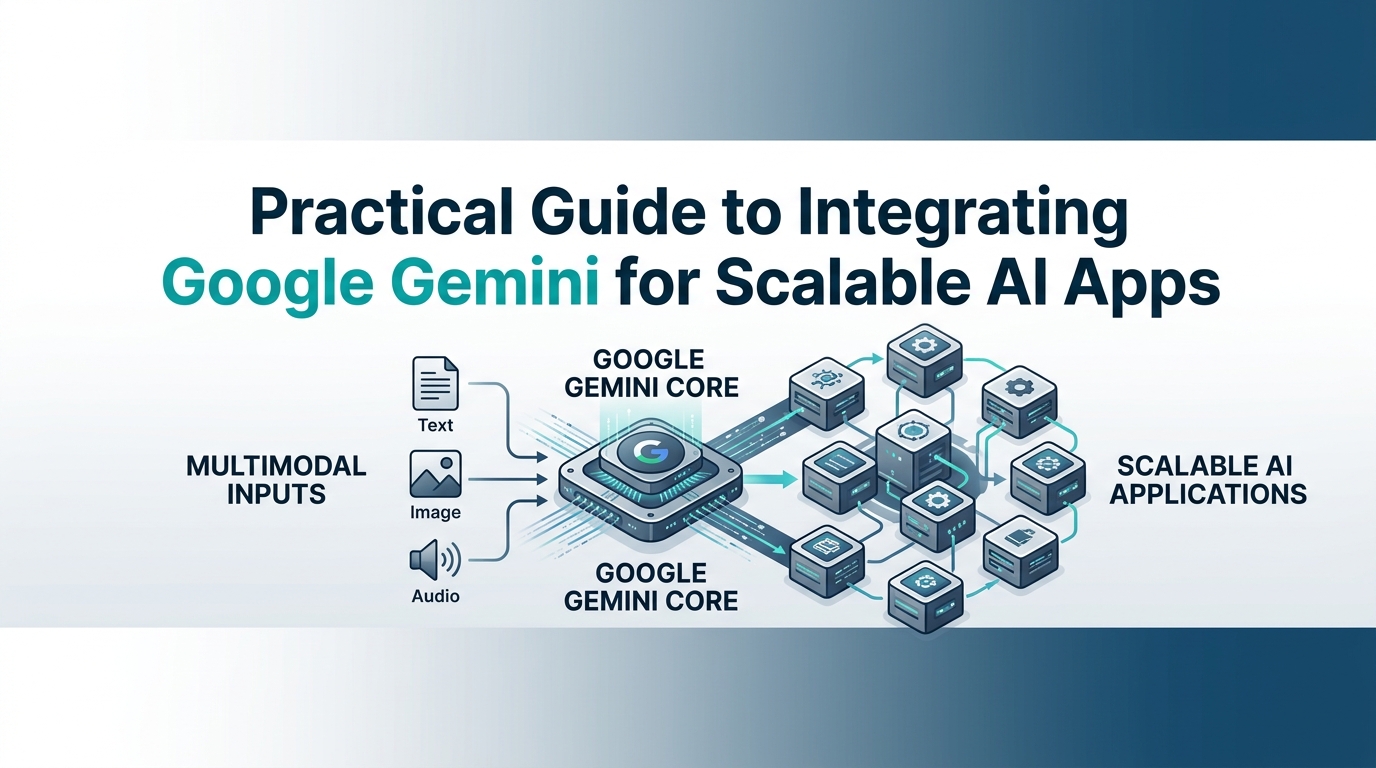
The landscape of artificial intelligence is rapidly evolving, and Google Gemini stands out as a powerful, multimodal foundation model poised to redefine what's possible in application development. Integrating Google Gemini effectively into your projects can unlock unprecedented capabilities, from intelligent chatbots to advanced content generation. This guide will walk you through the practical steps, architectural considerations, and best practices to build scalable, production-ready AI applications powered by Gemini.
Getting Started: Setting Up Your Google Gemini Project
Before you can harness the power of Gemini, you need to lay the groundwork in Google Cloud. This initial setup is crucial for managing your resources, authentication, and access.
Choosing Your Integration Path: SDKs, REST, or gRPC
Google Gemini offers flexible ways to interact with its APIs, catering to different development preferences and use cases.
SDKs (Software Development Kits): For most developers, the official SDKs offer the quickest and most idiomatic way to get started. Python and JavaScript/TypeScript SDKs are robust, well-documented, and abstract away much of the underlying API complexity. They handle authentication, request formatting, and response parsing, allowing you to focus on your application logic.
Python SDK: Ideal for backend services, data processing, and AI/ML pipelines.
JavaScript/TypeScript SDK: Perfect for web applications (Node.js environments), frontend integrations, and serverless functions.
REST API: If you're working with a language without an official SDK, or prefer direct HTTP interactions for fine-grained control, the REST API is your go-to. It uses standard HTTP methods and JSON payloads.
gRPC: For high-performance, low-latency communication, especially in microservices architectures, gRPC offers a compelling alternative. It uses Protocol Buffers for efficient serialization and HTTP/2 for transport. This is often chosen for very specific, performance-critical backend services.
For most new projects aiming for rapid development and maintainability, starting with the SDKs is highly recommended.
Obtaining Your Gemini API Key and Initial Setup
Let's get your Google Cloud project ready and secure your first API key.
Create or Select a Google Cloud Project:
Navigate to the Google Cloud Console.
From the project selector dropdown (usually at the top left), either create a new project or select an existing one. A new project isolates your resources, which is good practice.
Enable the Google Generative AI API:
Once your project is selected, use the search bar at the top of the console and type "Generative Language API" or "Generative AI API."
Select the "Generative Language API" from the results (note: sometimes it's under AI Platform or similar; ensure it's the one for Gemini).
Click Enable. This may take a moment.
Generate Your API Key:
In the Google Cloud Console, navigate to APIs & Services > Credentials.
Click + CREATE CREDENTIALS at the top and select API Key.
A new API key will be generated and displayed. Copy this key immediately.
Security Best Practice: Do not embed this key directly in your client-side code or commit it to version control. Restrict its usage to specific IP addresses, HTTP referrers, or Android/iOS apps for better security. For production, you'll eventually move to Service Accounts (discussed later).
With your API key in hand, let's make your first call. This minimal example uses the Python SDK.
# First, install the Google Generative AI SDK:
# pip install -q google-generativeai

import google.generativeai as genai
import os

# Set your API key from an environment variable for security
# It's recommended to do this in your development environment
# e.g., export GOOGLE_API_KEY="YOUR_API_KEY"
genai.configure(api_key=os.environ.get("GOOGLE_API_KEY"))

# Or for quick testing:
# genai.configure(api_key="YOUR_API_KEY")

# Choose a model
model = genai.GenerativeModel('gemini-pro')

# Generate content
response = model.generate_content("What is the capital of France?")

# Print the response
print(response.text)
This simple generate_content call confirms your setup is correct and you can communicate with the Gemini API.
Navigating Gemini's APIs: generateContent vs. Interactions API
Understanding the core APIs is fundamental to building effective applications. Gemini offers two primary paradigms: one for quick, stateless requests and another for complex, stateful conversations.
The generateContent API: Quick Starts and Basic Use Cases
The generateContent API is your entry point for single-turn, stateless interactions with Gemini. It's designed for scenarios where each request is independent, and the model doesn't need to recall previous turns in a conversation.
Typical Use Cases:
One-off prompts: Asking a question, generating a single image description, or requesting a short summary.
Content generation: Creating blog post drafts, social media captions, or email templates.
Data extraction: Parsing specific information from a document or text.
Simple classification: Categorizing text snippets without conversational context.
The generate_content method is straightforward. You provide your prompt, and the model returns a response. It doesn't inherently manage conversation history; if you need history, you'd have to manually package it into each prompt, which quickly becomes unwieldy and inefficient for longer dialogues.
Embracing the Interactions API for Complex, Conversational Workflows
For applications requiring sustained, multi-turn dialogue—like chatbots, virtual assistants, or interactive tools—the Interactions API (accessed via start_chat in the SDKs) is the recommended approach. This API manages the conversation's state and history for you, ensuring the model understands the context of previous messages.
Fundamental Differences:
Stateful vs. Stateless:
generateContentis stateless; each call is independent. The Interactions API is stateful, maintaining a "memory" of the conversation.Message History: With
generateContent, you'd manually append previous turns to each prompt. The Interactions API automatically handles message history, making it simpler to manage complex dialogues.Session Management: The Interactions API introduces the concept of a "chat session" (
start_chat), allowing you to manage distinct conversations.
Why Use the Interactions API for Stateful Applications?
The Interactions API streamlines the development of conversational AI. By automatically handling history, it:
Reduces prompt engineering overhead.
Improves contextual understanding and response relevance.
Optimizes token usage (by sending only relevant history, though you can control this).
Enables more natural and fluid user experiences.
Initiating a Chat Session and Sending Messages (Python Example):
import google.generativeai as genai
import os

genai.configure(api_key=os.environ.get("GOOGLE_API_KEY"))

model = genai.GenerativeModel('gemini-pro')

# Start a new chat session
chat = model.start_chat(history=[]) # You can provide initial history if needed

print(f"User: Hello, how are you today?")
response = chat.send_message("Hello, how are you today?")
print(f"Gemini: {response.text}")

print(f"\nUser: What did I just ask you?")
response = chat.send_message("What did I just ask you?")
print(f"Gemini: {response.text}") # Gemini remembers the previous turn

print(f"\nCurrent chat history:")
for message in chat.history:
    print(f"{message.role}: {message.parts[0].text}")
In this example, Gemini remembers the context of the first question, demonstrating the power of the Interactions API for conversational applications.
It's also worth noting the Live API, which is distinct and designed for real-time, low-latency audio/video applications, enabling instantaneous interactions such as live voice transcription and understanding for real-time agents.
Building Intelligent Applications: Multimodal Input and Tool Orchestration
Gemini's true power shines in its multimodal capabilities and its ability to interact with external systems through tool orchestration. These features enable the creation of highly intelligent and agentic applications.
Crafting Multimodal Experiences with Text, Image, and Audio Inputs
Gemini is inherently multimodal, meaning it can process and reason across different types of data simultaneously. This opens up a vast array of possibilities for more intuitive and powerful applications.
Combining Text with Image Inputs: Imagine a user uploading a photo and asking a question about it. Gemini can analyze both the image and the text prompt to provide a relevant answer. This is powerful for visual search, product identification, medical imaging analysis, and more.
import google.generativeai as genai
import os
from PIL import Image
import io

genai.configure(api_key=os.environ.get("GOOGLE_API_KEY"))

# Use a multimodal model like 'gemini-pro-vision' for image understanding
vision_model = genai.GenerativeModel('gemini-pro-vision')

# Load an image (replace with your image loading logic)
# For demonstration, let's assume 'image_data' is a bytes object of your image
# from example.gcp import load_image_from_url
# image_data = load_image_from_url("https://example.com/your-image.jpg")

# Or, if you have a local image file:
try:
    img = Image.open('example_image.jpg') # Replace with your image path
except FileNotFoundError:
    print("Please create an 'example_image.jpg' file for this demo.")
    # Create a dummy image for the example if it doesn't exist
    img = Image.new('RGB', (60, 30), color = 'red')
    img.save('example_image.jpg')

# Example prompt with text and image
response = vision_model.generate_content([
    "What is this image about? Describe it in detail.",
    img
])

print(response.text)
Sending Audio Data: Gemini can also process audio data, making it possible to transcribe spoken words and understand their context within a multimodal prompt. This is vital for voice assistants, call summarization, and interactive voice response (IVR) systems. You would typically convert audio to text (e.g., using a speech-to-text service) or directly pass audio bytes to specific Gemini endpoints if available for real-time processing (as with the Live API).
For scenarios where you need to send audio as part of a prompt, you'd typically preprocess the audio into a format Gemini can consume, often by sending the raw audio data or a transcription alongside other modalities. The
gemini-1.5-promodel supports audio input for more advanced use cases.
Implementing Tool Orchestration and Function Calling for Agentic Workflows
One of Gemini's most groundbreaking features is function calling (also known as tool orchestration). This allows Gemini to interact with external tools, APIs, and services based on user intent. Instead of just generating text, Gemini can perform actions, retrieve real-time data, and integrate with your existing systems, transforming it into a powerful agent.
How Tool Orchestration Works:
Define Tools: You describe your external functions (e.g., "get_current_weather," "book_flight," "query_database") to Gemini using a structured schema (like OpenAPI specifications).
User Prompt: A user makes a request that implies the need for an external tool (e.g., "What's the weather like in London?").
Gemini's Decision: Gemini analyzes the prompt, identifies the user's intent, and determines if one of the defined tools can fulfill the request. If so, it generates a "function call" containing the tool name and necessary arguments (e.g.,
{"name": "get_current_weather", "args": {"location": "London"}}).Execute Tool: Your application intercepts this function call, executes the actual
get_current_weatherfunction (which makes an API call to a weather service), and gets the real-world result.Provide Output to Gemini: Your application sends the tool's output back to Gemini as part of the conversation history.
Gemini Generates Response: Gemini uses the tool's output to formulate a natural language response back to the user.
Example: Weather Tool:
import google.generativeai as genai
import os

genai.configure(api_key=os.environ.get("GOOGLE_API_KEY"))

model = genai.GenerativeModel('gemini-pro')

# Define a hypothetical tool (function)
def get_current_weather(location: str):
    """
    Fetches the current weather for a specified location.
    Args:
        location: The city or region to get the weather for.
    Returns:
        A string describing the weather conditions.
    """
    # In a real app, this would call an external weather API
    if location.lower() == "london":
        return "The weather in London is cloudy with a temperature of 10°C."
    elif location.lower() == "new york":
        return "The weather in New York is sunny with a temperature of 25°C."
    else:
        return f"Could not fetch weather for {location}."

# Add the tool to the model configuration
# The model will 'know' about this function and its arguments
tools = genai.GenerativeModel.from_pretrained('gemini-pro').tools
tools.add_function(get_current_weather)

chat = model.start_chat(history=[])

user_message = "What's the weather in London?"
print(f"User: {user_message}")

# Send message to the model
response = chat.send_message(user_message, tools=tools)

# Check if the model wants to call a function
if response.candidates[0].function_call:
    function_call = response.candidates[0].function_call
    print(f"Gemini wants to call: {function_call.name} with {function_call.args}")

    # Execute the function based on Gemini's call
    # In a real app, you'd dynamically call the function using its name and args
    if function_call.name == "get_current_weather":
        tool_output = get_current_weather(**function_call.args)
        print(f"Tool output: {tool_output}")

        # Send the tool's output back to Gemini
        final_response = chat.send_message(tool_output)
        print(f"Gemini: {final_response.text}")
else:
    print(f"Gemini: {response.text}")
This demonstrates an agentic workflow: Gemini understands the intent, suggests an action, that action is performed, and the result is fed back to Gemini for a natural response. This capability is pivotal for building sophisticated AI agents that can interact with the real world.
Architecting for Scale: Production Readiness with Google Gemini
Moving from a prototype to a production-ready application requires careful consideration of security, performance, cost, and reliability.
Authentication, Authorization, and Secure Secrets Management
For production environments, relying solely on API keys is often insufficient for robust security.
Service Accounts and IAM: The best practice for production authentication is to use Google Cloud Service Accounts with Identity and Access Management (IAM). A service account is a special type of Google account used by applications or VMs, not by individual users. You grant specific IAM roles (e.g.,
Generative Language API User) to the service account, giving your application fine-grained control over what it can access. This eliminates the need to distribute individual API keys and allows for centralized permission management.Secure Secrets Management: Never hardcode API keys or service account credentials directly into your codebase. Use secure methods for storage and retrieval:
Google Secret Manager: The recommended solution within Google Cloud. It allows you to store, manage, and access sensitive data like API keys, passwords, and certificates securely. Secrets are encrypted at rest and in transit, and you can control access using IAM.
Environment Variables: For local development and CI/CD pipelines, environment variables are a common and effective way to inject secrets without committing them.
Vault (e.g., HashiCorp Vault): For multi-cloud or hybrid environments, dedicated secrets management solutions like Vault can be integrated.
Optimizing for Performance: Latency and Cost Control
Scalable AI applications demand both responsiveness and cost efficiency.
Minimizing Latency:
Regional Endpoints: Choose the Google Cloud region closest to your users or your application's deployment location to reduce network latency.
Model Choice (
flashvs.pro): Gemini offers different model variants.gemini-1.5-flashis optimized for speed and cost-efficiency with a massive context window, making it suitable for high-throughput, low-latency tasks.gemini-1.5-prooffers higher reasoning capabilities, ideal for complex tasks where latency is less critical. Select the model that best fits your performance and complexity requirements.Asynchronous Processing: Use asynchronous API calls to avoid blocking your application thread while waiting for Gemini's response, improving overall throughput.
Streaming Responses: For conversational UIs, enabling streaming responses (discussed in the next section) allows you to display parts of the response as they are generated, improving perceived performance.
Managing Gemini API Costs:
Understanding Pricing: Familiarize yourself with Gemini's pricing model, which is typically based on input and output tokens.
Judicious Model Selection: As mentioned,
flashmodels are significantly cheaper per token thanpromodels. Use the most cost-effective model that meets your quality needs.Prompt Engineering for Efficiency:
Concise Prompts: Avoid overly verbose prompts that consume unnecessary input tokens.
Output Control: Guide the model to generate only the necessary output. For example, specify "respond in 3 bullet points" or "give me only the name."
Context Management: In conversational apps, intelligently manage the conversation history sent to the model. Only send the most relevant turns, or use summarization to condense older history.
Resiliency and Monitoring: Retries, Rate Limits, and Observability
Production applications must be robust against transient errors and external constraints.
Implementing Exponential Backoff and Retry Mechanisms: Network issues, temporary service outages, or brief API throttling can cause requests to fail. Implement a retry logic with exponential backoff: if a request fails, wait a short period before retrying, and increase that wait time exponentially with each subsequent failure. This prevents overwhelming the API and increases the chance of success as temporary issues resolve.
Handling Rate Limits Gracefully: Google Cloud APIs have rate limits to prevent abuse. If your application exceeds these limits, you'll receive a
429 Too Many Requestserror. Implement logic to detect this error, pause requests for a short duration (or until theRetry-Afterheader indicates), and then retry.Observability: Logging, Monitoring, and Tracing:
Logging: Use Google Cloud Logging to capture all requests and responses to the Gemini API, along with any errors. This is invaluable for debugging and understanding application behavior.
Monitoring: Set up custom metrics in Google Cloud Monitoring (or your preferred monitoring solution) to track key performance indicators (KPIs) like API latency, error rates, token usage, and successful requests. Create alerts for unusual activity.
Tracing: Integrate with Google Cloud Trace to visualize the end-to-end flow of requests, helping identify bottlenecks across your services, including calls to Gemini.
Advanced Integration Patterns and Migration Strategies
As your applications mature, you might explore more dynamic user experiences or need to update older implementations.
Implementing Streaming Responses for Enhanced User Experience
For chatbots and interactive UIs, waiting for the entire response to be generated can feel slow. Gemini supports streaming responses, where partial responses are sent back incrementally as they are generated by the model. This significantly improves perceived latency and user experience.
To enable streaming, you typically call a .generate_content(..., stream=True) method or equivalent in your SDK.
import google.generativeai as genai
import os

genai.configure(api_key=os.environ.get("GOOGLE_API_KEY"))

model = genai.GenerativeModel('gemini-pro')

print("Streaming response:")
for chunk in model.generate_content("Tell me a long story about a space-faring cat named Whiskers.", stream=True):
    print(chunk.text, end='') # Print each chunk as it arrives
print("\n[End of story]")
Your frontend can then display these chunks as they come in, creating a more engaging and responsive interface.
Migrating Existing generateContent Implementations to Interactions API
If you started with generateContent for simple applications and now need stateful conversations, migrating to the Interactions API is a crucial step.
Migration Checklist:
Identify State Requirements: Determine which parts of your application require conversation history.
Initialize
start_chat: Replace directmodel.generate_content()calls withmodel.start_chat(history=[])to create a new chat session for each user conversation.Manage Session IDs: Implement a way to associate a
chatobject or its session ID with each unique user session. This might involve storing thechat.history(if needed to reconstruct) or a session token in a database or cache.Update Message Sending: Change
model.generate_content(prompt)tochat.send_message(prompt). Thechatobject will automatically append the message to its internal history.Initial History (if applicable): If your
generateContentcalls were manually concatenating history, you can pass this initial history when callingstart_chatto seed the new session.Review Prompt Engineering: Remove any manual history concatenation from your prompts, as the Interactions API handles it. This simplifies your prompts and makes them more readable.
Error Handling and Retries: Ensure your retry logic is adapted for
send_messagecalls within the chat session.
For developers migrating from OpenAI APIs or looking for a similar interface, the vertexai.generative_models library in the Vertex AI SDK for Python includes an OpenAI compatibility layer. This can ease the transition by providing a familiar set of methods and structures, allowing for a more seamless integration with existing codebases designed for an OpenAI-like workflow.
Real-World Application Scenarios with Google Gemini
Let's put these concepts into perspective with practical examples of what you can build.
Use Case: An AI-Powered Customer Support Agent with External Knowledge Base
Imagine a customer support chatbot that not only understands user queries but can also fetch real-time information from your internal systems.
Workflow:
User Input: A customer asks, "My order #12345 hasn't arrived. What's its status?"
Multimodal Input (Optional): The user might also attach a screenshot of their order confirmation. Gemini Pro Vision analyzes the image to confirm the order number.
Tool Orchestration: Gemini analyzes the text and image, identifies the intent (order status), and calls a predefined tool like
getOrderStatus(order_id="12345").External System Interaction: Your application executes
getOrderStatus, which queries your CRM or order database.Response Generation: The tool returns, "Order #12345 is currently in transit and expected by Friday." This information is fed back to Gemini.
Agent Response: Gemini generates a polite, clear response: "I see that your order #12345 is in transit and should arrive by Friday. Is there anything else I can help with?"
Scalability: This approach scales because Gemini handles the complex natural language understanding and decision-making, while your backend handles the specific, database-driven actions. The stateful nature of the Interactions API ensures a fluid conversation even across multiple turns of inquiry.
Use Case: Multimodal Content Creation and Summarization Engine
Consider a system that helps marketers create engaging content faster by leveraging both visual and textual information.
Workflow:
User Input: A marketer uploads a product image and provides a short text prompt: "Create a catchy social media caption for this new smartphone, highlighting its camera features."
Multimodal Analysis: Gemini Pro Vision analyzes the image, recognizing the smartphone, its design, and potentially inferring brand elements. Simultaneously, it processes the text prompt for intent and keywords ("catchy," "social media," "camera features").
Content Generation: Gemini combines insights from both modalities to generate several creative captions, perhaps suggesting specific hashtags or emojis relevant to the image and prompt.
Iterative Refinement: The marketer provides feedback: "Make it shorter and add a call to action." Gemini, using the Interactions API, maintains context and refines the captions.
Summarization (Tool): If asked, Gemini could also use a tool to query product specifications from an external database and then summarize key features into bullet points for a blog post.
Scalability: This engine can serve multiple users concurrently, each with their own content creation session. The ability to handle diverse inputs (images, text) and generate tailored outputs makes it a versatile tool for content at scale.
These examples illustrate how Gemini's multimodal input, combined with tool orchestration and a focus on scalable architecture, allows you to build sophisticated, intelligent applications that go far beyond simple text generation.
Given the rapid evolution of AI APIs, what specific challenges have you encountered, or innovative solutions have you implemented, when integrating Google Gemini into your own production applications?
💬 Join the conversation — share your take in the comments and tell us what you’d add.