
High-Performance RAG: Selecting the Right Vector Databases
Learn how vector databases power high-performance RAG and choose the right one for fast, accurate retrieval. Read the guide.
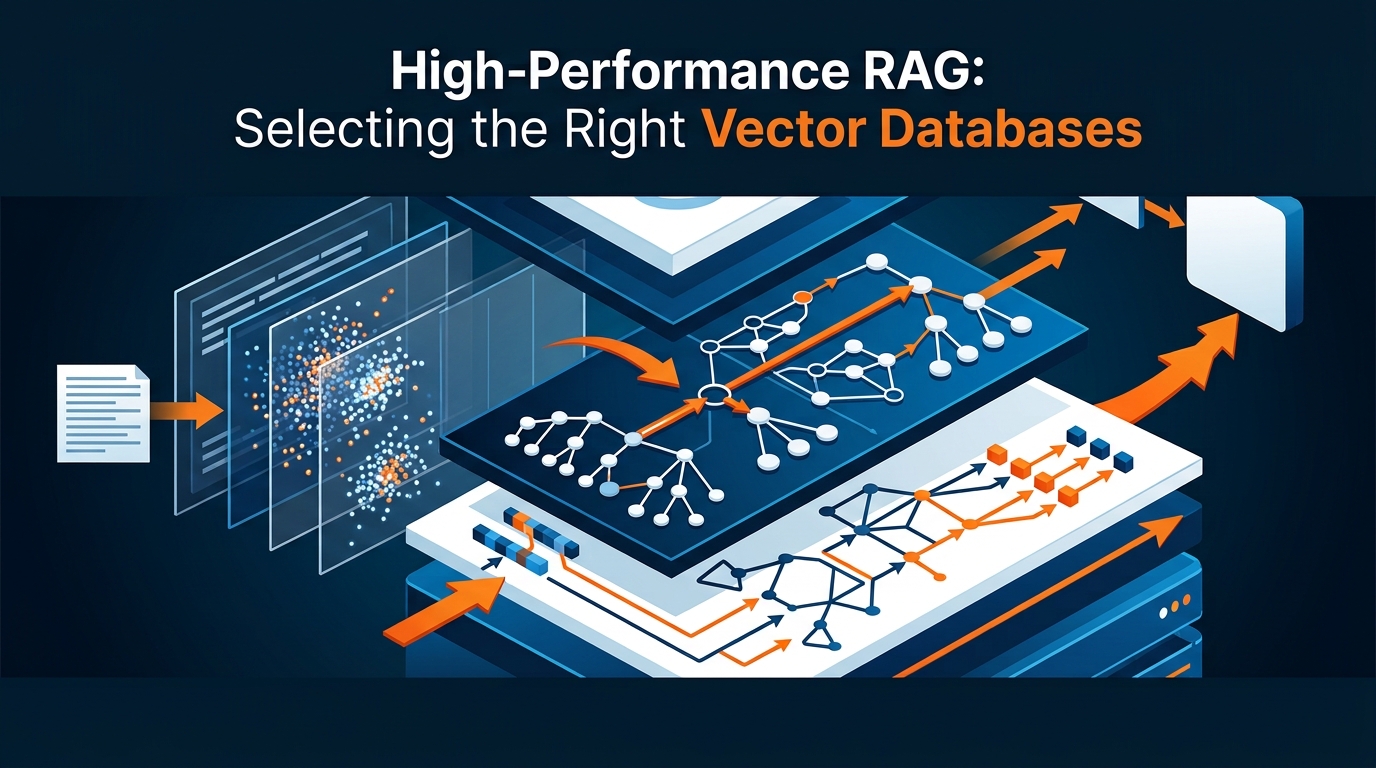
Building truly effective Retrieval-Augmented Generation (RAG) applications requires more than just a powerful Large Language Model (LLM). The cornerstone of a performant RAG system lies in its ability to retrieve highly relevant context swiftly and accurately, making the selection of the right vector database a critical decision. A high-performance RAG setup hinges on a vector database that can keep pace with growing data volumes, demanding query loads, and the need for fresh, precise information.
What Defines a High-Performance Vector Database for RAG?
A vector database's performance in a RAG context isn't solely about raw speed; it's a multifaceted evaluation encompassing accuracy, scalability, and operational robustness.
Core Requirements: Efficient Indexing and Retrieval
At its heart, a vector database must excel at storing high-dimensional vector embeddings and performing lightning-fast similarity searches. This is primarily achieved through Approximate Nearest Neighbor (ANN) search algorithms. Unlike exact nearest neighbor search, which can be computationally prohibitive for large datasets, ANN methods trade a tiny bit of recall (accuracy) for significant improvements in query latency (speed). Understanding this trade-off is crucial: a slightly less accurate but much faster search might be perfectly acceptable for most RAG applications, where the LLM can often contextualize minor imperfections.
The number of vector dimensions (e.g., 768, 1536) directly impacts both performance and storage. Higher dimensions can capture more semantic nuance but demand greater computational resources for indexing and search, and consume more storage. Optimizing this balance is key for efficient high-performance RAG.
Beyond Similarity: Hybrid Search and Metadata Filtering
While vector similarity is fundamental, real-world RAG queries often demand more. Users might ask for documents created "last week," "by author John Doe," or "from the legal department." This is where hybrid search becomes indispensable. It combines the semantic power of vector search with the precision of keyword or lexical search (like BM25 or full-text search).
Consider a scenario where you're building a RAG system for a legal firm. A query like "find cases related to intellectual property from 2023" needs both semantic similarity (intellectual property cases) and strict filtering by metadata (year = 2023). Without metadata filtering, the vector search might return highly relevant cases from 2022 or 2021, decreasing the precision. By applying filters before or during the vector search, you dramatically enhance the relevance for specific queries. This combination ensures that the retrieved context is not only semantically similar but also contextually appropriate based on structured attributes.
Scalability, Freshness, and Reliability for Production
For any production-grade RAG application, the underlying vector database must demonstrate horizontal scalability. As your data corpus grows and your user base expands, the database needs to handle increasing data volumes and query loads (QPS – queries per second) without performance degradation. This typically involves sharding data across multiple nodes and distributing query processing.
Data freshness is another critical factor. Imagine a RAG system trained on live news feeds or rapidly updated internal documentation. Stale information leads to irrelevant or even incorrect LLM responses. High-performance vector databases must support efficient, near real-time updates to their indexes, allowing new or modified documents to be reflected in search results almost instantly.
Finally, operational reliability is non-negotiable. This includes robust backup and disaster recovery mechanisms, ensuring data persistence and rapid restoration in case of failures. High availability (HA) features, such as replication and failover, guarantee continuous service, minimizing downtime and ensuring your RAG system remains operational even under adverse conditions.
Choosing Your Deployment Path: Managed, Self-Hosted, or Lightweight?
The decision of how to deploy your vector database significantly impacts cost, control, and operational overhead. Each path—managed, self-hosted, or lightweight—serves different needs and scales.
Managed Serverless Solutions: Ease and Speed
Managed serverless vector databases offer a compelling option for teams prioritizing rapid development and minimal infrastructure management. Providers like Pinecone and Zilliz Cloud handle all the underlying infrastructure, scaling, and maintenance.
Benefits:
Reduced Operational Overhead: No servers to provision, patch, or monitor.
Automatic Scaling: Seamlessly handles fluctuating data volumes and query loads.
Built-in Reliability: Often includes high availability, backups, and disaster recovery out-of-the-box.
Faster Time-to-Market: Focus purely on RAG application logic, not database ops.
Drawbacks:
Vendor Lock-in: Migrating between managed services can be complex.
Cost Transparency: Pricing models (storage, queries, data egress) can sometimes be less predictable or higher at scale compared to optimized self-hosting.
Less Fine-Grained Control: Limited ability to deeply tune the underlying infrastructure or specific database parameters.
Ideal Use Cases: Startups, small to medium-sized teams, projects with rapid prototyping needs, or organizations with less MLOps expertise who want to launch quickly. If your primary concern is "Is a managed vector database better than self-hosting for RAG?" for speed and simplicity, managed solutions often win.
Self-Hosted & Open-Source Options: Control and Customization
For organizations with specific requirements around data residency, cost optimization, or deep customization, self-hosted and open-source vector databases provide maximum control. Popular choices include Qdrant, Weaviate, and Milvus.
Benefits:
Full Control: Complete ownership over infrastructure, allowing for specific optimizations and security configurations.
Cost Optimization: Potential for lower costs at very large scales by optimizing cloud resources yourself.
Deployment Flexibility: Deploy on-premises, across multiple clouds, or within specific geopolitical regions to meet data residency requirements.
Community Support & Openness: Leverage open-source communities and avoid vendor lock-in.
Drawbacks:
Significant Operational Burden: Requires dedicated MLOps or DevOps teams for deployment, scaling, monitoring, and maintenance.
Scaling Complexity: Managing distributed systems, sharding, and replication can be challenging.
Maintenance Overhead: Regular updates, patching, and troubleshooting are your responsibility.
Ideal Use Cases: Large enterprises with established MLOps teams, projects with strict data sovereignty or security compliance, or applications demanding highly specific performance tuning. If you're weighing "Should I use Pinecone, Qdrant, Weaviate, Milvus, or pgvector for my RAG app?" and control is paramount, Qdrant, Weaviate, or Milvus are strong contenders.
Lightweight & Embedded Databases: Simplicity for Smaller Scales
For development, testing, or smaller-scale production applications, lightweight and embedded vector databases offer simplicity and ease of use.
pgvector is a prime example, extending PostgreSQL to store and query vector embeddings. If you're already using PostgreSQL, pgvector allows you to leverage existing infrastructure, tooling, and operational knowledge. It simplifies your tech stack by consolidating your relational and vector data stores.
When is pgvector "enough"?
Smaller Datasets: Typically suitable for millions of vectors, not billions.
Less Demanding QPS: Can handle moderate query loads, but may struggle with very high throughput compared to specialized vector databases.
No Complex Hybrid Search Out-of-the-Box: While you can combine SQL queries with vector search, sophisticated hybrid retrieval or reranking might require more custom logic.
Proof-of-Concept & Internal Tools: Excellent for initial development or RAG applications with limited users and data.
Other lightweight options like ChromaDB are excellent for local development, small-scale applications, or quick prototyping due to their ease of setup and in-memory or file-based storage capabilities. They abstract away much of the complexity, allowing developers to focus on the RAG logic itself.
A Practical Framework for Vector Database Selection
Selecting the optimal vector database requires a structured approach that aligns database capabilities with your specific RAG workload requirements.
Aligning Database Features with Your RAG Workload
Start by quantifying your needs:
Data Volume:
Number of Vectors: How many documents/chunks will you store (e.g., thousands, millions, billions)?
Vector Dimensions: What is the dimensionality of your embeddings (e.g., 768, 1536, or higher)?
Metadata Volume: How much associated metadata will each vector have?
Query Throughput (QPS):
Estimate the average and peak queries per second your RAG application will experience.
Example: Do you expect 10 QPS during business hours, or bursts of 1000+ QPS during specific events?
Latency Requirements:
Define acceptable P90 and P99 query latency targets. For real-time user interaction, often under 200-500ms.
Example: For an interactive chatbot, 99% of queries must return within 300ms.
Update Frequency:
How often does your source data change, and how quickly must these changes be reflected in your RAG system? (e.g., real-time, hourly, daily, weekly, static).
Evaluating Total Cost of Ownership (TCO)
TCO extends beyond sticker price to include all expenses over the database's lifecycle.
Infrastructure Costs (Self-Hosted):
Compute: CPUs/GPUs for indexing and query serving.
Storage: SSDs for vector indexes and raw data.
Network: Data transfer costs, especially relevant for cross-region deployments or large data egress.
Consider: Instance types (e.g.,
r6gd.xlargefor memory-intensive,c6a.4xlargefor CPU-intensive) and cloud provider pricing models.
Pricing Models (Managed Services):
Understand how managed services charge: per vector stored, per query executed, provisioned capacity units, data ingress/egress. Be wary of hidden costs or tiering that penalizes growth.
Operational Overhead & Engineering Time:
This is often the largest hidden cost. For self-hosted, factor in salaries for MLOps/DevOps engineers dedicated to deployment, monitoring, scaling, and troubleshooting. For managed services, this cost is significantly reduced.
Advanced Considerations: Multi-tenancy and Security
Multi-tenancy: If you're building a platform that serves multiple customers or departments, consider how the vector database supports isolating data and queries.
Strategies:
Separate Indexes: Each tenant gets their own index (simple, good isolation, but higher overhead).
Metadata Filtering: All tenants share a single index, but queries are filtered by a
tenant_idmetadata field (efficient, but requires careful query construction and strong indexing).
Security Features:
Access Control (RBAC): Role-Based Access Control to manage who can read, write, or administer the database.
Encryption: Ensure data is encrypted at rest (storage) and in transit (network communication) to protect sensitive information.
Private Networking: Support for VPC peering or private endpoints to keep traffic off the public internet.
Benchmarking and Evaluation for Production-Ready RAG
Even after careful selection, rigorous benchmarking is essential to validate your choice and ensure it meets production requirements.
Defining Success Metrics: Recall, Latency, and Throughput
Recall@k: Measures the proportion of relevant documents present in the top
kretrieved results. For RAG, higher recall means the LLM has a better chance of accessing the correct information.Example: If a query has 5 truly relevant documents, and 3 of them appear in the top 10 results, recall@10 = 3/5 = 0.6.
Latency: Measures the time taken for a query to return results.
P90/P99 Query Response Times: Crucial for understanding worst-case user experience under load. For a P99 of 300ms, 99% of queries must complete within 300 milliseconds.
Throughput (QPS): The number of queries the database can handle per second under sustained load, often measured while maintaining specific latency targets.
Building a Reproducible Benchmark Environment
Representative Dataset: Create a dataset that mirrors your production data in terms of volume, vector dimensions, data distribution, and query patterns. Use a mix of ground-truth queries and synthetic queries.
Consistent Parameters: Use the same embedding model, chunking strategy, and indexing parameters (e.g.,
M,EFparameters for HNSW indexes) across all databases being tested.Test Environment: Deploy each vector database in an identical environment (e.g., same cloud instances, region, network configuration).
Cold-Start vs. Warm-Cache: Test both scenarios. Cold-start measures performance when the index isn't fully cached, while warm-cache reflects steady-state performance.
Load Generation: Use tools like Locust, k6, or custom scripts to simulate realistic query loads, gradually increasing QPS to find breaking points.
Integrating Evaluation into Your RAG Pipeline
Benchmarking is not a one-off event. Integrate continuous evaluation:
RAG Evaluation Tools: Leverage libraries like
RAG-evaluatoror custom scripts to automate the measurement of recall, precision, and contextual relevance.Offline Evaluation: Regularly run tests against a held-out dataset to monitor performance regressions.
A/B Testing in Production: For critical RAG features, use A/B testing to compare different vector database configurations or retrieval strategies with real user traffic, continuously iterating on improvements.
End-to-End RAG Implementation Pipeline Considerations
Selecting the vector database is just one piece of the puzzle. Its performance is deeply intertwined with the entire RAG pipeline.
Effective Data Ingestion and Chunking
The way you prepare your data directly impacts retrieval quality.
Optimal Text Chunking:
Fixed-size chunking: Simple, but can split sentences or paragraphs awkwardly.
Semantic chunking: Attempts to group semantically related sentences.
Recursive chunking: Breaks down documents hierarchically (e.g., document -> section -> paragraph).
Metadata-aware chunking: Preserves critical metadata (e.g., table structure, code blocks) within chunks.
Impact of Chunk Size and Overlap: Smaller chunks offer finer-grained retrieval but increase the number of vectors. Larger chunks provide more context but might dilute relevance. Overlap helps maintain context across chunks.
Data Cleaning and Preprocessing: Remove boilerplate, irrelevant headers/footers, and perform basic cleaning (e.g., spell check, normalization) before embedding to ensure high-quality vectors.
Embedding Model Selection and Management
The choice of embedding model is paramount as it dictates the quality of your vectors.
Choosing Suitable Embedding Models: Evaluate models from providers like OpenAI (e.g.,
text-embedding-3-large), Hugging Face (e.g.,bge-large-en-v1.5), or even custom fine-tuned models. Consider model size, performance on your specific domain, and cost.Impact of Embedding Dimensions: As discussed, higher dimensions capture more nuance but increase computational load and storage. Balance this against your latency and cost targets.
Updating Embeddings or Switching Models: When you update your embedding model, you'll likely need to re-index your entire vector database. Plan for this re-indexing process, which can be resource-intensive and require downtime or a blue/green deployment strategy.
Optimizing Retrieval and Reranking for Precision
Raw vector search often isn't enough for peak precision.
Hybrid Retrieval: Combine vector similarity search with keyword search (e.g., BM25) for a more robust retrieval strategy.
Example: Query the vector database for semantic similarity AND perform a full-text search on the document text.
Reranking Models: After an initial retrieval of the top-N results from the vector database, use a more sophisticated, often larger, reranking model (e.g., a cross-encoder like
bge-reranker-base) to re-order the results. These models can more accurately assess the relevance of each retrieved document to the original query.Fusion Algorithms: Techniques like Reciprocal Rank Fusion (RRF) combine the scores from multiple retrieval methods (e.g., vector search and keyword search) into a single, unified ranking, often yielding superior results than either method alone.
Navigating Common Pitfalls and Adopting Best Practices
Even with the best planning, RAG systems can encounter challenges. Proactive strategies are key.
Addressing Scaling Challenges Proactively
Common Bottlenecks: Monitor for I/O (disk), CPU, network, and memory leaks. These are typical culprits when performance degrades under load.
Horizontal Scaling: Implement strategies like sharding (distributing data across multiple nodes) and replication (creating copies of data for redundancy and read scaling) from the outset.
Load Balancing: Use load balancers to distribute incoming queries evenly across your vector database nodes.
Robust Monitoring and Alerting: Set up comprehensive monitoring dashboards (e.g., Prometheus, Grafana) and alerts for key metrics like latency, QPS, resource utilization (CPU, memory, disk I/O), and error rates. Early detection of performance degradation is crucial.
Ensuring Data Freshness and Consistency
Near Real-Time Updates: For dynamic datasets, implement streaming ingestion pipelines (e.g., Kafka, Flink) to process and embed new/updated data, then quickly push it to the vector database. Batching updates can improve efficiency.
Handling Deletions and Updates: Design your system to efficiently handle document deletions and updates without rebuilding the entire index. Most vector databases support in-place updates or tombstoning for deletions.
Consistency Across Distributed Systems: In sharded or replicated environments, ensure strong or eventual consistency guarantees are met, especially when dealing with high-volume writes and reads, to prevent stale data from being served.
Strategies for Cost Optimization
Tiered Storage: If your data has varying access patterns (hot vs. cold), leverage vector databases or cloud storage solutions that offer tiered storage. Frequently accessed vectors reside in faster, more expensive storage, while less critical data moves to cheaper, slower tiers.
Optimizing Vector Dimensions: Re-evaluate your embedding model and dimensions. Can you achieve acceptable recall with slightly fewer dimensions? Reducing dimensions significantly cuts storage and compute costs.
Cost-Effective Cloud Instances: Choose cloud instances that are cost-effective for your specific workload profile. For example, memory-optimized instances for high-cardinality indexes or CPU-optimized for heavy embedding computations. Consider spot instances for non-critical, interruptible workloads.
Deployment Regions: Deploy your vector database in regions that are geographically close to your users (for low latency) and also offer competitive pricing for compute and storage.
What are your biggest operational challenges when deploying vector databases for RAG in production, and how have you overcome them?
💬 Join the conversation — share your take in the comments and tell us what you’d add.