
Full Stack Development for AI: Architecture & Deployment Guide
Master full stack development for AI. Learn architecture & deployment of end-to-end AI applications. Elevate your skills now!
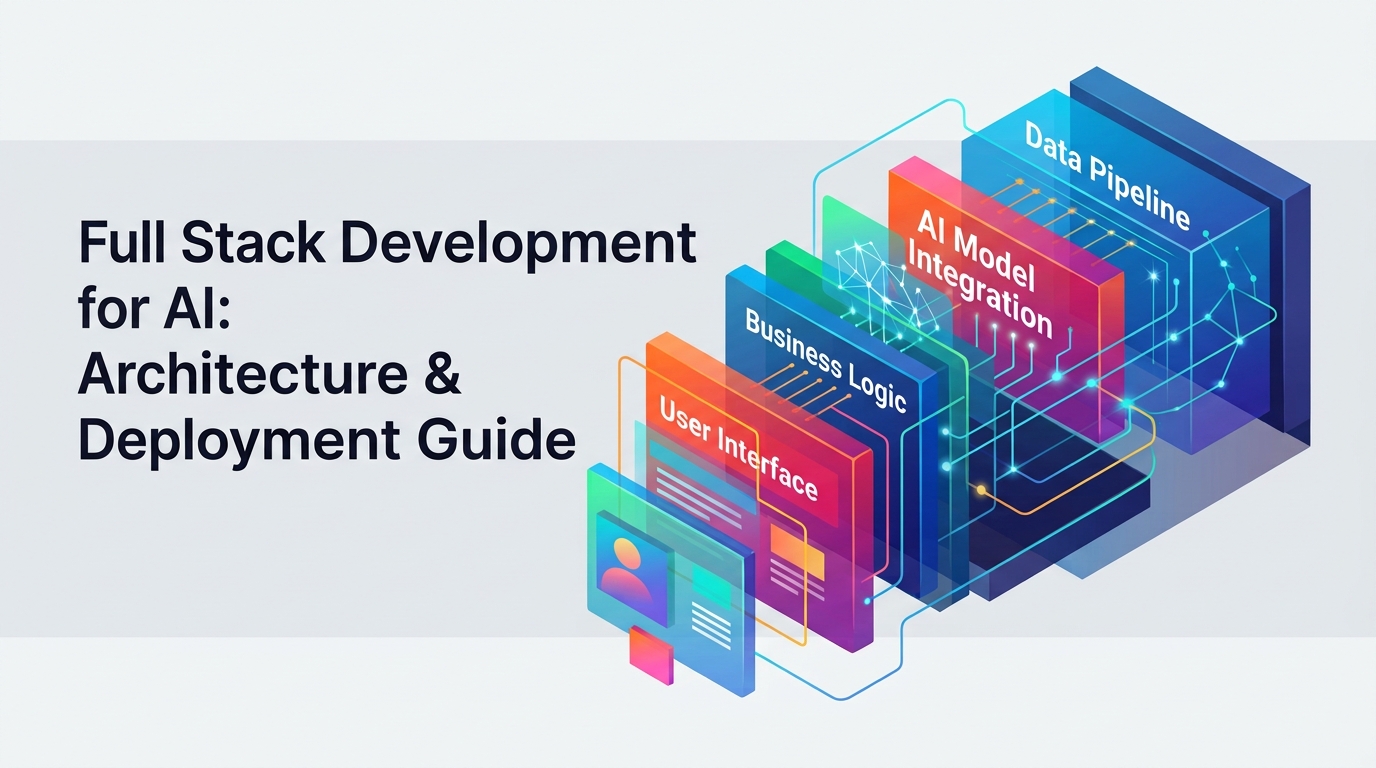
The digital landscape is rapidly evolving, demanding applications that don't just process information but understand and intelligently respond to it. Building these next-generation applications requires a specialized approach that extends beyond traditional web development—it demands expertise in full stack development for AI. This guide provides a comprehensive roadmap for architects and developers aiming to build, deploy, and operationalize robust, end-to-end AI solutions.
What Defines an End-to-End AI Application?
At its core, an end-to-end AI application seamlessly integrates intelligent models into every layer of its architecture, delivering a dynamic, context-aware user experience. This goes far beyond simply calling an external API; it's about deeply embedding AI capabilities into the application's very fabric.
Differentiating Full Stack vs. Full Stack AI
Traditional full-stack development typically focuses on the interaction between a frontend (user interface), a backend (business logic, data persistence), and a database (CRUD operations). While crucial, this model often treats "intelligence" as a separate, often external, component.
Full-stack AI development, however, elevates this by integrating sophisticated AI models and data pipelines directly into the user experience. Here, the "intelligence" isn't an add-on; it's central. This means:
Contextual Understanding: The application understands user intent and data semantics, not just syntax.
Dynamic Responses: It generates personalized, adaptive content or actions in real-time.
Data-Driven Decisions: AI models inform core business logic and user interactions.
Specialized Data Handling: Managing vector embeddings and knowledge bases becomes a primary concern.
It's about bridging the gap between user interaction and complex machine intelligence, ensuring that AI capabilities are not just present but pervasive.
Key Components of an AI Application
An effective end-to-end AI application is typically structured across several interconnected layers, each playing a vital role in delivering intelligence:
Presentation Layer: The user-facing interface where interactions occur. This layer must be adept at handling dynamic, AI-generated content, streaming responses, and complex input methods.
Orchestration/Application Layer: The backend that handles business logic, orchestrates requests between the frontend and AI models, manages API gateways, and often implements core AI logic like prompt engineering or agentic workflows.
Retrieval/Data Layer: This layer is responsible for supplying relevant context to the AI models. It includes traditional databases but, critically, also incorporates specialized components like vector databases for semantic search and knowledge retrieval.
Model Layer: The brain of the application, encompassing the AI models themselves (e.g., Large Language Models, vision models). This layer handles model inference, fine-tuning, and manages interactions with various model providers.
Infrastructure Layer: The foundational technology stack that powers all other layers, including compute resources (especially GPUs), networking, storage, and deployment environments (cloud, on-premise).
Architecting Robust AI Applications: A Multi-Layer Approach
Building a production-ready AI application requires careful consideration of each architectural layer to ensure scalability, performance, and maintainability.
The Presentation Layer: User Interface & Experience
The frontend of an AI application must be dynamic and responsive, often dealing with streaming data and complex user interactions. Modern frameworks like Next.js or React are excellent choices for building rich, interactive user interfaces. They provide the tools to:
Stream AI Responses: Display tokens as they are generated by an LLM, enhancing perceived performance.
Handle Complex Inputs: Implement rich text editors, voice inputs, or multi-modal interfaces that feed into the AI.
Manage State: Effectively manage the conversation history, user preferences, and AI-generated outputs.
For example, a chat application powered by an LLM would use a React component to display streaming text, updating the UI in real-time as each new word arrives from the backend.
The Orchestration/Application Layer: Business Logic & AI Interaction
This backend layer is the crucial intermediary between your frontend and the AI models. Popular choices include FastAPI (Python) for its speed and asynchronous capabilities, or Node.js/Express (JavaScript) for full-stack JavaScript ecosystems. Its responsibilities include:
API Gateway: Managing incoming requests from the frontend and routing them appropriately.
Prompt Engineering: Constructing and managing prompts sent to LLMs, including injecting retrieved context.
AI Logic Orchestration: Implementing complex workflows that might involve multiple AI calls, tool use (for agents), and decision-making logic.
Security & Authentication: Protecting API endpoints and ensuring secure interaction with models and data.
State Management: Maintaining session data or conversation history necessary for AI interactions.
A common pattern involves a FastAPI endpoint receiving a user query, retrieving context from a vector database, augmenting the prompt, sending it to an LLM, and then returning the streamed response to the frontend.
The Retrieval/Data Layer: Fueling AI with Context
AI models, especially LLMs, are powerful but benefit immensely from relevant, up-to-date, and domain-specific context. This is where the retrieval/data layer becomes critical.
Vector Databases: Essential for Retrieval Augmented Generation (RAG) workflows. Products like Pinecone, Weaviate, Milvus, or Chroma excel at storing and querying high-dimensional vector embeddings, allowing for semantic search. When a user asks a question, their query is embedded into a vector, which is then used to find the most semantically similar documents in the vector database.
Traditional Databases: Relational (PostgreSQL with
pgvectorextension, MySQL) and NoSQL databases (MongoDB, DynamoDB) still play a vital role for structured data, user profiles, application state, and often store metadata associated with the vectors.Knowledge Graphs: For highly interconnected data, knowledge graphs can provide structured context that enhances AI reasoning.
The data layer ensures your AI has access to the precise information it needs to generate accurate and relevant responses, overcoming the limitations of an LLM's static training data.
The Model Layer: Intelligence at the Core
This layer encompasses the AI models themselves and how your application interacts with them.
LLM Providers: Interacting with services like OpenAI's GPT models, Anthropic's Claude, or Google's Gemini through their respective APIs.
Model Abstraction: Implementing a unified interface (e.g., using frameworks like LangChain, LlamaIndex, or a custom wrapper) to interact with different LLM providers. This allows you to switch models or providers without extensive code changes, providing flexibility and vendor independence.
Fallback Routing: Designing logic to switch to a different model or even a simpler, rule-based response if a primary model fails or returns an unsatisfactory answer.
Cost Tracking: Monitoring token usage and API calls to keep track of expenses across different models and providers.
# Example of simple model abstraction
class LLMService:
    def __init__(self, provider="openai"):
        self.provider = provider
        # Initialize different client based on provider

    def generate_response(self, prompt, model_name):
        if self.provider == "openai":
            # Call OpenAI API
            pass
        elif self.provider == "anthropic":
            # Call Anthropic API
            pass
        else:
            raise ValueError("Unsupported LLM provider")

# Usage
llm_service = LLMService(provider="openai")
response = llm_service.generate_response("Tell me a story", "gpt-4o")
The Infrastructure Layer: Powering Your AI Stack
The foundation supporting your entire AI application.
Managed Cloud Services: Leveraging services like AWS (EC2, S3, Lambda, RDS, SageMaker), Google Cloud (Compute Engine, Cloud Run, BigQuery, Vertex AI), or Azure (Virtual Machines, App Service, Cosmos DB, Azure AI Services) for scalable and reliable compute, storage, and specialized AI services.
GPU Instances: For local model inference, fine-tuning, or specific computationally intensive tasks, dedicated GPU instances (e.g., NVIDIA A100s) are essential, whether on-premise or provisioned in the cloud.
Containerization & Orchestration: Using Docker to package your application components and Kubernetes for deploying, scaling, and managing these containers across a cluster. This is crucial for handling variable loads and ensuring high availability for AI workloads.
Choosing the right infrastructure involves balancing cost, performance, scalability, and operational complexity.
Strategic Choices for Your AI Workflow
The effectiveness of your AI application heavily depends on selecting the right workflow for injecting intelligence.
RAG, Fine-Tuning, or Agent Workflows: When to Choose Which
Retrieval Augmented Generation (RAG):
When to use: When your AI needs access to up-to-date, proprietary, or highly specific information that wasn't part of its original training data. Ideal for Q&A over internal documents, personalized recommendations, or synthesizing information from external sources.
Pros: Reduces hallucinations, leverages current data, less costly than fine-tuning for certain use cases.
How it works: A user query triggers a search (typically semantic search using embeddings) in a knowledge base, relevant documents are retrieved, and then provided as context to the LLM for generating a coherent answer.
Fine-Tuning:
When to use: When you need the LLM to adopt a specific tone, style, or format, or to perform a particular task (e.g., classification, summarization) with high accuracy on a domain-specific dataset. Also beneficial for reducing prompt length or achieving lower latency for specific, repeatable tasks.
Pros: Can improve model performance for very specific tasks, reduces prompt size.
Cons: Requires a quality dataset, can be costly, model knowledge is static until re-tuned.
Agent Workflows:
When to use: For complex, multi-step tasks that require reasoning, planning, and interacting with external tools (APIs, databases, code interpreters) to achieve a goal. Examples include automating complex business processes, advanced data analysis, or acting as a personal assistant with access to various functionalities.
Pros: Enables complex task execution, automates multi-step processes.
Cons: Can be harder to control, debug, and ensure safety.
Leveraging Vector Databases and Embeddings
Vector databases are a cornerstone of modern AI applications, particularly for RAG.
Generate Embeddings: Convert your text data (documents, articles, product descriptions) into high-dimensional numerical vectors using an embedding model (e.g., OpenAI's
text-embedding-3-large, Google'stext-embedding-004). These vectors capture the semantic meaning of the text.Store in Vector DB: Ingest these embeddings into a specialized vector database (Pinecone, Weaviate). Each vector is typically associated with the original text or metadata.
Semantic Search: When a user queries, embed their query into a vector. Perform a similarity search in the vector database to find the most relevant document vectors (and their associated text).
Augment Prompt: Inject the retrieved text snippets into the LLM's prompt as additional context.
# Conceptual Python snippet for embedding and vector search
from openai import OpenAI
# from pinecone import Pinecone

client = OpenAI()

def get_embedding(text):
    response = client.embeddings.create(
        input=text,
        model="text-embedding-3-small"
    )
    return response.data[0].embedding

# Example usage
doc_text = "The capital of France is Paris."
query_text = "What is the largest city in France?"

doc_vector = get_embedding(doc_text)
query_vector = get_embedding(query_text)

# In a real application, you'd store doc_vector in a vector DB
# and use a Pinecone client (or similar) to find nearest neighbors.
# For simplicity, imagine this finds 'doc_text' as relevant.
Implementing Model Provider Abstraction and Cost Control
Managing interactions with multiple LLM providers efficiently is critical for resilience and cost optimization.
Abstraction Layer: Build a simple service or use a library that acts as a wrapper around different LLM APIs. This allows you to normalize inputs and outputs and switch providers with minimal code changes.
Rate Limit Handling: Implement retry mechanisms with exponential backoff for API calls that encounter rate limit errors (e.g., HTTP 429).
Caching: For repetitive or common queries, implement a caching layer (e.g., Redis) to store AI responses. This reduces API calls and improves latency.
Cost Monitoring & Alerts: Integrate with billing APIs or track token usage per request. Set up dashboards and alerts to monitor spending, identify usage patterns, and prevent unexpected bills.
Model Routing: Dynamically choose the best model for a given task based on cost, performance, and accuracy requirements. For instance, use a cheaper, smaller model for simple tasks and a more powerful, expensive one for complex reasoning.
From Development to Deployment: Getting Your AI App Live
Bringing an AI application from development to production requires robust deployment strategies.
Managed Cloud Services for AI Components
Managed services accelerate deployment and reduce operational overhead significantly.
Frontend Deployment: Platforms like Vercel or Netlify offer seamless CI/CD for Next.js and React applications, often with global CDNs for fast delivery.
Serverless Backends: Use AWS Lambda, Google Cloud Run, or Azure Functions for deploying stateless backend components and inference endpoints. These scale automatically, you only pay for actual usage, and they're well-suited for event-driven architectures common in AI.
Managed Databases: Leverage AWS RDS, Google Cloud SQL, or Azure SQL Database for relational data, and managed vector databases like Pinecone or Weaviate for your RAG workflows.
Containerization and Orchestration with Kubernetes
For more complex AI applications with custom models, specialized services, or high traffic, Docker and Kubernetes are indispensable.
Docker: Package your entire application—frontend, backend services, custom inference servers (e.g., FastAPI with a PyTorch/TensorFlow model)—into isolated containers. This ensures consistency across development, staging, and production environments.
Kubernetes: Orchestrate these Docker containers. Kubernetes provides:
Scalability: Automatically scales services up or down based on demand.
High Availability: Automatically restarts failed containers and distributes traffic.
Resource Management: Efficiently allocates compute resources (including GPUs) to your AI workloads.
Portability: Deploy your application consistently across any Kubernetes-compatible cloud or on-premise infrastructure.
Hybrid Deployment Patterns
A hybrid approach often balances cost, performance, and data sovereignty.
Cloud for Agility: Deploy your frontend, stateless backend services, and managed databases to the public cloud for ease of scaling and management.
Dedicated GPU for Intensive Tasks: For computationally demanding tasks like large-scale model training, complex inference for proprietary models, or processing sensitive data that cannot leave your premises, run dedicated GPU instances (on-premise or in a specialized cloud region).
Edge Deployment: For low-latency inference on smaller models or highly localized data processing, consider deploying models to edge devices.
This allows you to leverage the strengths of different environments, optimizing for specific aspects of your AI application.
Operationalizing AI: Beyond Deployment
Getting an AI application live is only half the battle; keeping it running efficiently and effectively requires a strong operational strategy.
Comprehensive Observability for AI Systems
Understanding how your AI system behaves in production is paramount.
Logging: Capture detailed logs including model inputs (prompts), outputs (responses), intermediate steps (e.g., retrieved documents in RAG), latency, token usage, and any errors. Use structured logging for easy analysis.
Metrics: Monitor key performance indicators (KPIs) such as:
Latency: End-to-end response time and latency per AI component.
Token Usage: Input/output tokens, often directly correlated with cost.
API Call Volume: Requests per second to LLM providers.
Model Accuracy/Relevance: While challenging, track user feedback or proxy metrics for model performance.
Model Drift: Monitor if the model's behavior or outputs change unexpectedly over time, potentially due to new data or real-world concept drift.
Tracing: Implement distributed tracing (e.g., OpenTelemetry) to track requests as they flow through multiple microservices and AI components, helping pinpoint bottlenecks and failures.
Alerting: Set up alerts for anomalies in metrics (e.g., sudden increase in error rates, latency spikes, or cost overruns) or specific error patterns in logs.
Building Resilient AI Applications: Handling Failures
AI systems, especially those relying on external LLMs, are prone to various failure modes.
LLM Retries with Backoff: Implement logic to automatically retry failed LLM API calls with exponential backoff (waiting longer between retries) to handle transient network issues or rate limits.
Fallbacks: Design fallback mechanisms. If a primary LLM fails, route the request to a simpler, cheaper model, or even to a rule-based system or a cached response.
Streaming Interruption Management: For applications that stream AI responses, gracefully handle disconnections or partial messages, ensuring the user experience isn't completely broken.
Context Window Overflow Prevention: Implement strategies to manage the context length sent to LLMs. This might include:
Summarization: Summarize older conversation turns or retrieved documents.
Sliding Window: Keep only the most recent interactions within the context window.
Truncation: Explicitly cut off context if it exceeds the limit, albeit with a potential loss of information.
Securing Your AI Data and Models
Security is critical for AI applications handling sensitive data.
Authentication and Authorization: Standard web security practices apply. Ensure only authorized users can access your AI application and its features.
Data Leakage & Prompt Injection: Sanitize user inputs to prevent malicious prompts (prompt injection) from bypassing security measures or extracting sensitive information. Filter AI outputs to prevent the model from inadvertently revealing confidential data.
Row-Level Security for RAG Data: If your RAG system uses sensitive internal documents, implement row-level security in your vector database or data retrieval layer to ensure users only access information they are authorized to see.
API Key Management: Securely store and manage API keys for LLM providers using environment variables or dedicated secret management services.
Audit Logs: Maintain comprehensive audit logs of all interactions with AI models, especially those involving sensitive data or critical decisions.
Maintaining and Evolving Your AI Solution
AI applications are not static; they require continuous iteration and improvement.
Prompt Management and Versioning
Prompts are effectively "code" for LLMs and need to be managed with similar rigor.
Version Control: Treat prompts as code and store them in Git or similar version control systems.
Prompt Templates: Use templating engines (e.g., Jinja2, Handlebars) to construct dynamic prompts, making them easier to manage, reuse, and update.
Experimentation: Implement systems for A/B testing different prompt variations to optimize performance without affecting all users immediately.
Configuration Management: Store prompt configurations external to your code, allowing for quick adjustments without redeploying the entire application.
Testing and Release Strategies for AI Features
Traditional testing methods need to be augmented for AI.
Unit Tests: Test individual components like embedding generation, vector database lookups, and model API calls for correctness.
Integration Tests: Validate end-to-end workflows, such as a RAG pipeline (retrieval + prompt construction + generation) or an agent's multi-step execution.
End-to-End Tests: Simulate user journeys through the AI application to ensure features work as expected in a live environment.
Model Evaluation: Beyond automated tests, incorporate human evaluation or "golden datasets" to assess the quality, relevance, and safety of AI-generated content.
Canary Releases: Gradually roll out new AI features or model updates to a small subset of users before a full release, monitoring for issues.
Continuous Integration and Deployment (CI/CD)
A robust CI/CD pipeline is essential for rapid, reliable iteration.
Automated Testing: Integrate all unit, integration, and end-to-end tests into your CI pipeline.
Code Quality Checks: Run linters, formatters, and security scanners.
Automated Builds: Build Docker images for your application components.
Automated Deployment: Configure CD to automatically deploy new versions to staging and production environments, often using Kubernetes manifests or serverless deployment scripts.
Model Deployment: Automate the deployment of new or fine-tuned AI models to your inference endpoints.
By embracing these practices, you can confidently build, deploy, and scale complex AI applications that deliver genuine value to users.
What's the most challenging aspect you've faced when deploying an end-to-end AI application to production, and what's your go-to solution?
💬 Join the conversation — share your take in the comments and tell us what you’d add.