
Engineering Workflow Automation: Orchestrating End-to-End Success
Unlock true efficiency with end-to-end workflow automation. Discover how to integrate AI agents and other tools for seamless operations. Learn more!
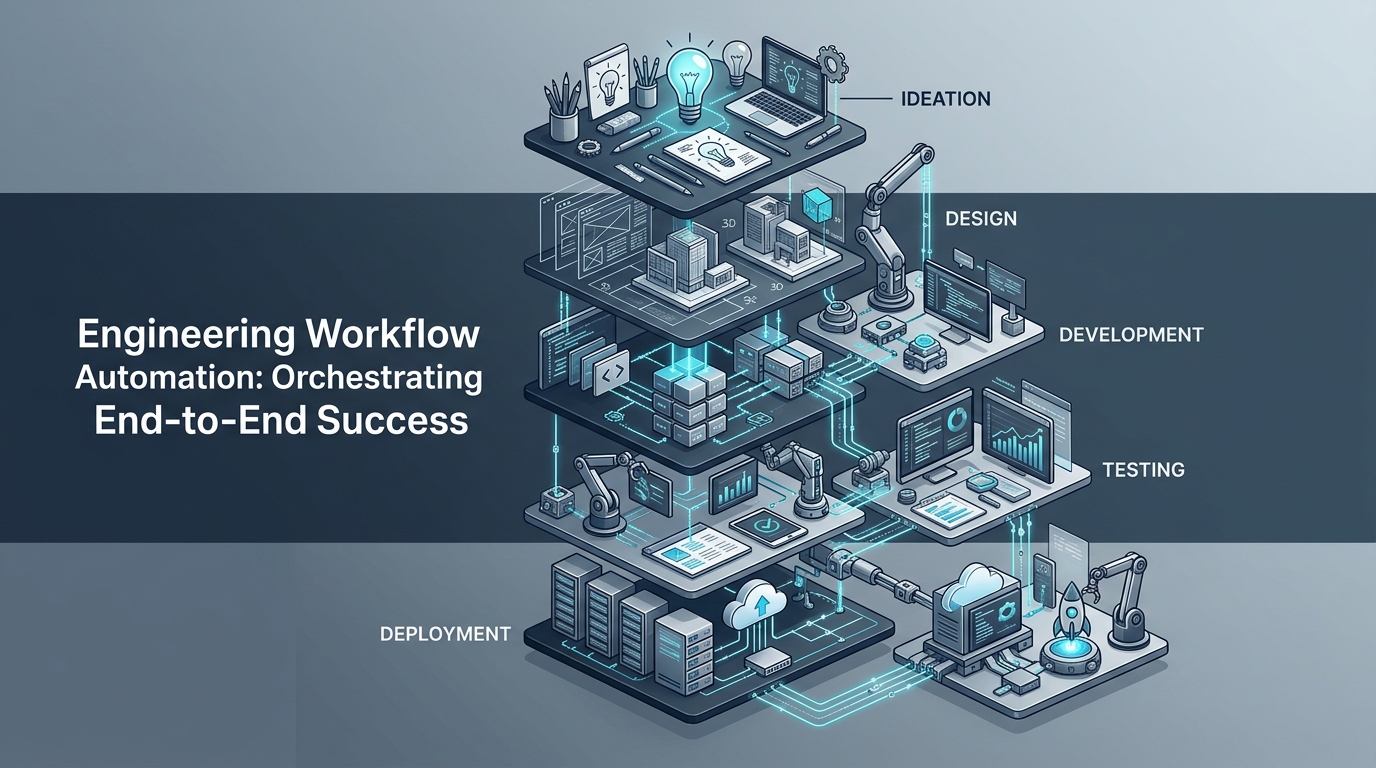
The journey from initial concept to a market-ready product is often a labyrinth of intricate processes, disparate tools, and cross-functional teams. Navigating this complexity requires more than just individual task automation; it demands a strategic, holistic approach that connects every dot – this is where engineering workflow automation orchestrates end-to-end success. By seamlessly integrating every stage of product development, organizations can unlock unprecedented levels of efficiency, quality, and innovation.
What is End-to-End Engineering Workflow Automation?
At its core, engineering workflow automation is about intelligently linking distinct steps, systems, and teams into a cohesive, often automated, sequence. Imagine a digital thread weaving through your entire product lifecycle, ensuring every action, decision, and data point flows smoothly from one stage to the next. It’s a systematic approach to defining, executing, and monitoring engineering processes across an organization.
The "end-to-end" aspect signifies its comprehensive scope. Rather than automating a single repetitive task, it covers the full lifecycle of an engineering endeavor. This could mean spanning from initial ideation and requirements gathering all the way through design, simulation, prototyping, testing, manufacturing, and even in-service support. For software, it extends from design to development, testing, and ultimately, production deployment.
This capability significantly distinguishes itself from simple task automation or scripting. While scripting might automate a particular function within a single tool (e.g., generating a report in a CAD system), end-to-end automation emphasizes cross-functional, multi-system integration. It's about how an action in a Product Lifecycle Management (PLM) system triggers an update in a Computer-Aided Design (CAD) tool, which then initiates a simulation, followed by a human review, and finally updates a project management dashboard – all in a connected, often automated, sequence.
The overarching goal of this strategic integration is multifaceted:
Improved Efficiency: Eliminating manual handoffs, data re-entry, and redundant tasks.
Enhanced Quality: Reducing human error, enforcing standards, and ensuring consistency across all stages.
Superior Traceability: Providing a clear audit trail for every decision, change, and approval.
Accelerated Speed: Shortening cycle times and faster time-to-market for complex engineering products and services.
Beyond AI Agents: Workflow Automation vs. Orchestration vs. Agents
The landscape of automation can be confusing, especially with the rise of AI. It's crucial to understand the distinct roles of workflow automation, AI agents, and workflow orchestration to effectively implement end-to-end solutions. Think of building a house: you need a blueprint, skilled workers, and a project manager to coordinate everything.
Workflow Automation: The Blueprint
Workflow automation is fundamentally about defining the "what" – the sequence of tasks, the rules that govern their execution, the triggers that initiate steps, and the state transitions between them. It's the blueprint that maps out how a process should flow, often involving designated human intervention points. It describes the logical steps a process takes from start to finish.
Example: An engineering change request (ECR) workflow might dictate: "Engineer submits ECR -> ECR moves to 'Review' state -> Manager approves ECR -> ECR moves to 'Approved' state -> Notifications sent to affected teams."
AI Agents: Intelligent Task Executors
AI agents are the intelligent components within a workflow, capable of executing specific tasks, generating code, analyzing data autonomously, or even making constrained decisions based on defined parameters. They are the skilled workers performing specific jobs. Their role is to execute how a specific task within the larger workflow is completed.
Example: Within the ECR workflow, an AI agent could be tasked with automatically analyzing the submitted change's impact on related CAD models, identifying potential clashes, or generating a draft of revised documentation based on the change description. Another agent might validate the syntax of generated code or summarize complex test reports.
Workflow Orchestration: The Conductor
Workflow orchestration is the conductor of the entire engineering symphony. It's the overarching management layer that coordinates and manages multiple interdependent automated processes, AI agents, and human tasks across diverse systems. It ensures proper sequencing, handles error conditions, allocates resources, and monitors the overall health and progress of the entire end-to-end process. Orchestration defines the "when" and "where" across the whole process.
Example: The orchestration layer ensures that once the ECR is approved, the correct CAD system API is called, the AI agent for impact analysis is triggered with the right parameters, and then, only after the agent completes its analysis, the PLM system is updated, and a human engineer is notified for final review. If the CAD system is unavailable, the orchestrator might trigger a retry or escalate the issue.
Compare and Contrast: Automation Defines, Agents Execute, Orchestration Manages
To summarize:
Workflow Automation defines the what: the high-level process flow, rules, and human touchpoints.
AI Agents do the how: they are intelligent executors for specific, often complex, tasks within that flow.
Workflow Orchestration manages the when and where: it coordinates the execution of automation steps and the intelligent agents across all connected systems, ensuring smooth, resilient operation.
Together, these elements form a powerful stack: orchestration leverages defined automated workflows, which in turn incorporate intelligent AI agents to handle complex, specific tasks, creating a truly end-to-end, intelligent engineering process.
Architecting End-to-End Engineering Workflows
Building robust end-to-end engineering workflows requires careful architectural planning. It's not just about connecting tools, but creating a cohesive, intelligent system.
Identifying Integration Points and Data Flows
The first step is to thoroughly map your existing engineering toolchain. This includes:
CAD (Computer-Aided Design): For product design (e.g., SolidWorks, Catia, AutoCAD).
PLM (Product Lifecycle Management): For managing product data, revisions, and lifecycle (e.g., PTC Windchill, Siemens Teamcenter).
ALM (Application Lifecycle Management): For software development, requirements, and testing (e.g., Jira, Azure DevOps).
Simulation & Analysis Tools: For virtual testing and performance analysis (e.g., Ansys, Abaqus).
Testing & Validation Systems: For physical test data acquisition and management.
DevOps Pipelines: For continuous integration/continuous delivery (CI/CD) in software (e.g., Jenkins, GitLab CI).
ERP (Enterprise Resource Planning): For manufacturing planning, inventory, and procurement (e.g., SAP, Oracle).
Project Management: For tracking tasks and deadlines (e.g., Asana, Microsoft Project).
For each tool, identify its APIs, connectors, or integration methods. Modern platforms often provide REST APIs, webhooks, or SDKs that allow programmatic interaction. Understanding the critical data elements that need to flow between these systems (e.g., part numbers, revision levels, requirements IDs, test results, approval statuses) is paramount. Define the direction and format of these data flows to ensure consistency and integrity.
Designing for Human-in-the-Loop Interactions
Even in the most automated environments, human intelligence, judgment, and creativity remain indispensable. Deliberate design for human review, approval, decision-making, and exception handling is critical. Automation should augment, not replace, human expertise.
Consider these interaction points:
Code Reviews: An automated workflow might trigger a human code review in a version control system (e.g., Git) after a pull request is made, and only proceed once approved.
Design Sign-offs: After a CAD model update is completed and automatically validated for basic integrity, a senior engineer's approval in the PLM system could be required before releasing it for manufacturing.
Test Result Approvals: Following automated test execution and data analysis by an AI agent, a test engineer might need to review and approve the final report before it's linked to requirements.
Exception Handling: If an automated process encounters an unexpected error or data anomaly, it should escalate to a human operator for investigation and resolution, providing all relevant context.
Leveraging the Digital Thread
The concept of the "digital thread" is central to end-to-end engineering workflow automation. It establishes a consistent, traceable data flow and context sharing across all connected systems throughout the entire product lifecycle. This isn't just about moving files; it's about linking information – from requirements to design, simulation, manufacturing, and support – in a way that preserves context and relationships.
For example, when a requirement is defined in an ALM tool, its unique ID should follow through the design in CAD, link to specific test cases in a test management system, and even trace to issues found during field service. This ensures traceability and provides a single, verifiable source of truth for all product information.
Conceptual End-to-End Architecture Example:
Trigger: A new design change request (ECR) is submitted in the PLM system.
PLM Workflow: The PLM system initiates an automated workflow:
It checks for dependencies and affected components.
It triggers an update to associated CAD models, pushing revised parameters to the CAD system via API.
It notifies the responsible design engineer.
CAD Integration: The CAD system automatically applies the changes.
An AI agent could then analyze the updated CAD model for geometric integrity and potential conflicts, reporting back to PLM.
Simulation Orchestration: Based on the updated CAD, the PLM system (via orchestration) initiates a simulation run on a dedicated HPC cluster.
The simulation results are processed, and key performance metrics are extracted and stored, linked to the ECR and CAD model.
Test Initiation: If the simulation passes, the workflow automatically initiates physical test definition in a test management system, linking simulation results to expected outcomes.
Human Review & Approval: The design engineer reviews the updated CAD, simulation results, and proposed test plan.
A manager approves the ECR in PLM, triggering the next phase.
Manufacturing Handoff: Upon final approval, the PLM system automatically generates manufacturing bills of materials (BOMs) and pushes them to the ERP system, initiating procurement or production planning.
Traceability: Throughout this entire process, every action, approval, and data artifact is logged and linked, forming a comprehensive digital thread for audit and compliance.
Key Engineering Processes Ripe for Automation
Many core engineering processes are burdened by manual, repetitive tasks and data silos, making them ideal candidates for end-to-end automation.
Design Change Management
The lifecycle of a product is never static; changes are inevitable. Automating design change management streamlines a notoriously complex process.
Scenario: An engineer identifies a material cost reduction opportunity. They submit an Engineering Change Order (ECO) in the PLM system.
Automation:
The system automatically routes the ECO to relevant stakeholders (e.g., material experts, manufacturing engineers, procurement) for review based on the components affected.
An AI agent could analyze the proposed material change's impact on product performance (referencing simulation data) and manufacturing costs (referencing ERP data).
Upon approval, the workflow automatically updates the Bill of Materials (BOM) in the PLM system, triggers a revision update in the associated CAD models, and notifies procurement to update supplier contracts.
All changes, approvals, and justifications are automatically logged, providing a complete audit trail.
Test & Validation Workflows
Testing and validation are critical but often time-consuming. Orchestrating these workflows can dramatically accelerate product verification.
Scenario: After a design iteration, new simulations and physical tests are required.
Automation:
The PLM system triggers the simulation platform to run a predefined set of analyses on the updated design.
An AI agent processes the raw simulation data, extracts key metrics, and generates a summarized report, highlighting any deviations from specifications.
If simulations pass, the orchestration layer automatically provisions resources (e.g., test fixtures, data acquisition systems) for physical testing, schedules test runs, and uploads test parameters.
After physical testing, the system automatically collects data from sensors, analyzes it, compares it against requirements (stored in ALM), and generates a comprehensive test report.
Results are automatically linked back to the original design requirements in the ALM/PLM system, providing direct traceability.
Release & Deployment Pipelines
Streamlining the handoff from engineering design to manufacturing or software release is crucial for accelerating time-to-market.
Scenario (Hardware): A new product design is finalized and approved for production.
Automation:
Upon final design sign-off in PLM, the workflow automatically freezes the design, assigns a production revision, and generates manufacturing data packages (e.g., CAD drawings, CAM programs, inspection plans).
These packages are automatically transferred to the Manufacturing Execution System (MES) or ERP for production scheduling and resource allocation.
A notification is sent to quality assurance to prepare for first-article inspection.
Scenario (Software): A new software feature is ready for release.
Automation:
After successful code reviews and automated tests (unit, integration, regression) in the CI/CD pipeline, the system automatically builds and packages the application artifacts.
The workflow pushes these artifacts to a staging environment for user acceptance testing (UAT).
Upon UAT approval, the system triggers a controlled rollout to production servers, monitoring performance and automatically rolling back if issues are detected.
Compliance & Traceability
Meeting regulatory requirements and internal standards demands meticulous documentation and audit trails. Automation can make this seamless.
Scenario: An aerospace component needs to demonstrate full compliance with safety standards.
Automation:
The workflow ensures that every requirement is linked to specific design elements, simulation analyses, and test cases throughout the development process.
At each stage (design freeze, test completion, material approval), the system automatically captures approvals, timestamps, and responsible personnel.
Any deviation or non-conformance automatically triggers a corrective action workflow, ensuring it's documented and resolved.
For audits, the system can automatically generate reports detailing the full history of a component, including all changes, reviews, test results, and approvals, proving compliance effortlessly.
Establishing Governance and Guardrails
While automation promises speed, it must be balanced with robust governance to ensure control, quality, and security.
Defining Approval Gates and Checkpoints
Critical junctures in any engineering process demand mandatory review and approval steps, whether automated or human. These gates act as quality control points, preventing errors from propagating downstream.
Example: Before a design can move from "Concept" to "Detailed Design," a lead engineer's digital signature in the PLM system might be required, confirming all initial requirements have been addressed.
Example: A code merge into the main branch might require automated approval from static analysis tools (e.g., passing all linting rules, security checks) and a human review from at least two peer developers.
Error Handling and Exception Management
No system is infallible. Planning for failures, data inconsistencies, and unexpected outputs is crucial for resilient automation.
Automated Retries: If an API call fails due to a temporary network issue, the orchestration layer should attempt a retry after a short delay, perhaps several times, before escalating.
Notifications: If a critical component fails (e.g., a simulation job crashes, a data transfer times out), the system should automatically notify relevant personnel (e.g., via email, Slack, or a dashboard alert) with detailed error logs.
Manual Intervention Paths: For complex or unresolvable errors, the workflow should include a clear path for human intervention, allowing an operator to inspect the issue, correct it, and manually restart or override a step. This might involve pausing the workflow and presenting the problem to an engineer in a dashboard.
Rollback Mechanisms: For deployments or significant data changes, consider implementing automated rollback features that can revert to a previous stable state if a new change introduces critical errors.
Security and Access Controls
Integrating multiple systems amplifies security concerns. Robust security measures are non-negotiable.
Secure API Keys/Tokens: All API interactions between systems should use secure authentication mechanisms (e.g., OAuth2, API tokens) and these credentials must be stored securely, ideally in a secrets management system, and rotated regularly.
Data Encryption: Ensure data is encrypted both in transit (e.g., HTTPS, VPNs) and at rest (e.g., encrypted databases, cloud storage).
Role-Based Access Control (RBAC): Implement granular RBAC across all connected systems and the orchestration platform itself. Users and automated processes should only have the minimum necessary permissions to perform their designated tasks.
Audit Logging: Maintain comprehensive audit logs of all actions performed by both humans and automated processes, including who did what, when, and from where.
Mitigating AI Agent Risks
While AI agents offer immense benefits, they also introduce unique risks that must be carefully managed.
Hallucinations and Inaccuracies: AI models, especially large language models, can "hallucinate" or provide incorrect information. Critical outputs from AI agents, such as generated code, design suggestions, or data analyses, must be subjected to human oversight and validation steps before being acted upon.
Unintended Consequences: An AI agent optimized for one metric might inadvertently degrade another (e.g., optimizing for speed might increase material usage). Define clear objectives and constraints, and continuously monitor the agent's impact on all relevant metrics.
Bias: If training data for an AI agent contains biases, those biases can be amplified in its outputs. Regularly audit AI agent decisions for fairness and unintended discrimination.
Constrained Environments: Deploy AI agents in environments where their scope of action is clearly defined and limited. For example, an AI agent generating code should submit it for human review and integration into version control, not directly deploy it to production. Use sandboxed environments for experimentation.
Measuring the Impact of Workflow Automation
To justify the investment and demonstrate value, it's essential to quantify the impact of engineering workflow automation.
Cycle Time Reduction
This is a primary indicator of increased efficiency. Measure the time from initiation to completion of key engineering processes before and after automation.
Metrics: Average time to complete a design change, average time for a product to move from concept to prototype, or average software release cycle time.
Example: Reducing the average time for an engineering change order (ECO) from 3 weeks to 3 days by automating approvals and data transfers.
Quality & Rework Reduction
Automation reduces human error and enforces consistent processes, leading to higher quality outputs.
Metrics: Number of defects found in later stages of development (e.g., manufacturing, field testing), rework hours spent correcting errors, first-pass yield, or customer-reported issues.
Example: A 20% reduction in design errors caught during manufacturing due to automated design rule checks and tighter integration between CAD and PLM.
Traceability & Auditability
The ability to easily track and verify every step is invaluable for compliance, root cause analysis, and continuous improvement.
Metrics: Time taken to compile a complete audit report for a product revision, completeness score of digital threads for specific components, or the ease of identifying the origin of a defect.
Example: An auditor can now generate a full history of a product's requirements, design changes, and test results in minutes, instead of days of manual document searching.
Resource Optimization
Automation frees up engineers from repetitive tasks, allowing them to focus on higher-value, creative work.
Metrics: Hours saved on manual data entry, manual approvals, or repetitive testing; redeployment of personnel to innovation tasks; reduction in bottleneck points within the workflow.
Example: Automating routine test data analysis saves 15 hours per week for the testing team, allowing them to focus on developing more complex test scenarios. This also leads to faster time-to-market.
Engineering workflow automation, powered by intelligent orchestration and judicious use of AI agents, is not merely about doing tasks faster; it's about transforming how engineering organizations operate. By creating a connected, intelligent, and traceable product development lifecycle, companies can accelerate innovation, enhance quality, and ultimately deliver superior products to market with unprecedented agility.
What specific engineering workflow bottleneck or manual process have you successfully automated, and what was the most challenging aspect of implementing your solution?
💬 Join the conversation — share your take in the comments and tell us what you’d add.