
Effortless Remote Duo Videos: ClipCam Simplifies Mobile Collaboration
Create stunning duo videos effortlessly with ClipCam. Join the collaboration today for seamless mobile editing and sharing!
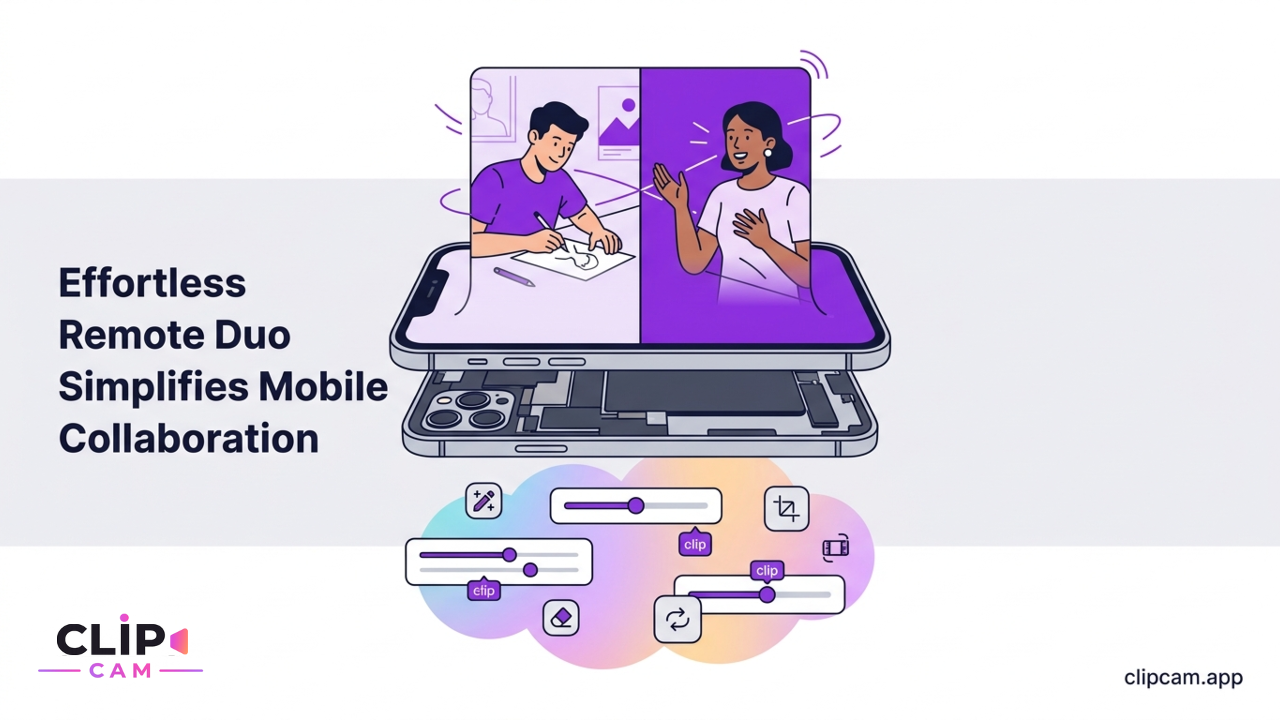
Bringing creative visions to life with a collaborator often hits a wall when distances separate you. The dream of producing engaging, side-by-side content – be it a reaction video, a dual review, or a collaborative tutorial – frequently gets tangled in complex editing software, frustrating synchronization issues, and a general loss of creative momentum. This is where ClipCam steps in, transforming the daunting task of creating effortless remote duo videos into a seamless, mobile-first experience.
The Challenge of Remote Duo Videos: Why Collaboration Gets Complicated
The digital landscape is buzzing with collaborative content, and duo videos have surged in popularity across platforms like TikTok, Instagram, and YouTube. From viral dance challenges and shared gaming commentary to educational explainers and genuine reactions to trending clips, creators are constantly seeking new ways to connect and co-create. This type of content thrives on genuine interaction and the dynamic energy of two perspectives presented simultaneously.
However, for mobile creators, the journey from concept to published duo video is often fraught with hurdles. One of the most common stumbling blocks is synchronization. Trying to perfectly align audio and video recorded independently by two different people, often in different locations, can be a nightmare. Even a slight delay can throw off the entire flow, requiring painstaking manual adjustments in complex editing suites. Then there’s the sheer complexity of editing: merging two separate video tracks, resizing, positioning, and ensuring consistent quality often demands desktop software and a significant time investment. This often leads to a degradation in quality if files are compressed or converted multiple times, and an overall clunky workflow challenge that drains creativity and enthusiasm. These technical barriers can deter even the most eager collaborators, making the idea of high-quality remote duets feel out of reach.
Recognizing these pervasive challenges, ClipCam was developed as the dedicated solution. It’s designed to eliminate the technical complexities inherent in mobile collaboration, making high-quality, perfectly synchronized remote duets not just accessible, but truly effortless.
How ClipCam Makes Remote Duo Videos Truly Effortless
ClipCam fundamentally redefines the process of creating collaborative content from your mobile device. It tackles the core pain points of remote collaboration head-on, ensuring that your focus remains on creativity, not technical troubleshooting.
One-Tap Recording and Auto-Rendering
At its heart, ClipCam is the fastest way to record reactions over your favorite clips. The core functionality is beautifully simple: you select a pre-existing video clip – perhaps a trending meme, a news segment, a trailer, or a tutorial – directly on your mobile device. Then, with a single tap, you begin recording your own reaction or complementary footage. This direct overlay approach is revolutionary.
What truly sets ClipCam apart is its intelligent automation. Once your recording is complete, ClipCam doesn't just save your individual clip; it automatically renders your reaction side-by-side with the original source video. This auto-rendering feature means there's no need for manual editing, no complex timeline adjustments, and absolutely no wrestling with video layers. The app instantly stitches your content together, presenting a polished, synchronized duo video ready for review. This "one-tap" process for both recording and automatic rendering completely eliminates the manual editing usually required for duo videos, saving hours of effort and frustration.
Seamless Mobile Workflow
In today's fast-paced digital world, creators need tools that keep up, not slow them down. ClipCam's design embodies a truly seamless mobile workflow. Everything from selecting your source clip to recording your reaction and finally sharing the finished product is optimized for your smartphone. This means you can create high-quality collaborative content from literally anywhere – whether you're on your couch, commuting, or waiting for a coffee.
The streamlined interface ensures that even first-time users can jump in and start creating without a steep learning curve. There are no complicated menus or hidden settings; the intuitive design guides you through each step. This mobile-first approach is crucial for creators who rely on their phones as their primary content creation hub, offering the flexibility and speed needed to capitalize on trending topics or sudden creative bursts.
Preserving Quality and Sync Without the Fuss
One of the most persistent headaches in remote video collaboration is maintaining audio and video synchronization, especially when different devices or recording environments are involved. ClipCam inherently addresses this critical issue. By allowing you to record your reaction directly over the existing clip within the app, ClipCam is able to manage the timing and alignment from the outset.
The platform is engineered to preserve the high quality of both the original source material and your recorded reaction, ensuring the final side-by-side video looks professional and polished. This automatic management of audio and video synchronization means you don't have to worry about painstaking post-production adjustments or your voices being out of sync. ClipCam handles the technical details, allowing you to focus on delivering compelling content with pristine clarity and perfect timing.
Beyond Reactions: Creative Use Cases for Duo Videos with ClipCam
While ClipCam is renowned as the fastest way to record reactions over clips (https://www.clipcam.app), its versatile side-by-side format unlocks a spectrum of creative possibilities far beyond simple commentary. For mobile creators looking to diversify their content and engage their audience in innovative ways, ClipCam offers a powerful and accessible tool.
Educational Content and Tutorials
Imagine teaching a skill or explaining a complex concept where visuals are key. With ClipCam, you can present two perspectives simultaneously, making educational content dynamic and highly digestible.
Mentor-Mentee Demonstrations: A cooking instructor could demonstrate a technique on one side while their student attempts it on the other, allowing viewers to see both the ideal execution and common challenges.
Software Walkthroughs: One panel could show a screen recording of a software interface, while the other displays the instructor explaining steps or demonstrating a physical interaction (e.g., using a mouse or keyboard shortcuts).
Language Learning: A language tutor could display a short video clip with native speech, while on the other side, they provide real-time translation, pronunciation tips, or cultural context.
Fitness Coaching: A trainer can demonstrate an exercise with perfect form on one side, while showing common mistakes or modifications on the other.
This side-by-side approach allows for direct comparison and enriched learning, making complex information easier to absorb and retain.
Collaborative Reviews and Commentary
The power of dual perspectives shines brightest in reviews and commentary. ClipCam enables you to share your thoughts alongside a co-host or present two different angles on the same subject.
Product Reviews: Two creators can unbox and react to a product simultaneously, offering immediate, genuine first impressions and comparing features side-by-side. One person might focus on aesthetics, the other on functionality.
Movie, TV Show, or Game Reactions: This is a classic use case, but ClipCam elevates it by streamlining the process. Two friends can watch a trailer or clip together, their reactions captured in real-time and automatically synchronized.
Sports Analysis: Analysts can break down a pivotal moment in a game, with one person highlighting strategy on the original footage and the other providing expert commentary or explaining player movements.
News Commentary: Two commentators can react to a news report or political speech, offering differing viewpoints or elaborating on specific points shown in the source clip.
The synchronized format ensures that the commentary directly relates to what's happening on screen, creating an immersive experience for the audience.
Storytelling and Skits
For creators with a flair for narrative, ClipCam opens up unique storytelling avenues. The side-by-side canvas can be used to present dual perspectives or interact with pre-recorded scenarios.
Improv Skits: One person records a setup or a dialogue prompt, and the collaborator records their improvised response, creating a dynamic, spontaneous skit.
Dual-Perspective Narratives: Imagine a "he said, she said" scenario or two characters experiencing the same event from different locations. ClipCam can bring these narratives to life by presenting both viewpoints simultaneously.
Interactive Storytelling: A creator could post a short video clip setting up a choice, and then collaborators could create their own responses on the other side, showing how the story might unfold.
"React to Your Younger Self" Content: Creators can react to old videos of themselves, offering humorous or insightful commentary on their past actions or styles.
These creative applications demonstrate how ClipCam isn't just a reaction tool; it's a versatile platform for collaborative visual storytelling and engaging content creation, all powered by its seamless, mobile-first design.
Managing Your Collaborative Workflow with ClipCam
Beyond the creative potential, ClipCam fundamentally streamlines the logistical side of collaborative content creation, especially when working remotely. The traditional workflow for duo videos often involves a messy exchange of large video files, endless rounds of editing software, and the frustration of mismatched versions. ClipCam completely bypasses these bottlenecks.
Once both collaborators have contributed their parts (one recording over the other's clip), ClipCam's automatic rendering capability takes center stage. This means the "hand-off" or sharing process between collaborators is virtually eliminated for the final output. The app automatically creates the combined, synchronized side-by-side video, ready for distribution. There's no need for one person to collect footage from the other, import it into a desktop editor, manually align everything, and then export. ClipCam does all the heavy lifting instantly.
The convenience extends directly to distribution. ClipCam offers a remarkable "one-tap to download, one-tap to share" feature. Once your duo video is automatically rendered, it's instantly available for download to your device's camera roll. From there, a single tap allows you to share it directly to your favorite social platforms, including YouTube, TikTok, Instagram, and X. This integrated workflow seamlessly fits into distributed team needs, eliminating the need for complex file transfers between collaborators or cumbersome desktop editing software. The entire process, from initial concept to final publish, is designed to be completed efficiently and entirely from your mobile device.
Maximizing Your Duo Video Impact: Tips for ClipCam Creators
ClipCam makes the technical aspects of duo video creation simple, but the magic of truly engaging content still lies with the creator. Here are some practical tips to help you maximize the impact of your ClipCam duo videos:
Choose Engaging Source Clips Wisely: The original clip you react to or collaborate with is half the equation. Opt for videos that are inherently interesting, trending, thought-provoking, or visually stimulating. Consider clips that lend themselves to strong reactions, clear commentary, or obvious opportunities for a dual perspective. The more compelling your source material, the more engaged your audience will be with your contribution.
Optimize Your Personal Video and Audio Quality: While ClipCam handles the rendering, your individual recording quality still matters.
Lighting: Position yourself in front of a natural light source (like a window) or use a ring light for even, flattering illumination. Avoid strong backlighting that can silhouette you.
Audio: Use a good quality external microphone if possible (even simple lavalier mics can make a huge difference) to minimize background noise and ensure your voice is clear and crisp. If using your phone's mic, record in a quiet environment.
Framing: Ensure you're well-framed in your shot, leaving enough headroom and space for dynamic reactions or gestures without cutting yourself off.
Background: Choose a clean, uncluttered background that doesn't distract from your message or presence.
Leverage Fast Export and Sharing for Trending Topics: ClipCam's speed is a superpower. Use its fast export and "one-tap to share" features to your advantage by capitalizing on trending topics and viral content. When a new meme, news story, or challenge emerges, ClipCam allows you to create and share your collaborative take on it almost instantly. This agility can significantly increase your content's visibility and potential for going viral, helping you stay relevant and grow your audience.
By focusing on both the technical simplicity ClipCam provides and these creative best practices, you can produce duo videos that are not only effortless to make but also highly impactful and engaging for your viewers.
The Future of Mobile Collaboration is Here with ClipCam
The landscape of content creation is constantly evolving, with collaboration becoming an increasingly vital component of audience engagement and community building. Yet, the tools for genuine mobile collaboration have often lagged behind, demanding desktop-level technical prowess for what should be simple interactions.
ClipCam fundamentally shifts this paradigm, delivering on its promise of speed, simplicity, and quality in creating remote duo videos. It empowers more creators than ever before to participate in collaborative content, stripping away the technical barriers that once confined such dynamic creations to professional studios or elaborate editing suites. With ClipCam, the ability to record reactions over your favorite clips, have side-by-side videos render automatically, and share with just a few taps (https://www.clipcam.app) is now effortlessly accessible from your phone.
We encourage you to explore the immense potential for growth, engagement, and creative expression that ClipCam facilitates. Unlock new forms of interaction with your audience and fellow creators, and experience how truly effortless mobile collaborations can be.
Ready to experience effortless remote duo videos? Download ClipCam today and start collaborating!