
Edge AI Deployment: Engineering Real-Time AI on Edge Devices
Edge AI deployment tips for faster, local inference with less latency and stronger privacy. Build a better strategy and get started.
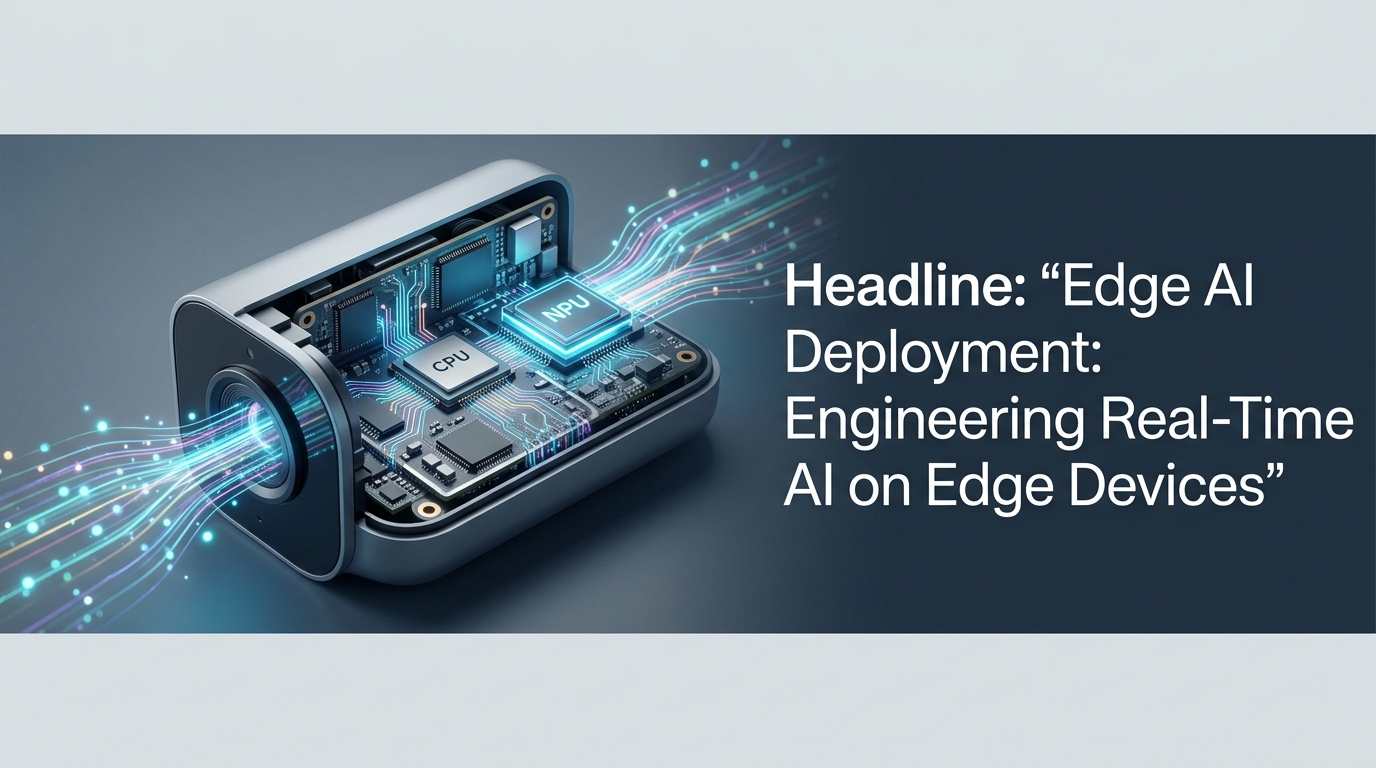
The promise of artificial intelligence isn't just in the cloud; it's increasingly found at the very edge of our networks, enabling instant decisions and local insights. However, the journey to successful Edge AI deployment is fraught with unique engineering challenges that demand specialized strategies. Moving AI from powerful data centers to resource-constrained devices requires a deep understanding of optimization, hardware, and operational resilience.
Edge AI Deployment: Navigating Real-Time Challenges
Edge AI promises immediate insights and decision-making, from predicting equipment failures in factories to real-time object detection in autonomous vehicles. This immediate processing at the data source eliminates the latency, cost, and bandwidth limitations associated with transmitting data to a central cloud, unlocking transformative applications.
However, bringing this vision to life demands overcoming significant engineering hurdles. Core among these are resource constraints. Unlike cloud servers with virtually unlimited compute, memory, power, storage, and bandwidth, edge devices operate within tight limits. A small IoT sensor might have kilobytes of RAM and a few megahertz processor, while a smart camera might have a few gigabytes of RAM and a dedicated AI accelerator, but still far less than a typical server. These limitations dictate model size, complexity, and inference speed.
Hardware heterogeneity is another major obstacle. The "edge" isn't a single type of device; it encompasses everything from tiny microcontrollers (MCUs) and System-on-Chips (SoCs) in consumer gadgets to powerful industrial gateways and embedded PCs. Each device class boasts different CPU architectures (ARM, x86), varying levels of GPU or NPU acceleration, and distinct memory and power envelopes. Developing a single AI solution that performs optimally across this diverse landscape is a monumental task.
Furthermore, many Edge AI applications have strict latency requirements. Real-time inference means decisions must be made in milliseconds. Consider an autonomous drone identifying obstacles or a medical device detecting anomalies – delays can have critical consequences. This necessitates highly efficient models and optimized runtime environments.
Finally, connectivity limitations and intermittent network access present a significant deployment hurdle. Edge devices often operate in remote locations with poor Wi-Fi, cellular, or even satellite connectivity. This impacts initial model deployment, updates, and the transmission of inference results or telemetry data back to the cloud. Solutions must be robust enough to operate autonomously for extended periods and gracefully handle fluctuating network conditions.
Optimizing Models for Low-Latency Edge Inference
To tackle the resource and latency constraints of edge devices, model optimization is paramount. It's about getting the most intelligence from the least computational effort.
Model Compression Techniques: Quantization, Pruning, and Distillation
Several powerful techniques can significantly reduce model size and accelerate inference without a drastic loss in accuracy:
Quantization: This process reduces the precision of the numerical representations (weights and activations) within a neural network. Instead of using 32-bit floating-point numbers (FP32), quantization typically converts them to 8-bit integers (INT8), or even lower.
Post-Training Quantization (PTQ): Applied after a model has been fully trained. It's simpler to implement but can sometimes lead to a noticeable drop in accuracy if not carefully calibrated.
Quantization-Aware Training (QAT): Simulates the effects of quantization during the training process, allowing the model to adapt and recover accuracy lost during quantization. QAT generally yields better accuracy but requires more complex training adjustments. Quantization drastically reduces model size and memory footprint, and INT8 operations are significantly faster on many edge hardware accelerators.
Pruning: This technique removes redundant or less important weights (connections) from a neural network.
Unstructured Pruning: Removes individual weights, leading to sparse models. While effective in reducing FLOPs, it can be challenging for general-purpose hardware to accelerate due to irregular memory access patterns.
Structured Pruning: Removes entire neurons, channels, or filters. This results in smaller, denser models that are easier for hardware to accelerate and can be directly used by standard inference engines. Pruning reduces model complexity, which translates to fewer computations and faster inference.
Knowledge Distillation: This involves training a smaller, simpler "student" model to mimic the behavior of a larger, more complex "teacher" model. The student model learns from the teacher's soft probabilities (logits) rather than just the hard labels. The goal is for the student model to achieve comparable performance to the teacher but with fewer parameters and faster inference times.
Each technique offers a different balance of tradeoffs:
Often, these techniques are combined (e.g., quantized and pruned models) to achieve maximum efficiency.
Runtime and Hardware Acceleration for Peak Performance
Even an optimized model needs an efficient execution environment.
Specialized Inference Engines: These software libraries are designed to run neural networks efficiently on specific hardware. They often perform graph optimizations (e.g., fusing layers, reordering operations, removing dead code) and leverage low-level hardware instructions.
TensorRT (NVIDIA): Optimizes models for NVIDIA GPUs, offering significant speedups for deep learning inference.
OpenVINO (Intel): Optimizes models for Intel CPUs, iGPUs, FPGAs, and VPUs (like Myriad X).
TFLite (TensorFlow Lite): Specifically designed for mobile and embedded devices, supporting various backends and optimizations.
ONNX Runtime: A high-performance inference engine for ONNX models, supporting multiple hardware accelerators.
Example of using TFLite's Python API to load and run an interpreter:
import tensorflow as tf

# Load the TFLite model
interpreter = tf.lite.Interpreter(model_path="quantized_model.tflite")
interpreter.allocate_tensors()

# Get input and output tensors.
input_details = interpreter.get_input_details()
output_details = interpreter.get_output_details()

# Example: input_data = np.array(np.random.random_sample(input_details[0]['shape']), dtype=np.float32)
# interpreter.set_tensor(input_details[0]['index'], input_data)

# Invoke inference.
# interpreter.invoke()

# Get the output tensor.
# output_data = interpreter.get_tensor(output_details[0]['index'])
Dedicated Hardware Accelerators: Many edge devices now feature specialized silicon designed to dramatically speed up AI computations.
Neural Processing Units (NPUs): Custom silicon optimized for neural network operations (matrix multiplications, convolutions). Found in mobile SoCs (e.g., Apple A-series, Qualcomm Snapdragon, MediaTek Dimensity) and specialized AI chips.
Digital Signal Processors (DSPs): Optimized for signal processing, often used for audio and image pre-processing but increasingly capable of running simpler neural networks.
Field-Programmable Gate Arrays (FPGAs): Reconfigurable hardware that can be programmed to implement custom AI accelerators, offering flexibility and high performance for specific workloads, especially in industrial settings.
Graphics Processing Units (GPUs): While more power-hungry, GPUs (especially smaller versions found in NVIDIA Jetson series) offer excellent parallel processing capabilities for complex vision and deep learning tasks on higher-end edge devices.
Leveraging these accelerators often requires using specific SDKs (e.g., NVIDIA CUDA, OpenCL, OpenVX) and ensuring your inference engine is configured to utilize them effectively.
An End-to-End Workflow for Edge AI Deployment
Deploying Edge AI isn't just about model optimization; it's a comprehensive engineering workflow that spans from development to continuous operation.
Profiling and Benchmarking on Target Hardware
Before deploying, you must thoroughly understand how your model performs in the real world. This means profiling model performance directly on target edge devices, not just on your development machine or in the cloud. Key metrics include:
Latency: The time taken for a single inference request.
Throughput: The number of inferences per second.
Memory Footprint: RAM usage for the model and runtime.
Power Consumption: Energy usage during inference and idle states (crucial for battery-powered devices).
CPU/Accelerator Utilization: How efficiently the hardware is being used.
Benchmarking methodologies are essential to compare different optimization strategies and hardware configurations. For instance, you might benchmark the same model:
Unquantized (FP32) on CPU.
Quantized (INT8) on CPU.
Quantized (INT8) on NPU/GPU.
This allows you to quantify the real-world gains of your optimizations. Tools like TensorFlow Lite Benchmark Tool or custom scripts using time module in Python can help gather these metrics.
# Example using TensorFlow Lite Benchmark Tool
# tflite_model_benchmark --graph=quantized_model.tflite \
#                        --num_threads=4 \
#                        --enable_op_profiling=true \
#                        --input_layer=input_tensor \
#                        --input_layer_shape=1,224,224,3 \
#                        --max_inference_time_ms=5000 \
#                        --min_inference_duration_ms=10000
This command provides detailed statistics on latency, memory, and CPU usage for your TFLite model.
Rigorous Device-Specific Validation and Testing
It is absolutely critical to test AI models on actual edge devices rather than just simulators or cloud environments. Simulators can't fully replicate the nuances of hardware performance, thermal throttling, real-world sensor noise, or operating system interactions unique to edge devices. A model that performs well in a simulated environment might fail spectacularly on physical hardware due to memory limits, incorrect driver versions, or subtle data type mismatches.
Strategies for managing validation across diverse fleets of edge devices with varying specifications and environments include:
Golden Device Testing: Maintain a representative set of actual devices covering your target hardware spectrum. Run comprehensive test suites on these "golden devices" before wider deployment.
Automated Testing Frameworks: Integrate device-side testing into your CI/CD pipeline. Use tools like pytest or custom scripts to automatically deploy, run inference tests, and collect performance metrics from a fleet of connected devices.
Environment-Specific Test Cases: Develop test cases that account for environmental factors (e.g., varying light conditions for vision models, different noise levels for audio models) and typical usage patterns.
Canary Deployments: Roll out new models or updates to a small subset of devices first to monitor performance and stability before a full fleet-wide rollout.
Strategies for Managing Diverse Edge AI Environments
The heterogeneity of edge devices extends beyond just hardware specs, touching operating systems, libraries, and dependencies.
Overcoming Hardware Heterogeneity Across Edge Devices
Managing disparate hardware effectively requires intelligent abstraction and flexible pipelines.
Abstracting Hardware Differences with Containerization: Technologies like Docker, balenaOS, or even simpler virtual environments can package your AI model, its inference engine, and all necessary dependencies into a consistent, portable unit. This "container" runs the same way regardless of the underlying operating system or hardware architecture (as long as the container image is built for that architecture, e.g., ARM64 vs. x86). This greatly simplifies deployment across diverse device types.
# Example Dockerfile for an ARM64 Edge AI application
FROM balenalib/raspberrypi4-64-python:3.9-buster-build AS build

WORKDIR /app

# Install dependencies
COPY requirements.txt .
RUN pip install --no-cache-dir -r requirements.txt

# Copy your application code and model
COPY . .

# Final image for deployment
FROM balenalib/raspberrypi4-64-python:3.9-buster-run

WORKDIR /app
COPY --from=build /usr/local/lib/python3.9/site-packages /usr/local/lib/python3.9/site-packages
COPY --from=build /app /app

CMD ["python", "app.py"]
Flexible AI Models and Deployment Pipelines: Design your models and deployment workflows to be adaptable. This might involve:
Conditional Loading: Your application detects the underlying hardware (e.g., presence of an NPU, specific GPU) and loads the most optimized model version (e.g., TensorRT optimized for NVIDIA, TFLite for CPU).
Model Variants: Train and maintain multiple versions of your AI model – perhaps a larger, more accurate one for higher-end devices and a smaller, highly quantized one for resource-constrained devices. Your deployment pipeline then selects the appropriate variant.
Cross-compilation: Building binaries and container images for different target architectures from a single development machine.
Robust Dependency Management and Version Control
The software stack on edge devices can be complex, and managing it across a fleet is critical for stability.
Managing OS Versions and Kernel Dependencies: Ensure your AI runtime and libraries are compatible with the operating system (OS) and kernel versions running on your fleet. Inconsistent OS versions can lead to subtle bugs or performance degradation. Tools like fleet management platforms often allow for standardized OS updates.
Handling Library Incompatibilities: Library conflicts are common. For example:
CUDA/TensorRT versions: Must match the NVIDIA driver and hardware capabilities.
Python versions: Different
pippackages might require specific Python interpreters.Specific runtime libraries: Dependencies like OpenCV, protobuf, or custom drivers must be correctly installed and compatible. Using virtual environments (for Python) or containerization (for complete isolation) are excellent ways to mitigate these "dependency hell" scenarios.
Version Control Systems (VCS): Git is indispensable for managing models, code, and configurations.
Model Versioning: Treat trained models as artifacts. Store them in a versioned repository (e.g., Git LFS, DVC, MLflow) alongside their training data, hyperparameters, and performance metrics.
Code and Configuration Versioning: Keep all application code, deployment scripts, and device configurations under Git. This allows for consistent rollouts, tracking changes, and crucial rollbacks to previous stable versions. Branching strategies (e.g.,
mainfor production,devfor testing) are vital.
Secure and Robust Edge AI Operations
Beyond initial deployment, the ongoing operation of Edge AI systems requires a strong focus on security and reliability.
Secure Model Distribution and Tamper Resistance
Protecting your intellectual property and ensuring the integrity of your AI models at the edge is paramount.
Secure Model Delivery: Encrypt models during transit to devices to prevent eavesdropping. Use secure protocols like HTTPS or MQTT over TLS. Authenticate devices before allowing them to download models.
On-Device Integrity Checks: Implement cryptographic hashes (e.g., SHA256) or digital signatures for your models. Before loading, the edge device verifies the model's signature against a known public key, ensuring it hasn't been tampered with or corrupted during transit or while stored locally.
import hashlib

def calculate_hash(filepath):
    """Calculates the SHA256 hash of a file."""
    hasher = hashlib.sha256()
    with open(filepath, 'rb') as f:
        while True:
            chunk = f.read(4096)  # Read in 4KB chunks
            if not chunk:
                break
            hasher.update(chunk)
    return hasher.hexdigest()

# Example:
# model_file = "my_model.tflite"
# expected_hash = "abcdef123..." # This would come from a trusted source
# actual_hash = calculate_hash(model_file)
# if actual_hash != expected_hash:
#     print("ERROR: Model integrity compromised!")
Hardware-Level Security Features: Leverage capabilities like Secure Enclaves (e.g., ARM TrustZone) or Hardware Root of Trust mechanisms present in many modern edge processors. These create a protected execution environment for sensitive operations (like key storage or model verification), making it extremely difficult for malicious actors to access or alter the AI model or its runtime.
Monitoring, Over-the-Air (OTA) Updates, and Rollback Strategies
Operational resilience hinges on the ability to monitor, update, and recover gracefully.
Remote Monitoring: Implement robust telemetry to remotely monitor:
AI Model Performance: Track inference latency, throughput, accuracy, and resource usage over time.
Data Drift: Monitor input data distributions to detect changes that could degrade model performance. If the data the model is seeing at the edge diverges significantly from its training data, it's a strong indicator that the model needs retraining or an update.
Device Health Metrics: Track CPU/GPU temperature, memory usage, disk space, network connectivity, and application logs to identify hardware failures or software issues. Centralized dashboards (e.g., Grafana, custom platforms) can visualize these metrics.
Over-the-Air (OTA) Update Mechanisms: A robust OTA system is crucial for deploying new AI models, application software, security patches, and even OS updates. A good OTA solution:
Securely Delivers Updates: Authenticates updates and encrypts payload.
Manages Dependencies: Ensures all necessary components are updated together.
Handles Failures Gracefully: Can pause, retry, or roll back failed updates.
Minimizes Downtime: Allows for phased rollouts or A/B testing.
Rollback Strategies: Despite best efforts, new deployments can introduce unforeseen bugs. A critical part of robust operations is the ability to safely roll back faulty deployments to a previous stable version. This requires:
Versioned Artifacts: Keeping previous model and software versions readily available.
Atomic Updates: Ensuring that an update either fully succeeds or fully fails, leaving the device in a consistent state (either old or new).
Automated Rollback Triggers: Monitoring systems can automatically trigger a rollback if key performance indicators (KPIs) drop below thresholds after an update.
Choosing the Right Edge Hardware for Your AI Workload
Selecting the appropriate edge hardware is a foundational decision that impacts cost, performance, and long-term viability. It's about matching your AI workload requirements to the device's capabilities.
Microcontrollers (MCUs):
Use Cases: Ultra-low power, extremely cost-sensitive, simple tasks like keyword spotting, anomaly detection on sensor data, simple gesture recognition. Think smart light switches, tiny battery-powered sensors, basic industrial monitors.
Considerations: Minimal memory (kilobytes), low clock speed (MHz), no OS (bare-metal or RTOS), often require highly optimized, tiny models (e.g., TensorFlow Lite Micro). Power budget is king.
Mobile SoCs (e.g., Qualcomm Snapdragon, MediaTek Dimensity, Apple A-series):
Use Cases: Mobile phones, drones, smart cameras, consumer robotics, smart home hubs. Tasks include complex image/video processing, natural language understanding, augmented reality.
Considerations: Feature dedicated NPUs/DSPs for AI acceleration, moderate memory (GBs), multi-core CPUs, mature software ecosystems. Excellent balance of power efficiency and performance for a wide range of consumer-grade applications.
NVIDIA Jetson Series Devices (e.g., Jetson Nano, Xavier NX, Orin Nano):
Use Cases: High-performance vision AI, robotics, autonomous machines, advanced industrial inspection. When you need powerful GPU acceleration at the edge.
Considerations: Integrated NVIDIA GPUs, enabling complex deep learning models, significant memory (GBs), Linux OS. Offers a strong ecosystem (CUDA, TensorRT). Higher power consumption and cost than MCUs/Mobile SoCs, but provides unparalleled performance for certain workloads.
Industrial Gateways and Embedded PCs:
Use Cases: Robust, high-compute applications in harsh environments like factories, transportation, energy infrastructure. Complex analytics, multi-stream video processing, control systems.
Considerations: x86 or high-end ARM CPUs, optional industrial-grade GPUs/FPGAs, passive cooling, wide temperature ranges, vibration resistance. Higher power draw and cost, but designed for reliability and longevity in demanding settings.
Balancing Act: The decision comes down to a careful balance:
Power Budget: Is it battery-powered? Does it have consistent grid access?
Compute Capabilities: How complex is your model? What inference rate do you need?
Environmental Resilience: Will it face extreme temperatures, dust, vibration, or humidity?
Cost: What's the acceptable unit cost for the device and its operational expenses?
Each choice has cascading effects on your model optimization, software stack, and maintenance strategy. Thoroughly define your application's requirements before committing to hardware.
What real-world challenges have you faced deploying Edge AI models, and what was your most effective engineering solution or optimization strategy?
💬 Join the conversation — share your take in the comments and tell us what you’d add.