
Create Engaging Reaction Videos with ClipCam: A Comprehensive Guide
Learn how to make engaging reaction videos using ClipCam. Boost your content and connect with your audience today!
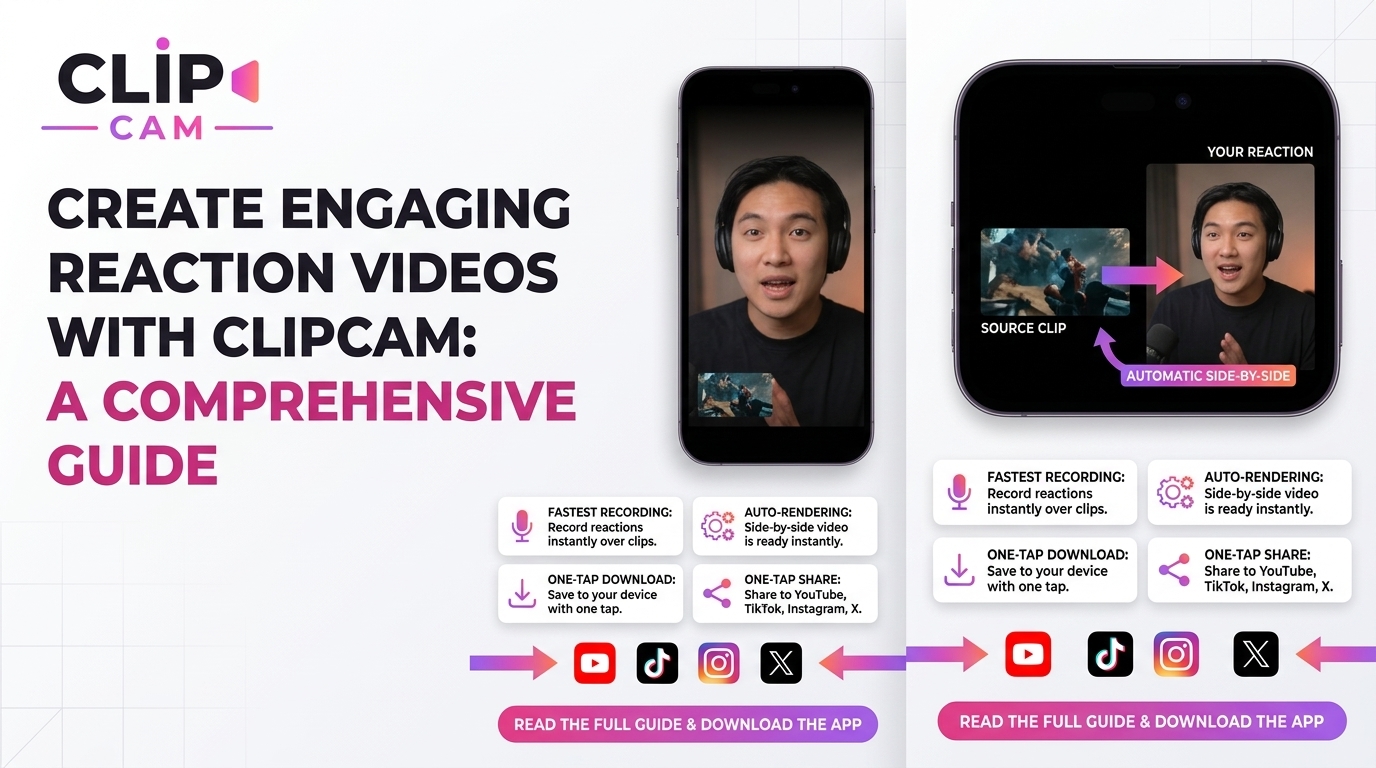
Create Engaging Reaction Videos with ClipCam: A Comprehensive Guide
Reaction videos are more than just clips; they're a cultural phenomenon that taps into our shared emotions and experiences. Whether you're laughing at a meme or expressing disbelief at a viral challenge, there's something irresistible about watching someone else react in real-time.
In this guide, you'll learn how to channel this engaging medium using ClipCam, a powerful tool designed specifically for content creators. Let's dive into the vibrant world of reaction videos!
Understanding Reaction Videos
What Are Reaction Videos?
Reaction videos are dynamic recordings where an individual or a group shares their real-time feedback on existing content—be it a movie trailer, a viral challenge, or a popular meme. The format typically showcases the original content alongside the creator’s reactions, often in a picture-in-picture setup. This style allows viewers to enjoy both the original footage and the unique takes of the reactor.
Why Are They Popular?
The rise of reaction videos on platforms like TikTok and YouTube speaks volumes about their appeal. These videos foster a sense of community, allowing viewers to relate to the reactor's feelings and thoughts. Emotional authenticity plays a huge role in this connection; when someone laughs, screams, or even cries, it resonates deeply with viewers, making them feel part of an experience. This emotional connection builds loyalty and engagement, turning casual viewers into dedicated subscribers.
Getting Started with ClipCam
Setting Up ClipCam
To kick off your reaction video journey with ClipCam, the first step is to download and install the software. It’s user-friendly and compatible with various systems, making it accessible for everyone. Once you’ve installed ClipCam, take a few moments to explore its clean interface, designed to make video creation as intuitive as possible.
Basic Features for Reaction Videos
ClipCam offers several features ideal for reaction videos. You can easily adjust shortcut settings for capturing video, allowing you to record without missing those crucial moments. The picture-in-picture format is particularly useful, as it provides a seamless viewing experience for your audience by placing your reactions in a smaller window alongside the original content.
Creating Your First Reaction Video
Selecting Your Content
Choosing the right content is pivotal for engaging reaction videos. Popular memes, trending music videos, and significant live events tend to attract more viewers. Tapping into these trends will help you stay relevant and ensure your video reaches a wider audience.
Recording Your Reaction
When it comes to capturing your reaction, authenticity is key. Here are some filming techniques to keep in mind:
Use Natural Lighting: Good lighting enhances the presentation and keeps viewers focused on your emotions.
Maintain Eye Contact: This engages your audience and makes them feel like they’re sharing the experience with you.
Be Yourself: Don’t be afraid to show genuine emotions. Whether it’s laughter, surprise, or disbelief, authenticity resonates with viewers.
Editing Tips for Engaging Reaction Videos
Best Editing Techniques
Once you’ve recorded your footage, editing becomes crucial for keeping viewer interest. Aim to cut unnecessary footage and tighten your edits; long-winded videos can lead to viewer drop-off. Incorporate engaging effects and sound bites to enhance the overall experience.
Audio Balancing and Syncing
Balancing audio levels between your reactions and the main video clip is another key aspect of editing. Use ClipCam’s features to sync your video and reaction footage accurately. Clear audio ensures that your viewers can enjoy both your commentary and the source content without constantly adjusting the volume.
Maximizing Engagement and Shareability
Understanding Your Audience
To maximize engagement, it’s essential to understand your audience. Identify popular niches for reaction content to tailor your videos accordingly. Different demographics will resonate with various types of content, so cater to your specific audience's tastes and preferences.
Promoting Your Videos
Promoting your videos effectively is equally important. Utilize platforms like TikTok and Instagram to reach larger audiences. Employ trending hashtags and join ongoing trends to increase visibility. Collaborating with fellow creators can also provide cross-promotion opportunities that help grow your subscriber base.
Analyzing Performance and Iterating
Tracking Engagement Metrics
Once your reaction videos are live, tracking engagement metrics becomes vital. Keep an eye on views, likes, shares, and comments to gauge audience response. These metrics will provide invaluable insights into what resonates with your audience.
Continuous Improvement
Using analytics tools can further refine your content. Experimentation is essential; don’t hesitate to try different formats and reactions to see what works best. Learning from performance data will help you continuously improve and evolve your content strategy.
Start creating your engaging reaction videos today with ClipCam and share your unique perspective with the world! Whether you’re just starting or looking to improve your skills, the right tools and techniques can turn your reactions into compelling narratives that entertain and engage.