
Automated Reaction Layouts: Stop Editing with ClipCam
Automated Reaction Layouts made simple: create side-by-side and PiP reaction videos faster. Save time and start editing smarter today.
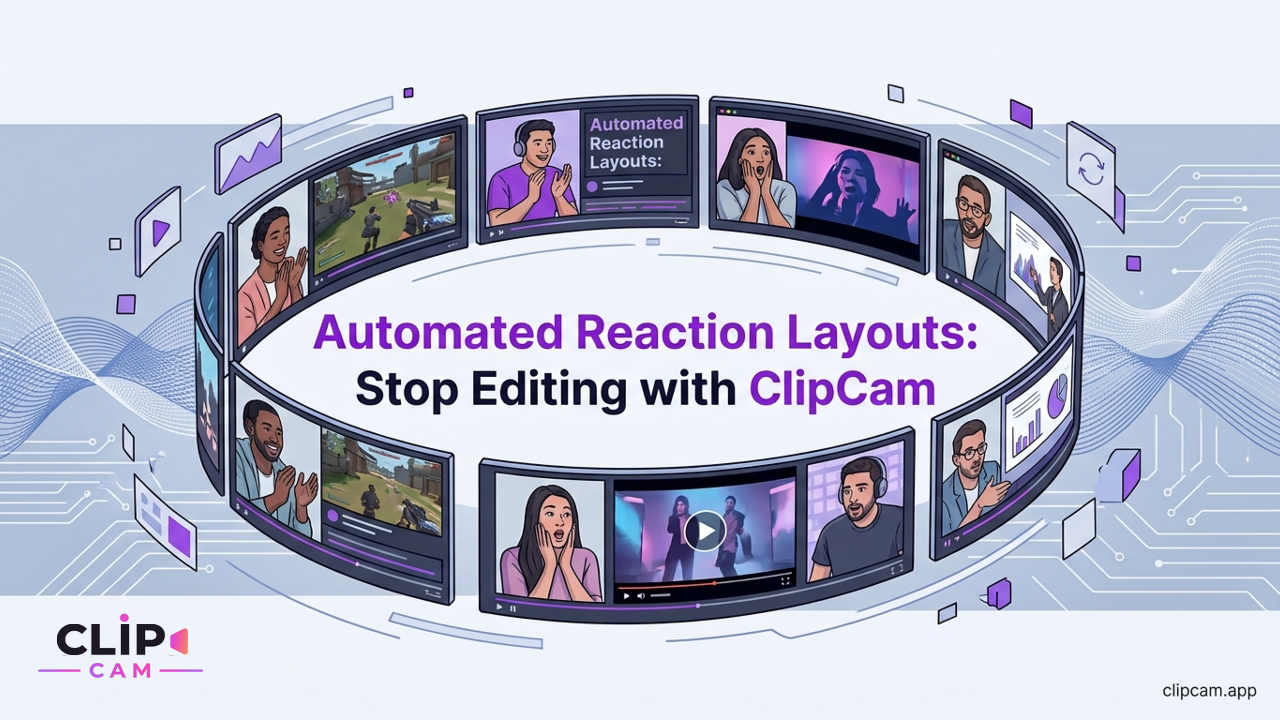
Crafting engaging reaction content shouldn't be a tedious editing marathon. Imagine a world where professional split-screen or picture-in-picture videos are generated with a single tap, completely eliminating the manual drudgery of alignment, resizing, and syncing. This is the power of automated reaction layouts, and it's precisely what ClipCam delivers, transforming hours of post-production into moments of effortless creation.
What are Automated Reaction Layouts?
At its core, an automated reaction layout is a system designed to effortlessly combine two or more video sources into a single, cohesive professional format without requiring manual intervention from the creator. For reaction content, this means seamlessly blending your live reaction footage with the source video you're responding to, producing dynamic split-screen or Picture-in-Picture (PiP) videos ready for sharing, all without a single click-and-drag in a complex editor.
Eliminating Manual Editing Hassles
Traditionally, creating a reaction video with a polished layout was a multi-step nightmare. You'd record your reaction separately, download the source video, import both into a desktop video editor, manually drag them onto separate timelines, meticulously sync the audio and video, resize one or both to fit the desired split-screen or PiP arrangement, adjust aspect ratios, add borders, and then finally render the output. This process is time-consuming, prone to errors like sync drift, and often requires a significant learning curve with professional editing software. It pulls creators away from their passion—reacting—and traps them in the technicalities of post-production.
The ClipCam Difference: Real-time Capture and Instant Layouts
ClipCam fundamentally redefines this workflow. It’s an intuitive mobile app engineered to capture your front camera reaction and the chosen source video simultaneously. No more juggling multiple recordings or separate devices. You simply select the content you want to react to, hit record, and let ClipCam do the heavy lifting.
The magic happens the moment you stop recording. ClipCam doesn’t just record; it processes. With one tap, it automatically renders your footage into a perfectly aligned side-by-side, stacked (top/bottom), or PiP format. This isn't just a simple overlay; it's an intelligent process that ensures optimal framing for both your reaction and the source video, producing a clean, professional output instantly. It eliminates every manual step: the syncing, the resizing, the timeline management, the complex export settings—it’s all handled behind the scenes, leaving you with a ready-to-share masterpiece.
Why Creators Are Ditching Manual Editing for Automation
In the fast-paced world of digital content, speed and consistency are paramount. Creators are increasingly recognizing that the manual editing paradigm is a bottleneck, hindering their ability to scale and engage effectively. Automated solutions like ClipCam aren't just a convenience; they're a strategic advantage.
Reclaiming Valuable Creation Time
Time is a creator's most precious commodity. Manual editing of a single reaction video can easily consume hours—from importing raw footage to fine-tuning every frame and waiting for rendering. For creators publishing daily or multiple times a week, this quickly becomes unsustainable, leading to burnout and missed opportunities.
ClipCam dramatically shifts this equation. What once took hours of meticulous work in a complex editor now requires mere seconds of setup and a single tap to render. Imagine the freedom of completing a professional reaction video in the time it takes to watch the source material itself. This isn't just about saving minutes; it's about reclaiming entire creative blocks, enabling you to produce more content, explore new niches, or simply enjoy a healthier work-life balance. By streamlining the technical aspects, ClipCam empowers you to focus purely on your performance, your commentary, and connecting with your audience.
Achieving Consistent, Professional Results Instantly
One of the biggest challenges with manual editing, especially for those without extensive training, is achieving consistent, professional-looking results. Subtle issues like slight desynchronization, uneven framing, awkward cropping, or inconsistent branding can detract from viewer engagement and diminish a channel's perceived quality.
ClipCam's automatic layout intelligence addresses these pitfalls head-on. It ensures optimal framing and aspect ratios every single time. For instance, if you're creating content for short-form platforms, ClipCam automatically optimizes for vertical 9:16 aspect ratios, guaranteeing your video looks perfect on TikTok, Reels, and Shorts. This means no more worrying about accidentally cutting off heads, misaligning videos, or struggling to maintain a consistent visual style.
The reduction in cognitive load is perhaps one of the most underrated benefits. When you're not constantly thinking about technical details—"Is this in sync? Is my face big enough? Does this look professional?"—you're free to immerse yourself entirely in the reaction. This leads to more authentic, engaging, and spontaneous content, as your energy is directed solely towards your audience and the material, not the software. The result is consistently high-quality, branded content that resonates, built on the authenticity of your unfiltered reaction.
Mastering Popular Reaction Layouts with ClipCam
ClipCam is designed to make mastering the most popular reaction video formats effortless, providing versatile options that cater to various content styles and platforms. Whether you need a direct comparison, a subtle overlay, or deep-dive commentary, ClipCam has an automated layout solution.
Side-by-Side: The Classic Reaction Format
The side-by-side layout is a perennial favorite for a reason: it offers a clear, direct comparison between the source content and your reaction. It's ideal for news commentary, reviewing trailers, reacting to viral videos, or engaging in general discussion where both the original content and your expressions are equally important. The visual impact of seeing both elements simultaneously creates an immersive experience for the viewer.
ClipCam simplifies this classic format by automatically arranging your reaction and the source video into a perfectly proportioned side-by-side split. You don't need to manually calculate percentages or drag sliders. ClipCam’s intelligent framing ensures that both subjects—you and the source—are clear, well-composed, and easily viewable, regardless of the original aspect ratio of your source video. It handles the scaling and cropping, delivering a clean, balanced presentation every time.
Picture-in-Picture (PiP): Concise and Engaging
Picture-in-Picture (PiP) is another powerful layout, particularly effective when the primary focus needs to remain on the source content, with your reaction serving as a concise, engaging overlay. This format is a staple in gaming commentary, software tutorials, product reviews, or quick, punchy reactions where you want to maintain full visibility of the original material while still providing your personal touch.
With ClipCam, creating a professional PiP layout is as straightforward as choosing the option. ClipCam automatically places your reaction camera feed as a smaller, unobtrusive overlay on the main source video. What sets ClipCam apart is its customizable PiP placement, giving you control over where your reaction bubble appears without any complex keyframing or spatial manipulation. Want it in the top right? Tap. Bottom left? Tap. This flexibility ensures your PiP layout enhances, rather than detracts from, the source content.
Stacked Layouts: For Deeper Commentary
Sometimes, a side-by-side or PiP doesn't quite provide the vertical space or sequential focus required for your content. This is where stacked layouts, featuring your reaction either above or below the source video, come into play. This format is excellent for scenarios where you need more room for text overlays, want to emphasize a particular part of your reaction, or when the source video itself is tall and a side-by-side would make both elements too small. It's perfect for educational content, in-depth reviews, or any video where a top-to-bottom flow enhances the narrative.
ClipCam seamlessly handles stacked layouts, automatically arranging your content into a clean top-and-bottom configuration. It ensures that both elements are appropriately sized and centered, providing a professional presentation that utilizes vertical screen real estate effectively. Furthermore, ClipCam understands that your content is destined for multiple platforms. For each layout type—side-by-side, PiP, or stacked—it automatically optimizes the aspect ratios for multi-platform export readiness, meaning your videos look fantastic whether they're destined for TikTok, Instagram Reels, YouTube Shorts, or traditional YouTube videos. No more manual resizing for each platform; ClipCam does it all.
Beyond Layouts: ClipCam's Workflow for Seamless Content Creation
ClipCam isn't just about automated layouts; it’s an entire ecosystem designed for effortless, mobile-first reaction content creation. From the moment inspiration strikes to the instant your video goes live, ClipCam streamlines every step, allowing you to focus purely on your creative output.
Effortless Recording: Just React
The core of ClipCam’s seamless experience begins with its recording process. It’s designed to be as intuitive as possible, removing all technical barriers. The workflow is elegantly simple:
Select Your Source: Easily choose the video you want to react to directly within the app.
Record Your Reaction: Position yourself, hit record, and let your authentic reactions flow. ClipCam simultaneously captures your front camera feed and the source video, perfectly synced from the very beginning. There's no separate recording, no subsequent importing.
Auto-Render: The moment you stop recording, ClipCam's automation kicks in. Your selected layout (side-by-side, PiP, or stacked) is instantly applied, and your professional reaction video is ready in a flash.
Beyond the visual layouts, ClipCam also features integrated audio management. This intelligent system works behind the scenes to prevent common issues like echo and ensures that both your voice and the source audio are clear, balanced, and perfectly synchronized. You don't need external microphones or post-production audio mixing; ClipCam handles it, so your commentary always sounds crisp and professional.
Instant Sharing Across All Your Platforms
Once your reaction video is rendered, ClipCam ensures it reaches your audience with maximum efficiency. There's no need to download the video, open another app, and then manually upload. ClipCam offers a truly integrated sharing experience:
One-Tap Download: Your high-quality reaction video is instantly available for download to your device's camera roll, giving you full control.
Direct Share Options: ClipCam provides one-tap direct share options for all major social media platforms, including TikTok, Instagram Reels, YouTube Shorts, traditional YouTube, and X (Twitter). This means your content can go from creation to publication in seconds, without ever leaving the ClipCam app.
This entire workflow is built on a mobile-first design philosophy. There's no desktop software to install, no complex setup, and no need for powerful computers. ClipCam transforms your smartphone into a professional reaction video studio, empowering you to create and share high-quality content from anywhere, at any time, with unparalleled speed and simplicity.
ClipCam vs. Traditional Editors & Built-in Social Features
While there are many tools available for video creation, ClipCam occupies a unique and powerful niche, specifically designed to solve the challenges of reaction content with unparalleled efficiency. Understanding where ClipCam stands in relation to traditional desktop editors and the built-in features of social media platforms highlights its distinct advantages.
Why ClipCam Outperforms Manual Editors
Traditional desktop video editors like Adobe Premiere Pro, Final Cut Pro, or DaVinci Resolve are powerful, full-featured tools, but they come with a steep learning curve and a time-consuming workflow. Creating a reaction video manually involves:
Multi-Step Process: Importing separate video files, dragging them onto a timeline, creating multiple video layers, painstakingly aligning and syncing audio/video, manually resizing and positioning elements, applying masks for PiP, adjusting export settings, and then waiting for a lengthy render.
Complexity: These editors are designed for a broad range of video production, not specialized for reaction content. Their expansive feature sets often overwhelm creators who simply want a quick, professional split-screen.
Time Commitment: Even for experienced editors, producing a polished reaction video can take hours.
ClipCam, in stark contrast, offers a one-tap automation solution. It collapses the multi-step, complex process of traditional editing into a single, intuitive action. You select your source, record your reaction, and ClipCam handles the entire layout, sync, and rendering process automatically. This isn't just a minor improvement; it's a revolutionary shift that reclaims hours of a creator's time and drastically reduces the skill barrier to producing professional-grade reaction videos.
Going Beyond TikTok Duets and Remixes
Social media platforms like TikTok, Instagram, and YouTube offer their own built-in features for reacting to content, such as TikTok's Duet or Stitch features, or Instagram's Remix. While convenient, these tools come with significant limitations:
Limited Control: Built-in features offer minimal control over the layout, aspect ratios, and placement of your reaction. You're often locked into a specific side-by-side or limited PiP size and position, without the flexibility to customize for different content types or aesthetic preferences.
Quality Constraints: The quality and export settings are often optimized for immediate, in-app sharing, which can sometimes result in lower resolution or less polished output compared to a dedicated video production tool.
Platform-Specific: These features are locked to their respective platforms, meaning you can't easily create a video in TikTok's Duet format and then seamlessly export it for YouTube or X with optimized settings.
ClipCam transcends these limitations by offering robust control over layout, aspect ratios, and output quality, all while maintaining incredible ease of use. You get to choose your preferred layout (side-by-side, PiP, or stacked), and ClipCam ensures the video is optimized for various platforms without compromising quality or creative vision.
It’s also crucial to address the misconception of AI reaction tools. ClipCam is not about generating synthetic avatars or automated responses. Instead, ClipCam focuses on enhancing and streamlining authentic human reactions. It empowers creators to fully express themselves, providing the technical infrastructure to present those genuine reactions in a professional, polished format without the tedious manual work. The creative freedom and professional finish ClipCam offers go far beyond the basic, often restrictive, functionalities of native platform tools, enabling creators to produce truly distinctive and high-quality reaction content consistently.
Future-Proof Your Content Strategy with ClipCam
In the dynamic world of online content creation, staying relevant means being agile, consistent, and authentic. Automated reaction layouts, powered by ClipCam, offer a pivotal advantage for creators looking to future-proof their strategy and elevate their brand.
The core benefits are undeniable: unparalleled speed, effortless simplicity, professional quality that rivals traditionally edited videos, and the preservation of authentic, human reactions. ClipCam removes the friction points that traditionally plague reaction content creation, allowing you to move from inspiration to publication in minutes, not hours.
By streamlining the entire process, ClipCam empowers you to produce more content, more consistently, without ever sacrificing quality or your precious time. This enhanced output directly translates to increased audience engagement, faster channel growth, and greater opportunities for monetization. You can jump on trends quicker, publish daily without burnout, and experiment with different formats, knowing that the technical heavy lifting is handled.
ClipCam isn't just another editing tool; it's an essential strategic asset for any creator dedicated to scaling their reaction content without scaling their effort. It ensures your focus remains where it should be: on creating compelling, engaging, and genuinely reactive content that resonates with your audience.
Ready to stop wasting time on manual editing and start creating engaging reaction videos instantly? Download ClipCam today and experience the future of content creation.